Best Free Smart Data Type Converter: Transform Product Data for Multi-Channel Success
Use a free smart data type converter to turn CSV, JSON, XML, and Excel product data into marketplace-ready formats for Amazon, Walmart, and more.
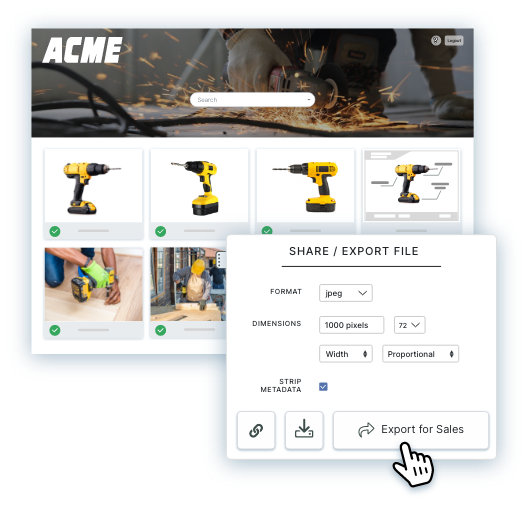
Table of Contents
Key Terms to Know
Selling the same product on Amazon, Walmart, and your own website sounds simple until you upload the file. Each platform wants prices, dates, sizes, and product codes written its own way, so a spreadsheet that works on one site gets rejected on the next.
A free smart data type converter fixes much of this at no cost. Give it a CSV, JSON, XML, Excel, or plain text file, and it works out whether each value is a price, a date, a measurement, or a product code, then rewrites it to match the rules of the platform you are sending it to.
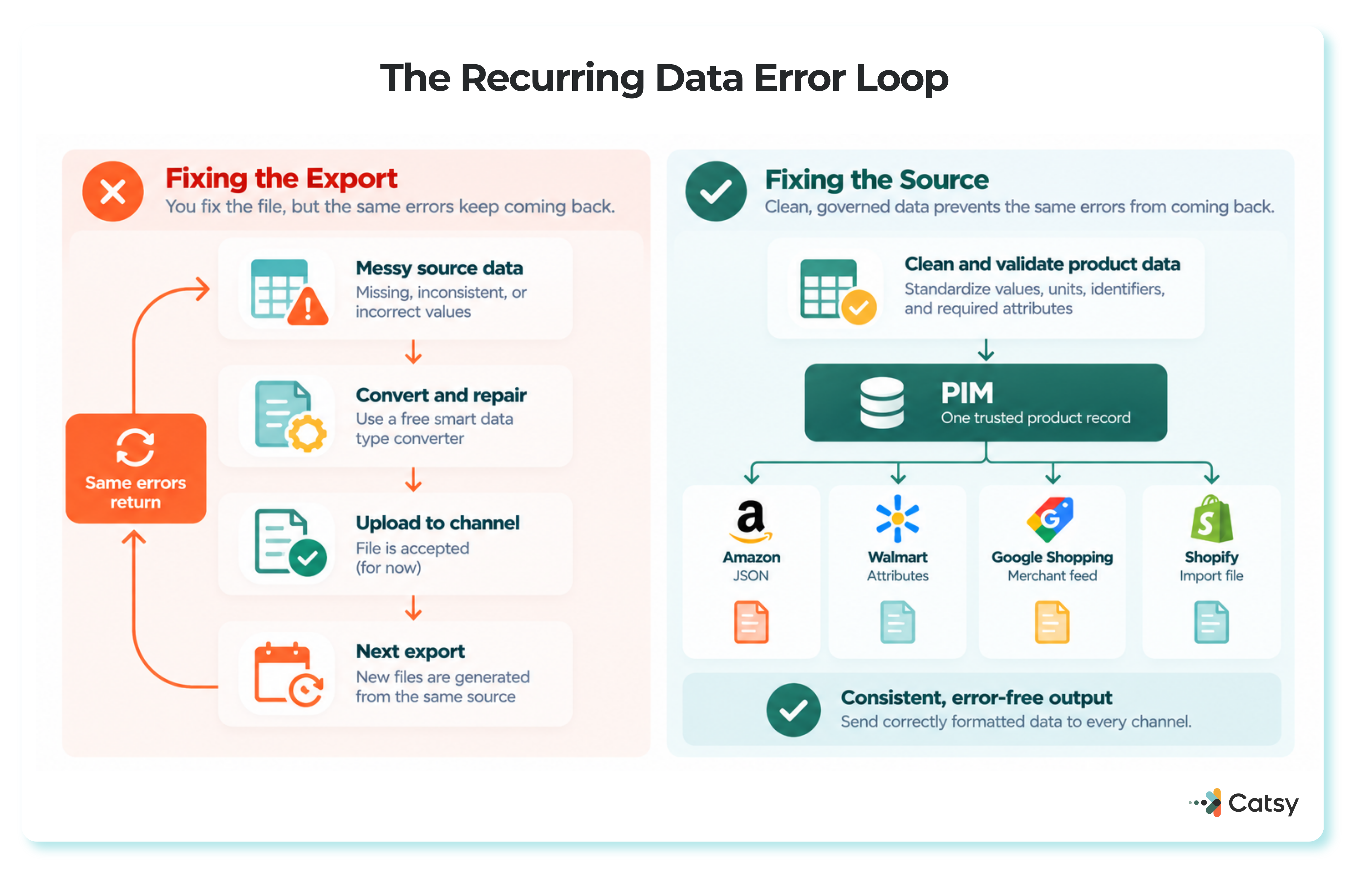
A converter still fixes one file at a time. If the source data is messy, the same errors come back with the next upload. Fixing the source is the job of product information management (PIM), which keeps one approved version of every product and sends a correctly formatted copy to each sales channel.
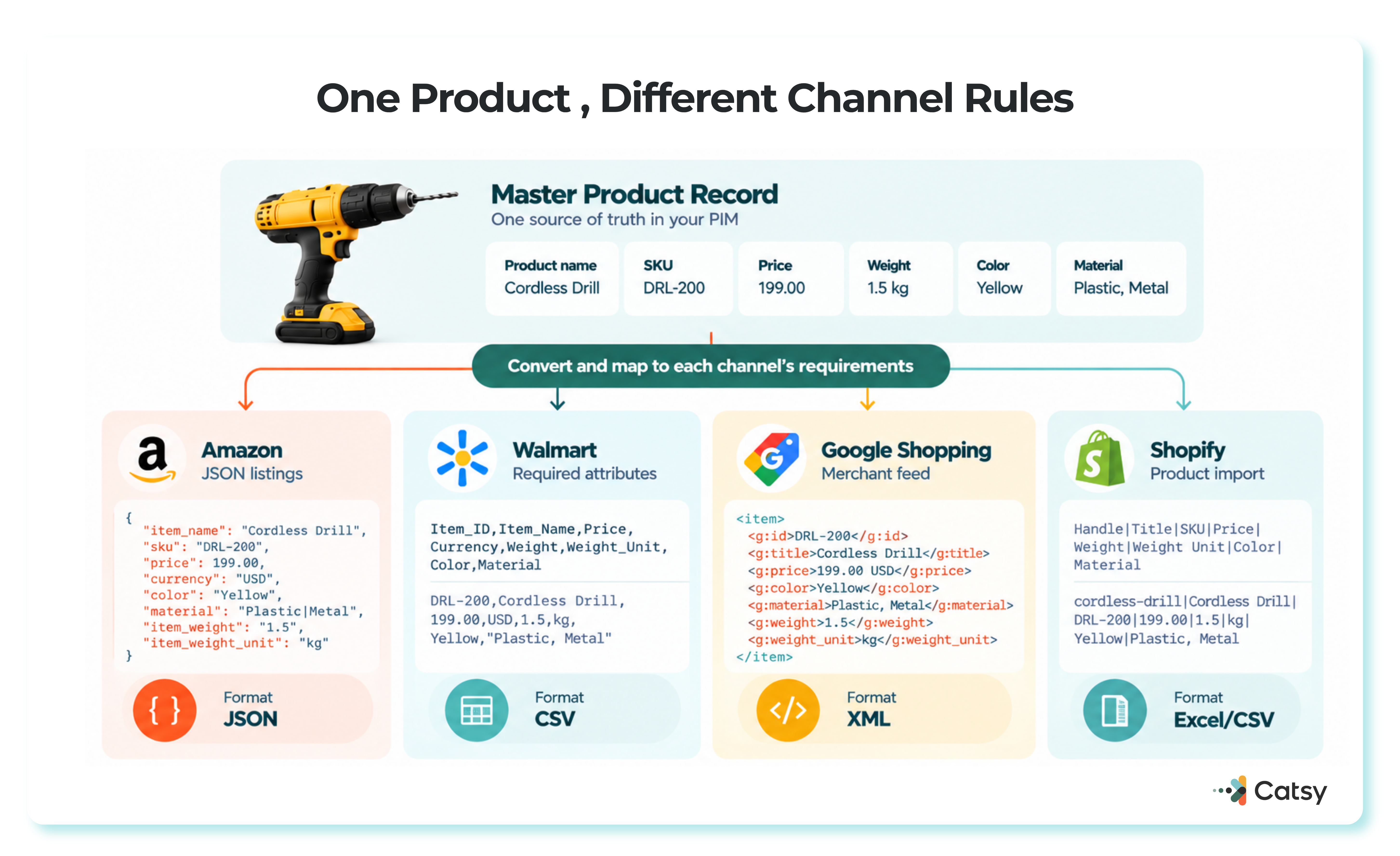
Every Marketplace Has Its Own Data Rules
A wrong format can get a listing rejected, buried in search, or returned. Amazon often asks for dozens of attributes per product, and Walmart tends to expect even more complete data. Dates typed as plain text, files that lose their structure when moved between CSV, JSON, and XML, and unit conversions done by hand are the usual culprits.
Accurate, complete listings earn shopper trust and can increase conversion rates by 15 to 30 percent. [TO FILL: primary source, or soften] Poor data is expensive. Gartner research from 2020 put the average cost of poor data quality at $12.9 million a year per organization, and its data quality guidance notes that 59% of organizations do not measure data quality at all.
Most of these problems start before conversion. Catsy’s guide to cleaning product information shows how to standardize units and separate required fields from optional ones.
The Errors That Get Listings Rejected
Prices. A misplaced decimal or the wrong currency ruins trust instantly.
Dates. Regions write dates differently, so 05/04 can mean May 4 or April 5.
Measurements. “5kg” on one product and “5 kilograms” on another can break the filters shoppers use.
Attributes. One missing or incorrect attribute can hide a product from search results.
Identifiers. Walmart’s product ID guidance requires a product ID for all items sold on Walmart.com, says most IDs should be numbers only, and notes that a 12-digit UPC becomes a GTIN when zeros are added to the front. Walmart also says a product ID cannot be updated once set. [TO FILL: these specific requirements could not be independently confirmed on Walmart’s current marketplace documentation during this pass — original text preserved]
Field names cause trouble too. When Amazon moved programmatic listings to JSON, its attribute mapping documentation warned that attribute names and allowed values can differ between flat files and the JSON feed, with “SizeName” becoming “Size_Name.” Keeping a required-field list for each retailer, as Catsy’s product data management manual for brands recommends, helps prevent these mismatches.
Free Smart Data Type Converters Worth Using
No single free tool handles every part of the job, so it helps to combine two or three.
OpenRefine is a free, open-source tool for cleaning messy data and transforming it from one format into another. It runs on your own computer, so product data is not sent to an outside cloud service. It is a good fit for standardizing values such as “5kg” and “5 kilograms” before export.
ConvertCSV turns CSV files into JSON, XML, YAML, SQL, and other formats, and converts those formats back to CSV or Excel. Its FAQ says all processing happens on your computer and the data never leaves it.
GS1’s check digit calculator verifies the last digit of GTINs and other GS1 identification keys, which catches mistyped barcode numbers before a marketplace does.
Platform checks confirm the result. In Google Merchant Center, the Needs attention tab lists issues with your product data, and Amazon offers a validation mode, covered below.
Marketplace rules change, and no free tool tracks those updates for you. Inside a PIM, Catsy’s Amazon PIM and DAM tools grade product content against channel requirements and export it in Amazon Seller Central format.
What Changed on the Platforms in 2025 and 2026
Several platforms changed how they accept product data.
Amazon Switched Programmatic Listings to JSON
In March 2024, Amazon announced it would stop supporting XML and flat-file listings data sent through its Feeds API, in favor of the JSON-based Listings Items API or JSON_LISTINGS_FEED. The notice also confirms a validation mode that checks a listing without adding it to the catalog. Since July 31, 2025, the Feeds API has rejected the old feeds, according to Amazon’s listings feed documentation.
Uploads made directly in Seller Central were not affected. Catsy’s article on how brands run Amazon listing operations at scale with PIM covers the day-to-day work.
Google Retired the Content API for Shopping
Google sunset the Content API for Shopping on August 18, 2026, replacing it with the Merchant API. From September 1, 2026, requests from clients without an extension began failing intermittently, and all requests are scheduled to fail in early 2027, according to Google’s sunset guide. In other words, a feed can break even when every value in it is correct.
Walmart Grades Listing Quality
Walmart’s Listing Quality dashboard scores published and in-stock status, ratings and reviews, shipping, content quality, and price competitiveness, and Walmart says quality listings boost visibility. Catsy’s PIM and DAM for Walmart Marketplace checks completeness by product type, category, and channel before items go live.
ChatGPT Now Reads Product Feeds
On September 29, 2025, OpenAI open-sourced the Agentic Commerce Protocol, built with Stripe. Its product feed documentation asks merchants for a sample feed for validation, then a fresh snapshot daily. The feed reference requires publicly accessible product and image URLs and fixed availability values such as in_stock, and it rejects rows with missing or unrecognized availability. Forrester’s analysis of agentic commerce argued that preparing product content for AI systems differs from preparing it for traditional search.
2D Barcodes Are Coming to Checkout
GS1’s Sunrise 2027 initiative aims for QR Codes with GS1 standards to be widely adopted on packaging and read at retail checkouts by the end of 2027, according to GS1’s industry endorsement statement. These codes can carry expiry dates, lot numbers, and serial numbers, which makes clean identifiers and attributes even more important.
Each channel now brings its own specification, and the rules change on schedules you do not control. Catsy’s guide on how to syndicate product data across every channel walks through the requirements one channel at a time.
Where PIM Software Fits
PIM software fixes the record a file came from, keeping product data and images together and applying validation rules before anything reaches a storefront.
In Catsy, data governance tools capture the right data types at entry, check data against quality standards, and control who can edit what.
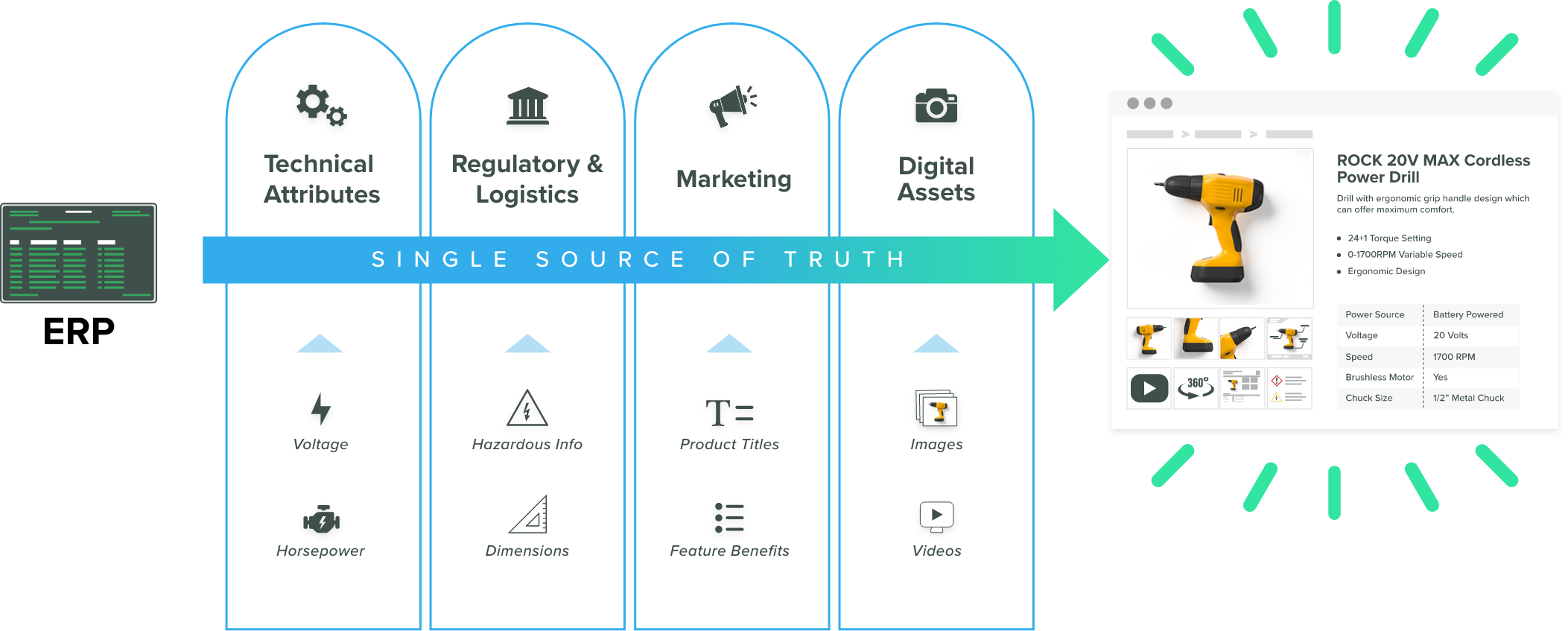
Catsy’s channel templates map attributes to each channel and store that channel’s validation rules, while completeness scoring flags gaps before publishing. Products export to InDesign, Excel, and CSV with nightly or custom daily syncs.
Digital asset transformation creates marketplace-sized images in bulk.
Because multilingual content, currencies, and dimensions are managed in the same system, unit and currency conversion happens once instead of file by file.
Free Converter or PIM?
A free converter suits one-off fixes and small catalogs. With several channels or hundreds of SKUs, PIM becomes the more practical choice. Catsy’s PIM for omnichannel retail shows one product database feeding every channel.
| Free browser-based converter | PIM software such as Catsy | |
|---|---|---|
| Best suited to | Occasional conversions, small catalogs | Growing multi-channel catalogs |
| What gets fixed | The current file | The product record behind every file |
| Checks | Basic type and format checks | Validation rules and completeness scoring |
| When rules change | You update the process by hand | Templates are updated in one place |
| Images | Usually not handled | Bulk resizing for each channel |
| Cost | Free | Subscription |

Look at PIM when you keep fixing the same errors, several people edit separate files, or you sell on three or more channels. It also helps when product images sit apart from product data, a gap that digital asset management connected to PIM closes.
Rolling Out a Converter Without Breaking Your Catalog
Audit where your data lives and where errors appear most. Pilot a small set of products with validation rules for each platform, then scale up with bulk processing and track rejection reasons.
Assign clear ownership of data quality, automate manual steps, train the people who enter data, and track each channel’s deprecation calendar. Many businesses see improvements within 30 to 60 days. [TO FILL: source]
Catsy’s PIM and DAM workflow tools support that ownership with custom approval flows, task assignment, and real-time notifications.
Keep reading: What is PIM? | PIM vs DAM | PIM vs ERP | Best PIM Software
Catsy’s PIM checks product data against each channel’s requirements, so fewer listings are rejected for formatting problems. Book a demo.