Why Shoppers Can’t Filter Your Products (And What Faceted Search Actually Needs From Your Data)
Faceted search fails when product data is incomplete. Learn which attributes, values, and rules your filters need to return every matching product.
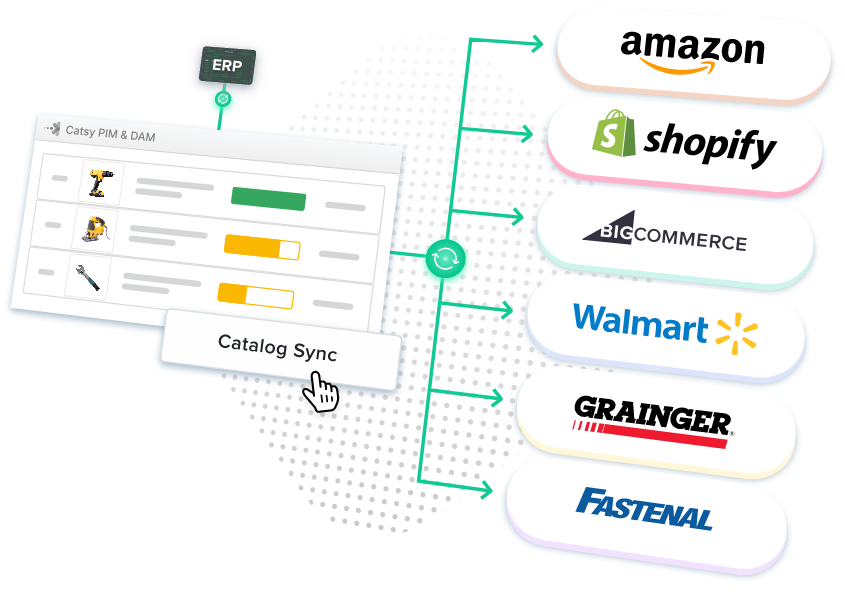
Table of Contents
Key Terms to Know
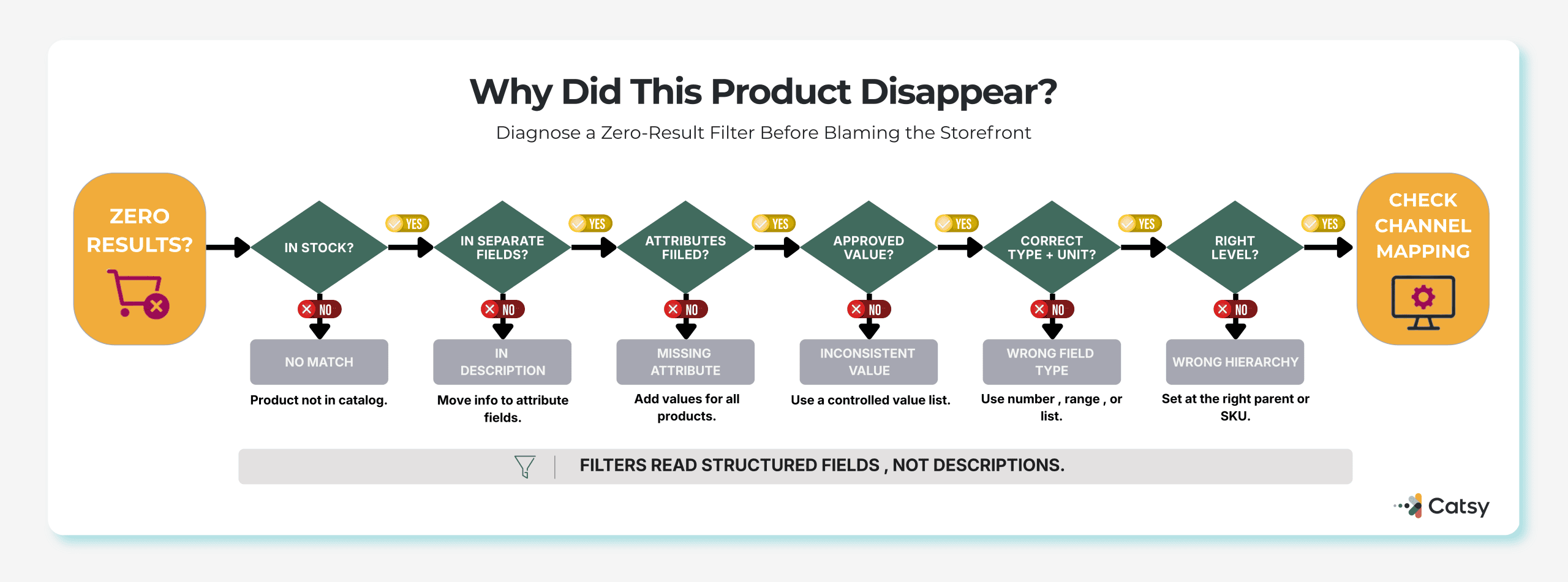
A buyer opens the hand tools section of an online store and picks three filters: “Pipe Wrench,” “12 in,” and “Stainless Steel.” Zero results. Yet the store stocks exactly that wrench.
The wrench’s size and material appear only in its description (“This rugged 12-inch stainless steel pipe wrench”). They were never saved as separate product attributes such as Size or Material. The filters had nothing to match, so the buyer assumed the wrench did not exist.
Faceted search can fail like this without anyone noticing, because the filter panel still looks fine. Baymard Institute’s 2025 benchmark found that 58% of desktop sites and 78% of mobile sites have product list and filtering UX that performs “mediocre” or worse. Better filter design helps, but every filter depends on the data underneath it, and that data is this guide’s focus.
Filters Read Fields, Not Descriptions
A facet is one thing a shopper can filter by, such as Brand, Size, or Material. Each facet is a question the catalog must answer. “Which of these wrenches are 12 inches long?” can only be answered by a Size field that holds a length for every wrench.
When that field is empty, the product drops out of filtered results, even if it is a perfect match. Shoppers see fewer choices, or none, and decide the store does not carry what they need.
Shoppers also stack filters. In Baymard’s testing, participants commonly applied five or six filters in one session, and some applied up to 10. A product missing one of five attributes is invisible to anyone who uses all five.
These four data problems break ecommerce product filters:
The Data Behind a Working Filter
Faceted navigation, the filter panel shoppers use to narrow a category, assumes that attributes, not extra categories, describe how products differ. Catsy’s article on how attributes that become categories break a taxonomy shows what goes wrong when a store ignores that rule.
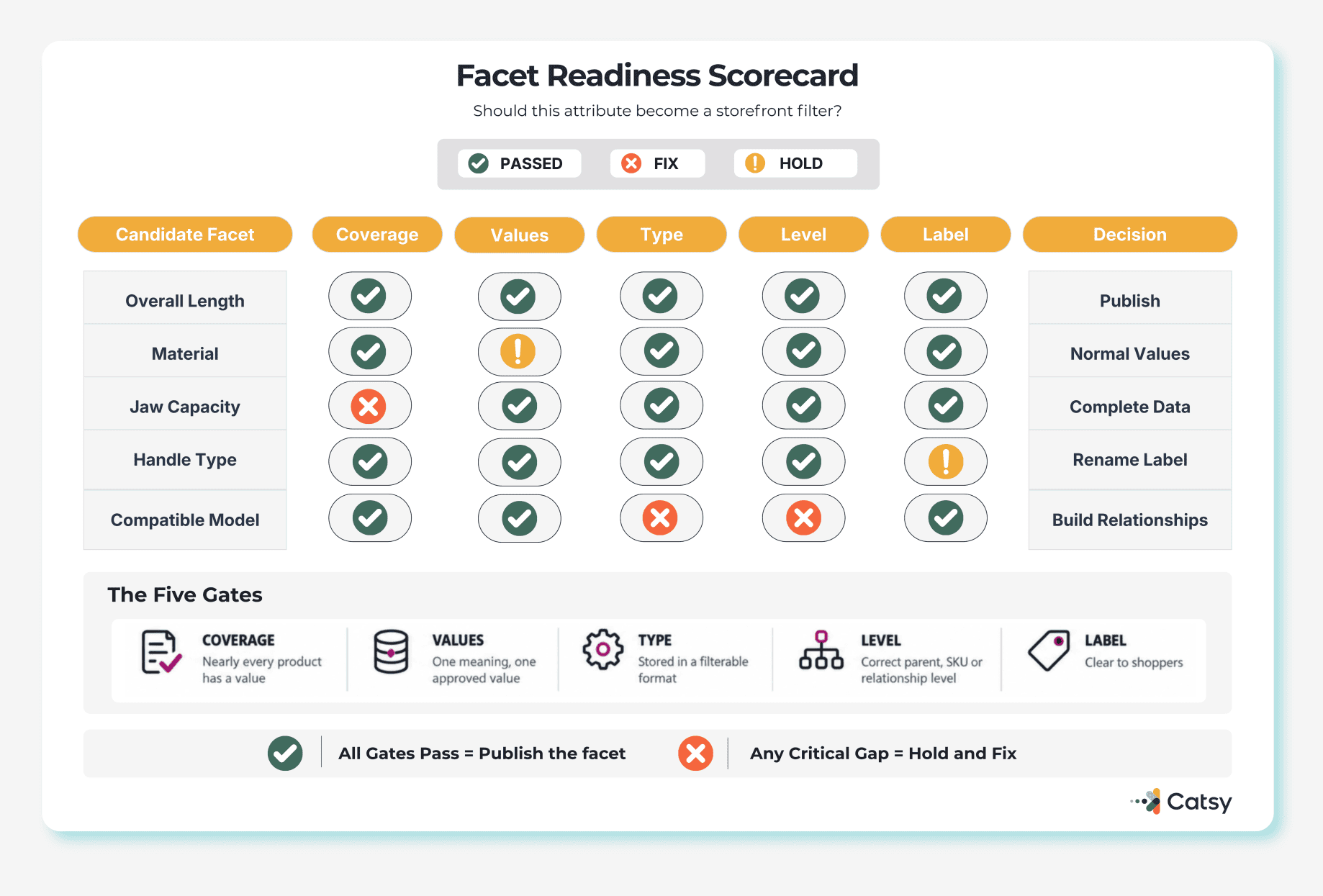
Coverage across the whole category
Product data completeness should be measured attribute by attribute. A Material attribute that is only 60% filled hides 40% of the category from anyone who uses it. Catsy’s guide to product data quality standards recommends setting a completeness threshold for each category instead of one number for the whole catalog.
One value for one meaning
A controlled value list, often called a pick list, gives people a fixed set of approved values instead of free text. Catsy’s PIM for B2C brands uses standardized pick lists to stop splits like “XXL” versus “2XL.” Baymard also warns that when a site uses “Colour” in one place and “Color” in another, shoppers lose confidence in the filters.
Numbers saved as numbers
Length, jaw capacity, weight, and thread size belong in number fields, with the unit kept separately. Saved as “12” with the unit “in,” the wrench shows up in a range filter for 10 to 14 inches. Saved as “approx. 12 inches” in a text box, it does not.
The right level in the hierarchy
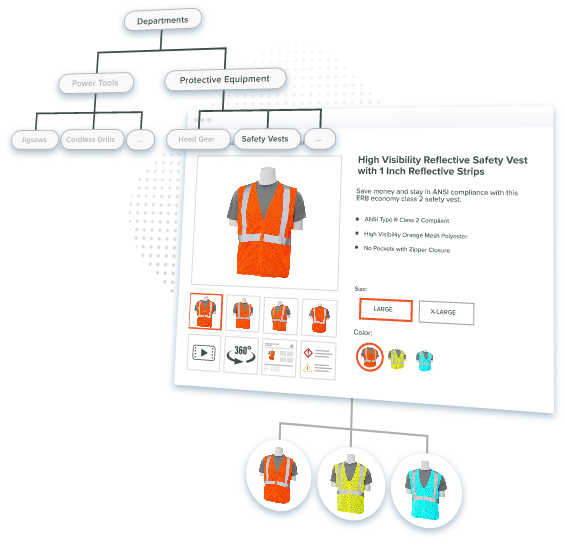
When variants sit under a parent product, shared facts such as brand or material belong on the parent. Facts that differ, such as length, belong on each SKU. If one attribute lives at both levels, filters can return conflicting results. Catsy’s guide to parent vs. SKU attributes covers how to assign them.
Compatibility filters, such as “fits Model X,” connect one product to another, so they need structured links from a product relationship data model, not a line of text.
Labels shoppers understand
Internal shorthand like “OAL” or “Jaw Cap.” can slip onto the storefront unchanged. Baymard reports that 25% of desktop sites and 40% of mobile sites use unclear labels for industry-specific filters, and shoppers may skip those filters entirely. Show shoppers a plain label such as “Overall Length.”
Building a Metadata and Attribute Framework
A metadata and attribute framework is the set of rules for which attributes each category needs and how they are stored. For the pipe wrench:
After launch, Baymard suggests tracking zero-result events and drop-off after filtering, since both can point to label or data problems. If step one turns up attributes posing as categories, fix the product taxonomy first.
Images Count Too
Some filters are visual. Baymard notes that color swatches are more intuitive than text labels for fashion and home goods. A swatch only helps if the photo behind it shows the right color. Digital asset management (DAM) keeps each photo tied to the correct SKU and variant, so swatches and filtered results stay in sync.
Other Systems Read the Same Attributes
Google Merchant Center uses these attributes to match products to searches, and it lists missing or incorrect variant attributes, such as color or size, among the common issues that can keep products out of ads and free listings.
AI shopping tools read them too. OpenAI’s product feed specification describes a structured feed that OpenAI ingests and indexes to make products discoverable inside ChatGPT. Catsy explains why unstructured product data leaves B2B catalogs invisible to AI shopping agents.
Filter pages matter to search engines too. Google warns that filter URLs built from parameters can lead to overcrawling and slower discovery of new pages, and recommends a 404 status when a filter combination has no results.
Where a PIM Fits
A one-time cleanup does not last as new SKUs arrive.
A product information management (PIM) platform stores product data in one place and turns your framework into product attribute management rules that the system enforces. With a governed PIM and DAM, teams can:
For the storefront, Catsy’s faceted search capability supports unlimited attributes and pushes metadata fields to fuel faceted search on ecommerce platforms. Product data governance decides who owns each attribute and who approves changes.
Key Takeaways