Product Data Modeling · B2B Catalogs

How to Build a Product Relationship Data Model for Complex B2B Catalogs

A product relationship data model links accessories, replacement parts, and compatible components across a catalog. Here’s how to structure one.
Ceejay S Teku September 24, 2026
Catsy PIM structuring product relationship data for manufacturers and complex B2B catalogs

A product relationship data model defines how catalog items connect. It tells you which products are compatible, which are accessories or replacements, and which belong to the same family. It lets buyers confirm that a bracket fits a pump or that a newer filter replaces an older part number.

For manufacturers, distributors, and brands selling across channels, these connections become harder to manage as catalogs grow. Product attributes alone cannot explain them.

Key Terms to Know

View Key Terms

Accessory – A product that enhances a base product but is sold separately.

Attribute-Driven Compatibility – Compatibility determined by comparing shared technical specifications rather than by linking individual SKUs one by one.

Component Compatibility Data – Structured information defining which parts, components, or accessories work together.

Cross-Sell – A related product from a different category commonly purchased alongside the base product.

Explicit Link – A direct, named relationship defined between two specific SKUs.

PIM (Product Information Management) – A system for centralizing and managing product data across a catalog.

Product Relationship Data Model – The structure a catalog uses to define how products connect to one another.

Substitute – A temporary alternative offered when the original product is unavailable.

Supersession – A permanent, time-stamped relationship where one part number replaces another.

Upsell – A higher-tier or more capable alternative to the product a customer is viewing.

Where Catalog Structure Breaks Down

A spreadsheet and someone who remembers that Part A fits Product B may work for a small catalog. But adding hundreds of SKUs, another brand, or another sales channel, and those informal connections can become difficult to maintain.

A basic product information management (PIM) system stores attributes such as dimensions, specifications, and price. Relationships connect products, often with a direction or condition attached. A mower deck might fit three tractor models, but individual blades may depend on the deck configuration. That requires more than a flat attribute field.

Without a defined model most teams rely on notes, duplicated records, or employee memory. Buyers cannot confidently select parts, and support teams must resolve questions that structured data should answer.

McKinsey & Company’s product data research connects standardized product information with better customer experiences. As buyers conduct more research independently, missing compatibility information can also stall purchases. In industrial catalogs, an incorrect fitment claim may send the wrong component into expensive equipment.
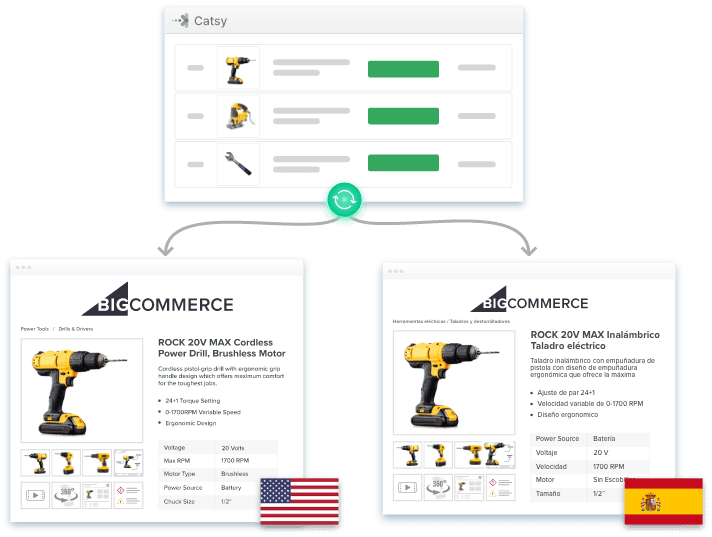
Illustration of large catalog support across growing SKU counts, brands, and sales channels
Informal connections that work for a small catalog break down once SKUs, brands, and channels multiply.

Four Relationship Categories to Define
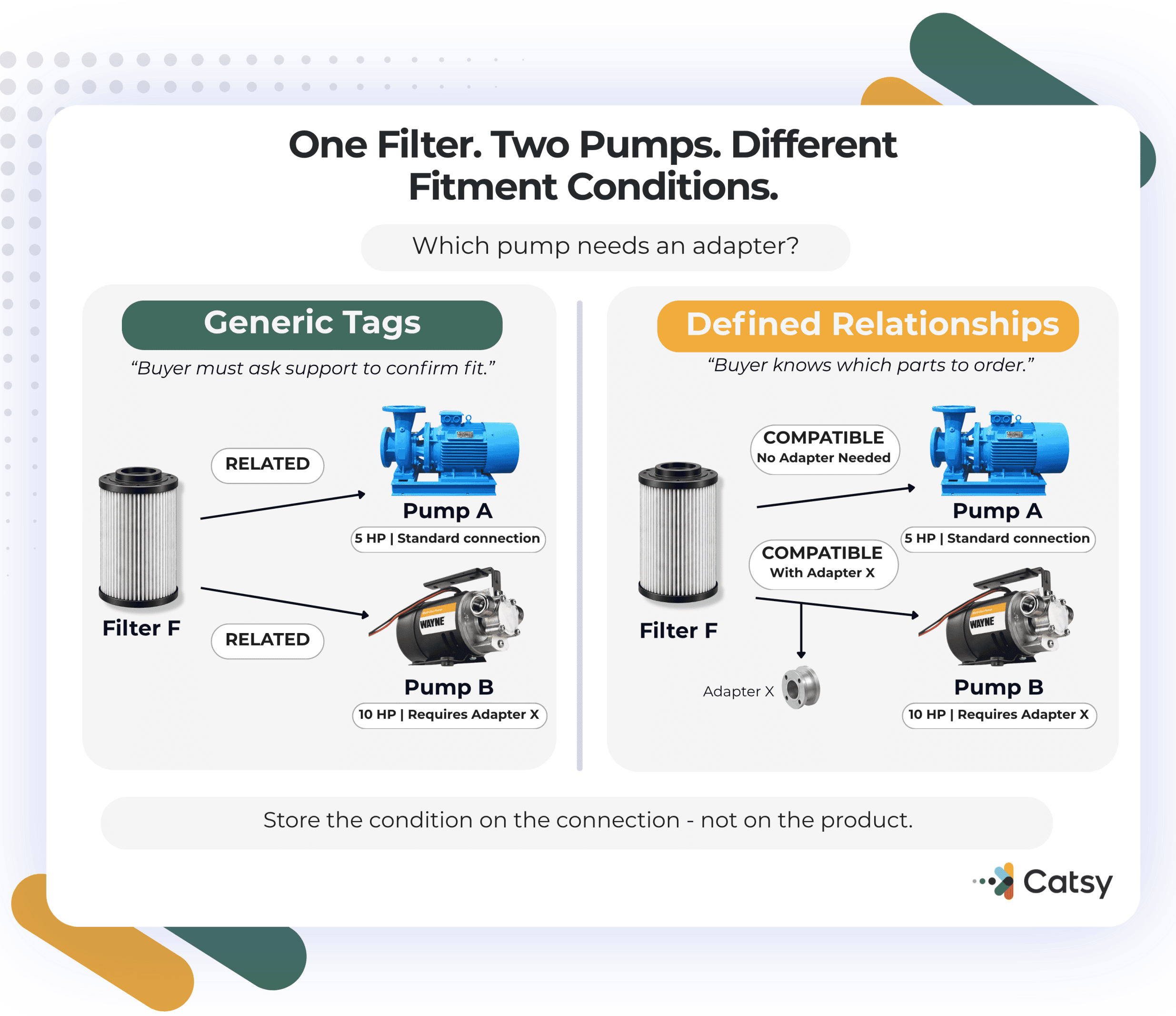
Diagram of the four product relationship categories: variants and hierarchies, compatibility and fitment, merchandising relationships, and supersession
Four relationship types cover most of what a complex B2B catalog needs to define.
Variants and hierarchies connect product families, models, and individual SKUs. A parent product may have children that differ by size, color, or configuration. Define attribute ownership and inheritance so shared specifications cascade appropriately while SKU details remain unique.
Compatibility and fitment identify products that work together like batteries and tools, filters and pumps, or parts and vehicles. Vehicle compatibility and fitment data illustrates how detailed these connections can become. Make sure to use explicit links for confirmed pairs and exceptions, and attribute-driven rules for shared specifications such as voltage or mounting pattern.
Merchandising relationships include cross-sell and upsell associations, accessories, and substitutes. Keep them distinct. An accessory enhances a product but sells separately. A cross-sell is commonly purchased alongside it. An upsell offers a higher-tier alternative. A substitute provides another option when the original is unavailable. Mixing these types weakens recommendations.
Supersession identifies a product that permanently replaces an older item after a design change or discontinuation. This relationship is directional and may require effective dates. It matters especially in spare-parts catalogs, where customers still search for discontinued numbers.
Diagram of named relationship link types such as compatible with, accessory for, and replaces
A relationship needs a name, a direction, and an owner, not just a mark that two products are related.

A relationship should explain how products connect, rather than simply mark them as related. Define named types such as “compatible with,” “accessory for,” and “replaces.” For each, document direction, conditions, ownership, and approval requirements.

Support these definitions with product data governance. Teams need clear authority to create, approve, update, or retire links. A temporary recommendation for an unavailable item may change after restocking; a permanent supersession needs different handling.

Manual links can work for smaller catalogs. At larger scales, catalog management software should support attribute-driven logic, with explicit links for exceptions that specifications cannot capture.

Industry standards provide useful foundations.

GS1’s Global Data Model standardizes product attributes for consumer goods exchange.
ACES and PIES support automotive fitment and product information exchange.
ETIM structures electrical and technical products into classes with defined features.

These standards do not replace a relationship model, but they provide consistent data on which relationship rules can depend.

Consider a replacement filter that fits two pump models but requires an adapter for one. Store the filter and pumps as separate records, identify the compatibility links, and attach the adapter requirement to the relevant connection. A generic “related” tag cannot tell the buyer when that extra component is necessary.

Also define whether each relationship is reciprocal. “Compatible with” may apply in both directions for discovery, while “replaces” points from an older product to its successor. An accessory link should identify the base item and the optional addition. These distinctions help channels display useful information without implying that every connected product serves the same purpose.

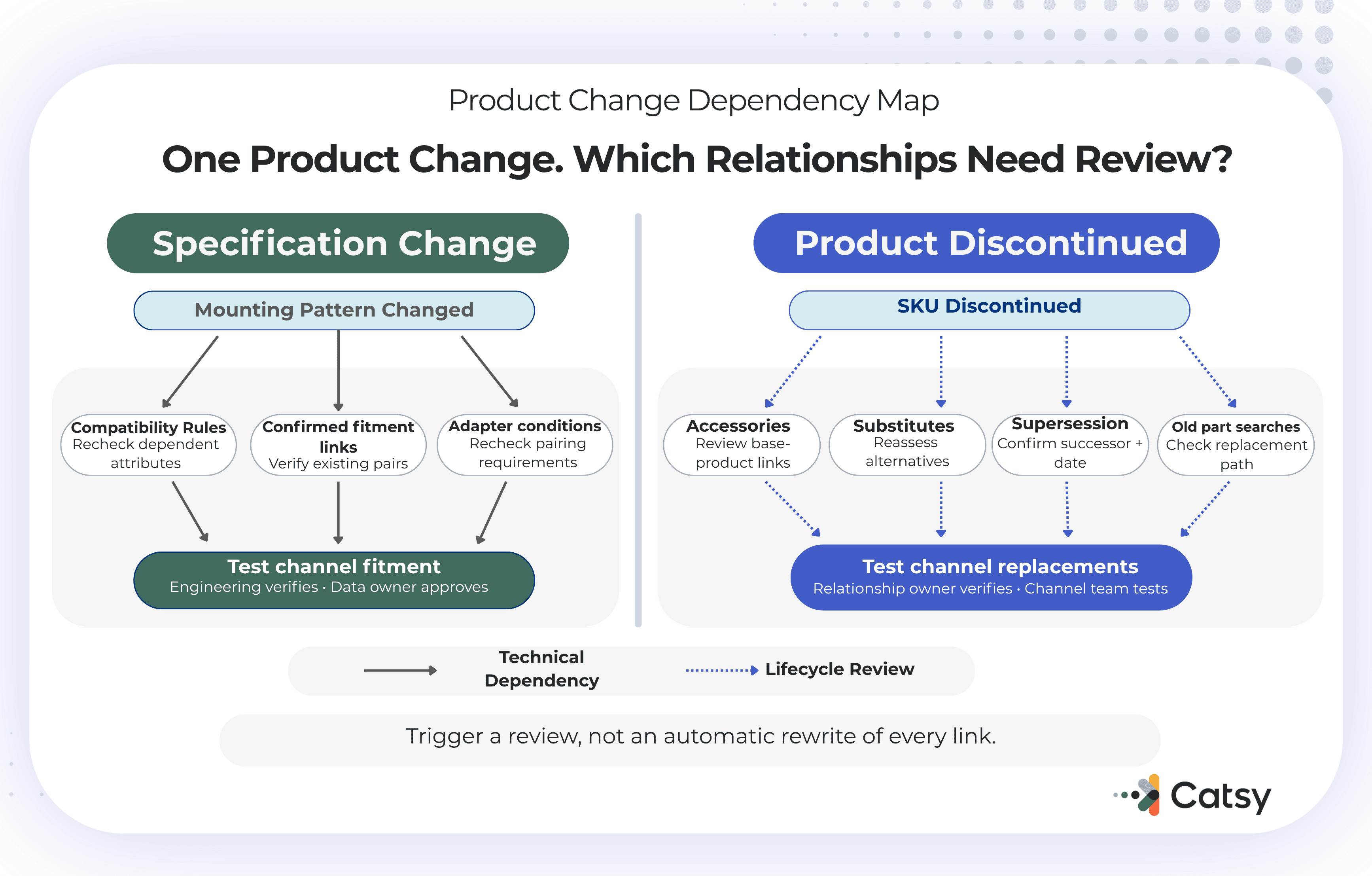
Maintenance needs its own routine. When a specification changes, review the relationships that depend on it. When an item is discontinued, check accessories, substitutes, and replacement paths. Track the source and last verification date so reviewers can distinguish confirmed connections from assumptions that still need checking before channel publication.
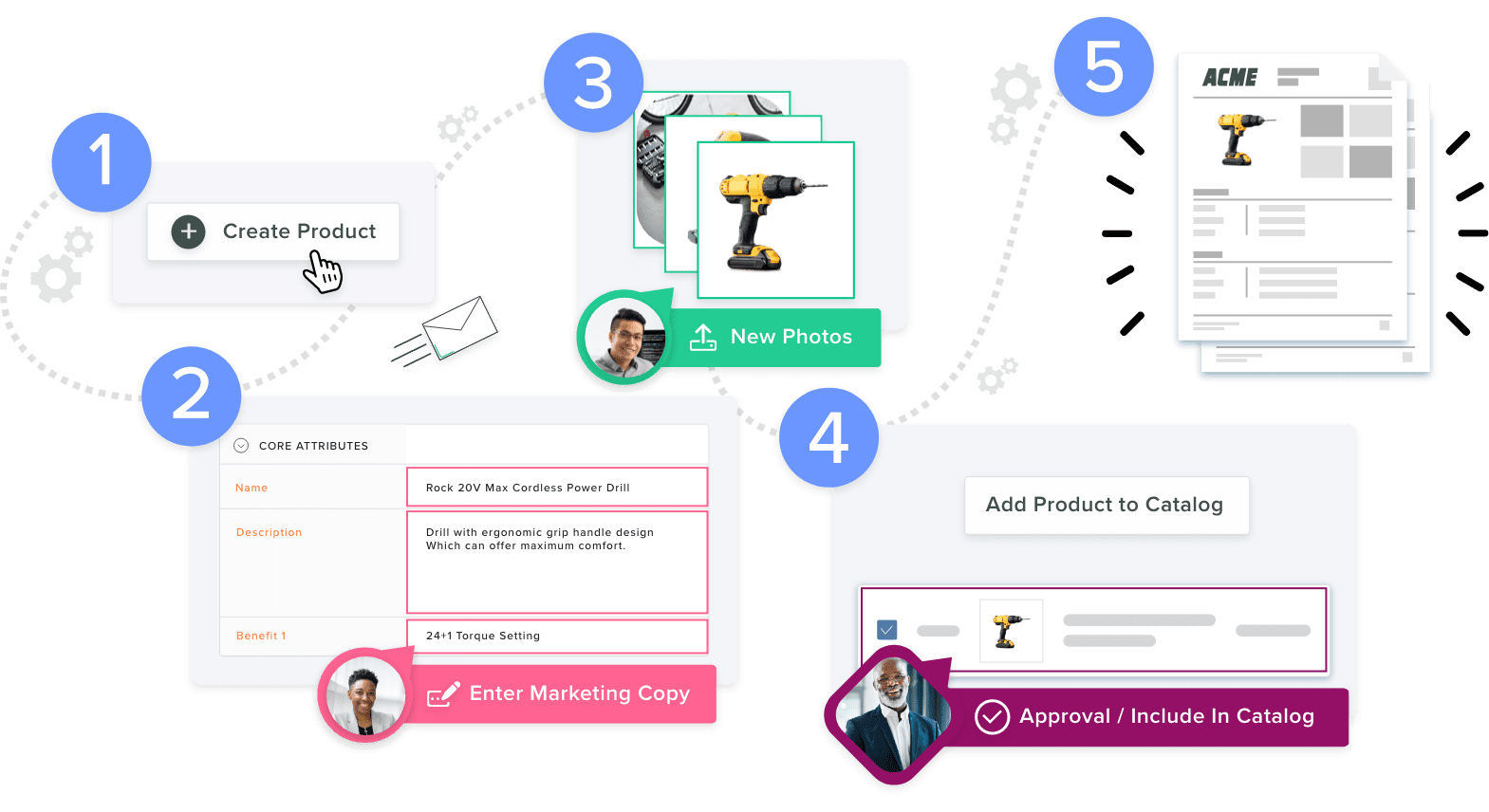
Illustration of ongoing catalog maintenance, reviewing relationships after a specification change or discontinuation
Maintenance is not a one-time setup step. It is a routine that runs every time a product changes.

Build the Model in a Practical Sequence

Start by auditing every relationship currently tracked, including those stored in spreadsheets, ERP notes, and employee knowledge. Identify the connected products, relationship type, source, and owner.
Next, replace generic “related products” fields with explicit definitions. Decide which connections require individual links and which can use attribute-driven rules. Document exceptions rather than forcing them into general logic.
Assign responsibility for approval and maintenance. Engineering may verify compatibility, while merchandising manages cross-sell recommendations. Supersession changes should have an owner who can confirm the replacement and effective date.
Pilot the model on a demanding category, such as spare parts. Test actual buyer questions and known exceptions. Validate the output on one channel before expanding across your omnichannel commerce footprint.

Check whether relationships display correctly and remain accurate when products change. A compatibility filter that confidently returns the wrong item creates more problems than it solves.

Who Benefits From Better Relationship Data?

Manufacturers can use accurate supersession and compatibility data across supplier tiers to reduce avoidable support questions and incorrect part selections.
Distributors need consistent definitions across supplier catalogs so buyers can compare products and identify compatible options across brands.
Retailers and eCommerce teams use distinct accessory and cross-sell relationships to make recommendations more relevant.

Product managers gain a taxonomy that new employees can learn, while support teams can answer fitment questions without reconstructing the logic each time.

Test Platforms Against Your Hardest Cases

Use real catalog examples during evaluation.

Ask the vendor to model accessories, substitutes, and supersessions separately. Check whether attribute-driven compatibility can accommodate exceptions without requiring thousands of manual links.
Confirm that business users can maintain relationships and that approvals control changes. Ask how the platform handles discontinued items, missing attributes, conflicting rules, and historical replacements.
If you sell through Shopify, verify that relationships survive your Shopify PIM integration and appear correctly on the storefront.

Where Catsy Fits

For automotive catalogs, fitment rules and relationship mapping connect parts to vehicle year, make, and model combinations. Defining these connections centrally helps teams avoid maintaining them separately across channels.

The same approach supports manufacturers managing complex product relationships across families, components, and accessories. Centralized product data management for manufacturers keeps engineering specifications and customer-facing information connected.

Catsy supports configurable product hierarchies and inheritance rules, alongside connected digital asset management for associated images and documents. Evaluate these capabilities using your own compatibility rules and replacement scenarios.
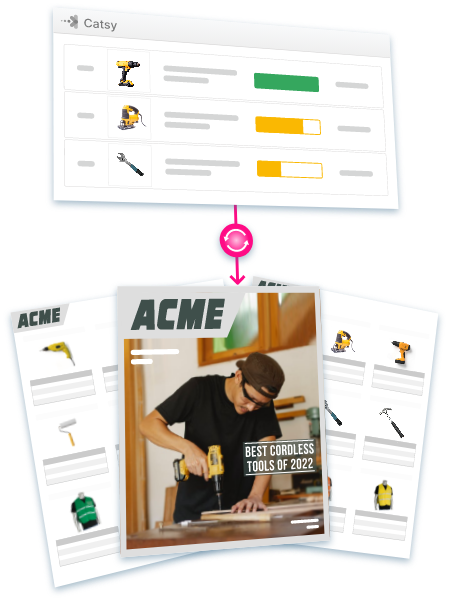
Illustration of a PIM generating consistent, connected catalogs across formats and channels
Configurable hierarchies and connected assets keep relationship data consistent, whatever the catalog reaches next.

Key Takeaways

01.A product relationship data model links products through typed, directional relationships, not flat attributes or generic tags.
02.Complex B2B catalogs typically need four relationship types: variants and hierarchies, compatibility and fitment, commercial relationships (cross-sell, upsell, accessory, substitute), and supersession.
03.Compatibility data scales better through attribute-driven rules than through manually maintained links, though explicit links still matter for known exceptions.
04.Missing or inaccurate relationship data shows up directly in return rates and in stalled B2B purchases, since buyers increasingly research on their own.
05.Established standards like GS1, ETIM, and ACES/PIES show that structured relationship data is a proven discipline worth borrowing from, even for catalogs that never adopt a formal standard.
PRODUCT RELATIONSHIP DATA

Start With One Relationship

You do not need to redesign the entire catalog first. Choose one complex connection, document its rules, and trace how it reaches the buyer. That exercise often reveals missing ownership, incomplete attributes, or channel limitations. Use that example as a starting point for evaluating Catsy against your catalog requirements.

Map a Complex Product Relationship
FAQs

An attribute describes a single product on its own, like color or voltage. A relationship connects two or more products to each other, such as compatible with or replaces.

Structured information showing which components, parts, or accessories work together, stored as explicit links, attribute-based rules, or both.

No. Keeping them separate produces more accurate recommendations, since each serves a different purpose.

Supersession is a permanent replacement tied to a date. A substitute is temporary and should disappear once the original product is back in stock.

Only if you exchange data with external partners who expect it in that format. Internally, a clear, consistent taxonomy matters more than matching an external standard.

SHARE