10 Essential PIM Demo Questions for HubSpot Users
A PIM demo checklist for HubSpot users. 10 questions on integration, line items, workflows, sync errors, scale, and vendor scoring.
Table of Contents
Key Terms to Know
Click to expand the key terms used in this article
API Rate Limit: The number of requests an app can send to HubSpot in a set time before HubSpot starts refusing them.
Digital Asset Management (DAM): Software that stores, organizes, and shares product images, videos, and documents.
Line Item: A copy of a product attached to one deal, quote, or invoice in HubSpot, with its own record ID.
Product Information Management (PIM): Software that keeps product data in one place, improves it, and sends it to every sales channel.
Product Library: The list of products a HubSpot account sells, used to build deals and quotes.
Product Property: A field on a HubSpot product record, such as name, price, or a custom specification.
SKU (Stock Keeping Unit): The unique code a business assigns to each product.
Syndication: Publishing one master product record to many sales channels, each in the format that channel requires.
Webhook: A message one app sends to another the moment something happens, such as a product update.
Workflow Object Type: The kind of HubSpot record, such as a contact or deal, that can enter a workflow.
If HubSpot runs your marketing and sales, your PIM has to share data with it, not just sit beside it. These are the questions to ask in a PIM demo before you sign.
Your HubSpot portal may be well organized, with clean pipelines and smart automation. But if product information still lives in old spreadsheets and email threads, HubSpot works from bad inputs. Reps quote outdated specs. Campaigns go out with last year’s images. A PIM fixes this by centralizing your product data.
Most PIM demos show features. Few show how the PIM behaves inside your HubSpot portal when a product changes or a sync fails. The questions below are built to show you that side of a platform.
The PIM Demo Checklist
Ask every vendor the same 10 questions, and have them answer live with your own data.
| # | Demo Question | Ask Them to Show | Red Flag |
|---|---|---|---|
| 1 | How deep is the HubSpot connection? | A live sync to a HubSpot portal | “We can build that” |
| 2 | How does data map to HubSpot properties? | Mapping, including custom properties and SKUs | Only name and price |
| 3 | What happens to existing deals and quotes? | One spec change, traced to an open deal | “Every quote updates” |
| 4 | Can PIM changes trigger workflows? | A working workflow | Claims with no demo |
| 5 | How are sync failures handled? | Error logs, retries, alerts | No recovery process |
| 6 | How is multichannel data published? | One record sent to two channels | A copy per channel |
| 7 | What DAM is included? | One image resized per channel | DAM sold separately |
| 8 | Can it scale? | Tests on a catalog like yours | No capacity numbers |
| 9 | What does rollout look like? | A written plan with hours | No scope behind dates |
| 10 | How will you compare vendors? | References and written pricing | Verbal promises |
Start With the HubSpot Connection
Demo question 1: How deeply does the PIM connect to HubSpot?
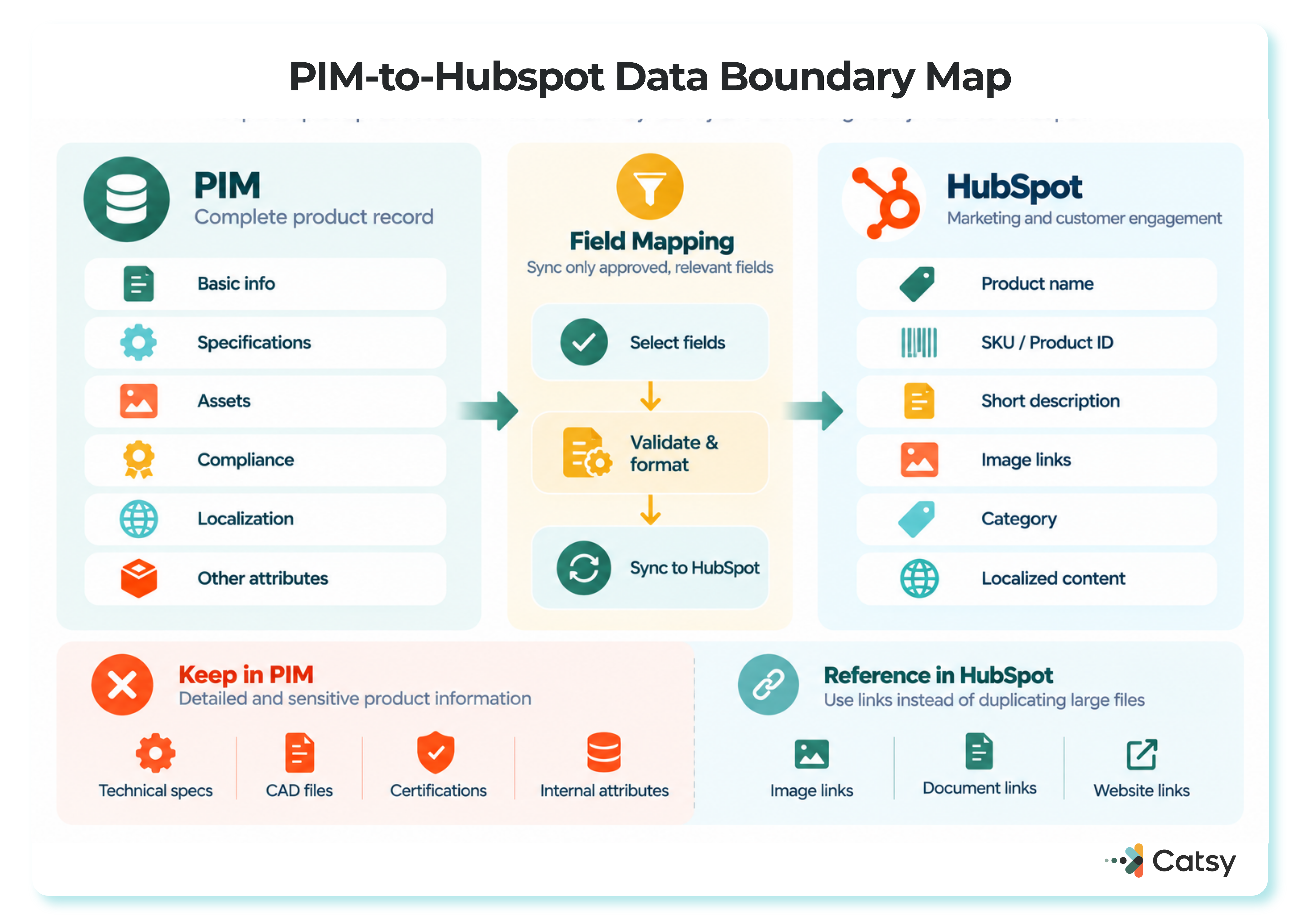
HubSpot’s CRM integration guide explains the payoff: connected tools remove data silos and give teams a complete view of the customer. For product data, a spec updated in the PIM should reach the HubSpot product record on its own, with no copying and pasting.
Ask whether the connection is native or runs through middleware, which objects sync, and which permissions control access. Also ask which HubSpot subscription tier the integration needs. HubSpot lists workflows as a Professional and Enterprise feature, so a demo built on workflows may not work on Starter.
Catsy’s product information management platform, for example, offers a dedicated HubSpot PIM integration so product data reaches sales and marketing without manual transfer.
Map Data to the Right HubSpot Fields
Demo question 2: How does the PIM map data to HubSpot product properties?
When a rep adds a product to a deal or quote, HubSpot turns it into a line item. Custom product properties also appear on line items, and tiered pricing needs a Revenue Hub subscription. Developers update products through the HubSpot products API.
Give every field one owner. As Catsy’s PIM vs ERP guide puts it, fix price and stock in the ERP, and fix descriptions and images in the PIM. HubSpot keeps contacts, deals, and quotes. Ask which key matches records (usually the SKU) and who approves a new mapped field.
Existing Deals and Quotes Stay As They Are
Demo question 3: What happens to existing deals and quotes when data changes?
Usually nothing. A product added to a deal becomes a line item specific to that record. Published quotes are frozen, and HubSpot does not keep line items in sync between records.
Say a tool maker changes its 18V drill’s maximum torque from 60 Nm to 65 Nm in the PIM:
| Where | Result |
|---|---|
| HubSpot product record | Updated, if the integration pushes it |
| New deals and quotes | Use 65 Nm |
| Open deals | Keep 60 Nm until edited |
| Published quotes | Unchanged |
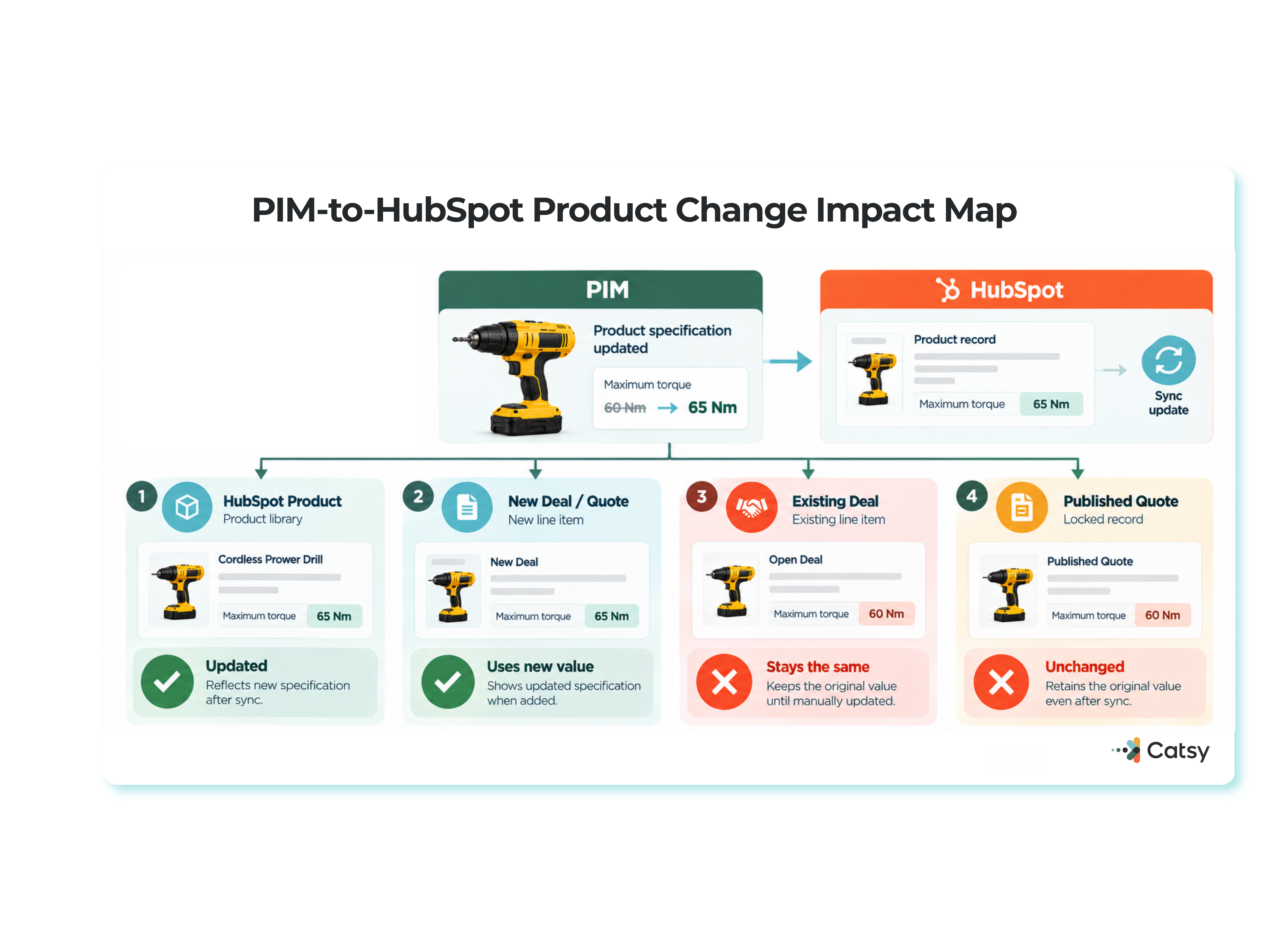
Open deals carry the risk, so follow a product spec change management process so sales hears about a change before buyers do. Catsy’s PIM for manufacturers keeps the technical files and compliance data behind specs like these in one place.
Can a PIM Change Trigger a Workflow?
Demo question 4: Can PIM changes trigger HubSpot workflows?
Not directly. Products and line items are not HubSpot workflow object types. A PIM update reaches workflows through deals, line item filters, or a When a webhook is received trigger. That trigger requires a Professional or Enterprise subscription, data sent as JSON, a record that already exists, and a match on a property that requires unique values.
Ask the vendor to build one workflow live, such as alerting deal owners when a product on an open deal is discontinued. Catsy’s HubSpot PIM integration guide for marketers has more ideas to test.
Plan for Sync Failures
Demo question 5: How are sync failures and API limits handled?
HubSpot publishes its API usage limits. Private apps on Starter get 250,000 calls a day, Professional 625,000, and Enterprise 1,000,000, shared across every app in the account. An app that goes over the limit receives a 429 (“too many requests”) error.
Refreshing 50,000 SKUs one call at a time would use a fifth of a Starter allowance, so ask whether the vendor syncs only changed records, in batches. Also ask where failed records appear, how retries work, and who gets alerted when a sync breaks.
One Record, Many Channels
Demo question 6: How does the PIM handle multichannel distribution?
More B2B buyers now research and compare products on their own. Gartner reported in June 2025 that 61% of B2B buyers prefer a rep-free buying experience. Its March 2026 survey put that at 67%, with 45% using AI during a recent purchase.
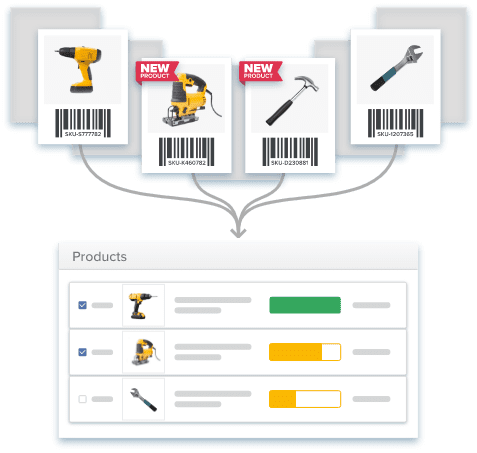
Your product pages have to answer those buyers on Amazon, Shopify, and your own site. A PIM built for multichannel management keeps one master record and maintains data standards and consistency across every sales channel. Ask how it checks records against product data quality standards before publishing.
Treat Images Like Specs
Demo question 7: What digital asset management capabilities are included?
Digital asset management matters because images often decide a sale, and folders and cloud drives fall short at scale. In the demo, upload one image and watch the PIM create channel versions, link them to SKUs, and track approvals.
A unified PIM and DAM keeps files tied to the right product. HubSpot product records can hold an image, so ask which version lands there. Catsy’s asset transformation tools create images in set dimensions for marketplaces.
Scale on Both Sides
Demo question 8: Can the solution grow with your catalog?
Five hundred SKUs can become 5,000 in a year. Catsy’s PIM requirements checklist suggests checking that a platform handles three times your current data volume without slowing down. Ask whether it is a true cloud-native SaaS solution and how pricing changes as you grow.
HubSpot has limits too: a default of 100,000 deals per product, after which product association filters stop updating — a figure that could not be independently re-verified against HubSpot’s current documentation in this session. The best PIM for HubSpot should have an answer for high-volume products that reach that limit.
Get the Rollout Plan in Writing
Demo question 9: What implementation and support should you expect?
HubSpot’s guide puts custom API integrations at two to eight weeks or longer — a timeframe that could not be independently re-verified against HubSpot’s current developer documentation in this session. That covers only the connection. Migration, mapping, training, and testing come on top, so ask for one plan that covers all of it, plus support terms after go-live.

Catsy’s PIM platform comparison guide suggests bringing your messiest spreadsheet to the demo.
Score Vendors the Same Way
Demo question 10: How do you compare vendors afterward?
Score each answer from 1 (not shown) to 5 (shown live with your data). Double the weight of must-haves, and drop any vendor that scores 1 on a must-have. Get pricing, scope, and limits in writing, and ask for a reference customer.
Catsy’s data governance and workflow pages show the validation and approval features worth scoring.
See How Catsy Integrates Product Data With HubSpot
Book a personalized demo and run this PIM demo checklist against your own catalog. Book a demo, or see Catsy’s HubSpot PIM integration.
Key Takeaways
See How Catsy Integrates Product Data With HubSpot
Run this checklist against your own catalog. Book a demo, or see Catsy’s HubSpot PIM integration.