Top Tools for Marketing Products With a HubSpot PIM Integration
Learn how a HubSpot PIM integration syncs SKUs, specs, and assets into HubSpot so product marketing runs on clean, governed product data.
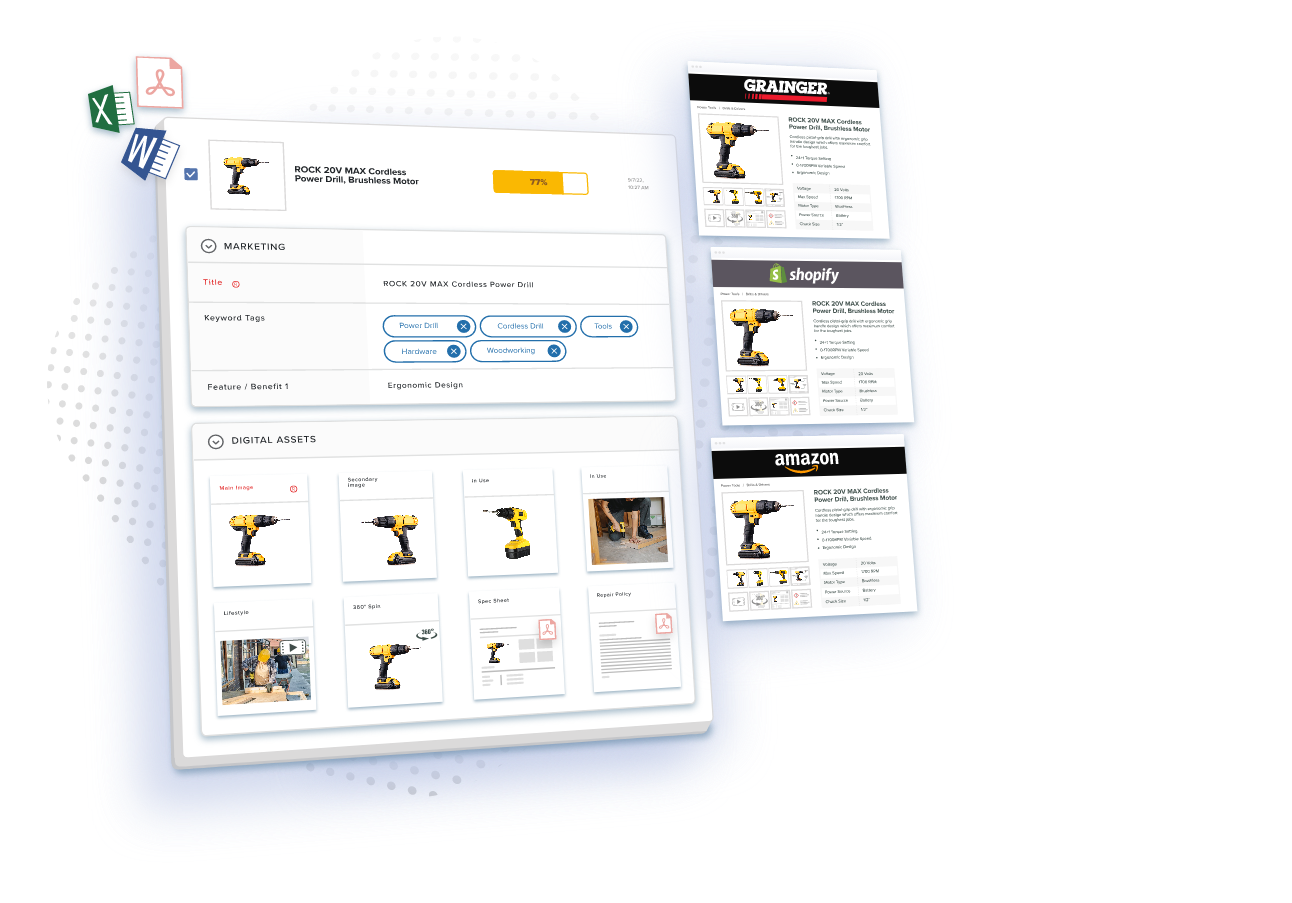
Table of Contents
Key Terms to Know
HubSpot runs your CRM, email, content, and automation in one place. What it was never built to do is manage thousands of products, each with its own specifications, images, and compliance documents. That gap matters more now that AI tools write emails and build quotes from whatever product data they can find.
The fix is to split the work. A product information management (PIM) system holds the approved version of every product fact. HubSpot holds everything about the buyer. A HubSpot PIM integration connects the two, so every campaign uses product data the PIM has already approved.
Bad Product Data Costs More Than Most Teams Expect
Poor data quality costs organizations at least $12.9 million a year on average. That figure covers all business data, but product information is one place where marketing teams feel the cost quickly. A wrong specification or an outdated photo makes buyers trust you less and makes the campaign harder to convert.
The day-to-day symptoms are familiar:
- Marketers can spend up to 30 percent of their time hunting for correct product information. [TO FILL: primary source]
- Teams without digital asset management cannot update images across social media, landing pages, and email at once, so launches slip.
- Thin product descriptions weaken search rankings.
- Print catalogs drift away from what the website says.
Gartner also names inconsistent data across sources as the hardest data quality problem, which is exactly what happens when product details live in spreadsheets, ERP exports, and HubSpot at the same time. [TO FILL: this specific Gartner framing could not be independently confirmed on a primary source during this pass — original text preserved] AI raises the stakes. In February 2025, Gartner predicted that through 2026, organizations will abandon 60% of AI projects that lack AI-ready data.
Where HubSpot Stops Being Enough
HubSpot is the system of record for contacts, deals, and campaigns, but it was not built to govern product data. A PIM fills that role by sending marketing-ready SKU fields, specifications, and asset links into HubSpot, so campaigns run on accurate product records.
HubSpot handles automation, segmented email, lead nurturing, social scheduling, reporting, and Google Ads tracking well. The gaps appear once the job turns to product data:
- No built-in model for detailed technical specifications
- Limited management of product images and videos
- No version control for product information
- Little support for multilingual product content
- Weak syndication to other channels
You can see the boundary in HubSpot’s product library. The number of custom properties you can create depends on your subscription, and each custom product property creates a matching line item property that cannot be edited. [TO FILL: the line-item-property behavior could not be independently confirmed on HubSpot’s current documentation during this pass — original text preserved] That works for quotes. It does not work for hundreds of governed attributes per SKU or the CAD files industrial products need.
So teams paste product details into HubSpot by hand, and each copy becomes another silo. According to research from Forrester, organizations with mature PIM implementations cut time-to-market in half and improve marketing content accuracy by 85 percent. [TO FILL: this specific Forrester figure could not be traced to a confirmable primary report during this pass — original text preserved] For the wider business impact, read about the hidden costs of poor product information management.
What a PIM Adds
PIM software gives every team one source of truth for product data. Customer data stays in HubSpot.
Product data centralization puts every specification, feature, and compliance detail in one checked location, so campaigns, landing pages, and blog posts all start from the same facts.
Digital asset management integration links images, videos, 3D models, and documentation to the right product record. Marketers grab the approved file instead of digging through shared folders.
Approvals happen inside the PIM. When engineering changes a specification, marketing reviews it before it reaches HubSpot, and structured product workflows send each step to the right person.
Multi-channel consistency follows naturally. Change a detail once, and it flows to HubSpot, your website, distributor portals, marketplaces, and social platforms.
Industrial brands feel this most. For them, PIM is mission-critical, because their products come with spec sheets, compliance documents, CAD files, and application guides. PIM for manufacturers keeps that complexity from slowing every launch.
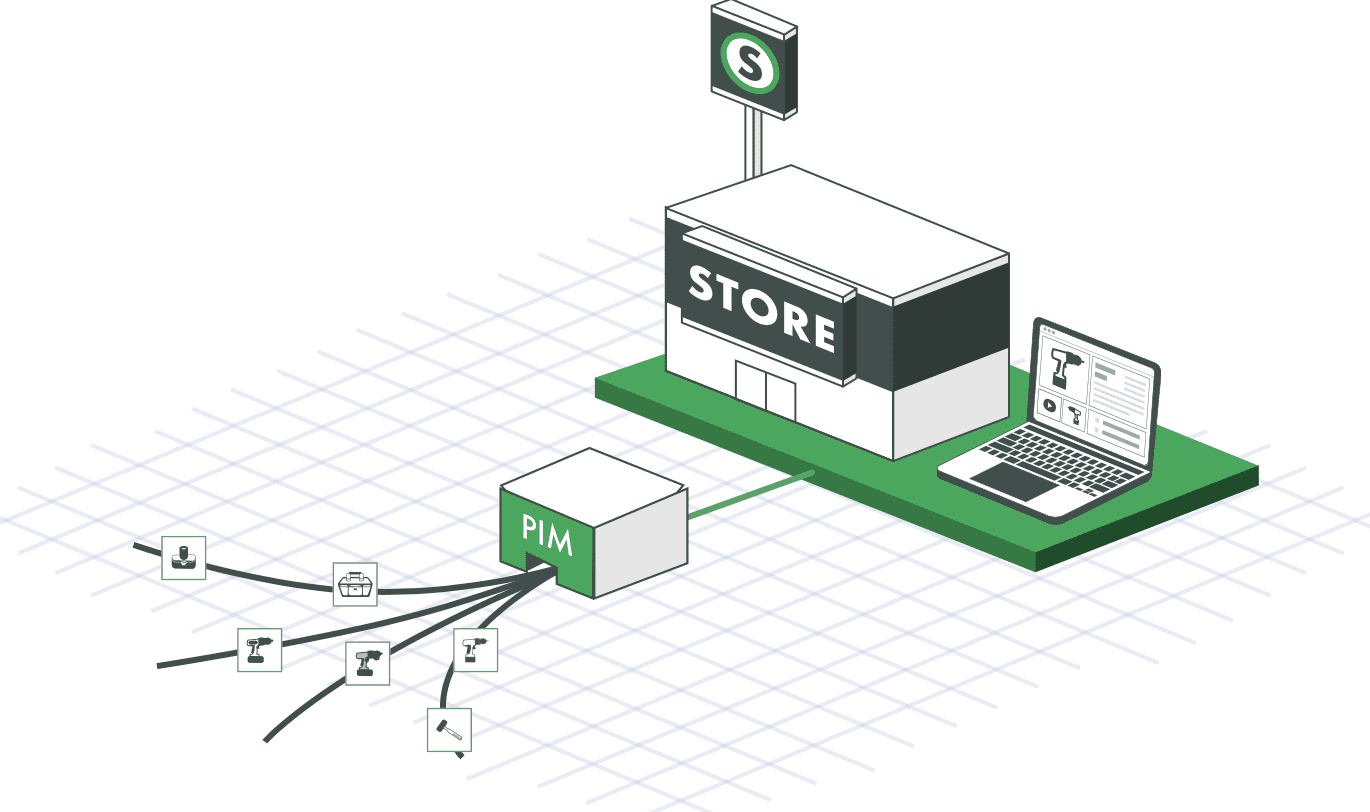
None of this lasts without rules. Product data governance sets who owns each attribute, which checks a record must pass, and who can change approved data. Those rules matter more now that AI tools read product data inside HubSpot.
How to Connect PIM and HubSpot
Most companies combine a few connection methods, depending on data volume, speed, and developer time.
APIs. A PIM’s API can write approved attributes to HubSpot’s products object on a schedule or the moment they change.
iPaaS tools. Middleware like Zapier, MuleSoft, and Workato makes sense when a direct API build would take too much development work.
Custom connectors and data mapping. Mapping decides which PIM field fills which HubSpot property, and transformation can turn dense specifications into marketing-friendly descriptions. A CRM and PIM integration for HubSpot also puts specifications, pricing tiers, and assets in front of sales teams.
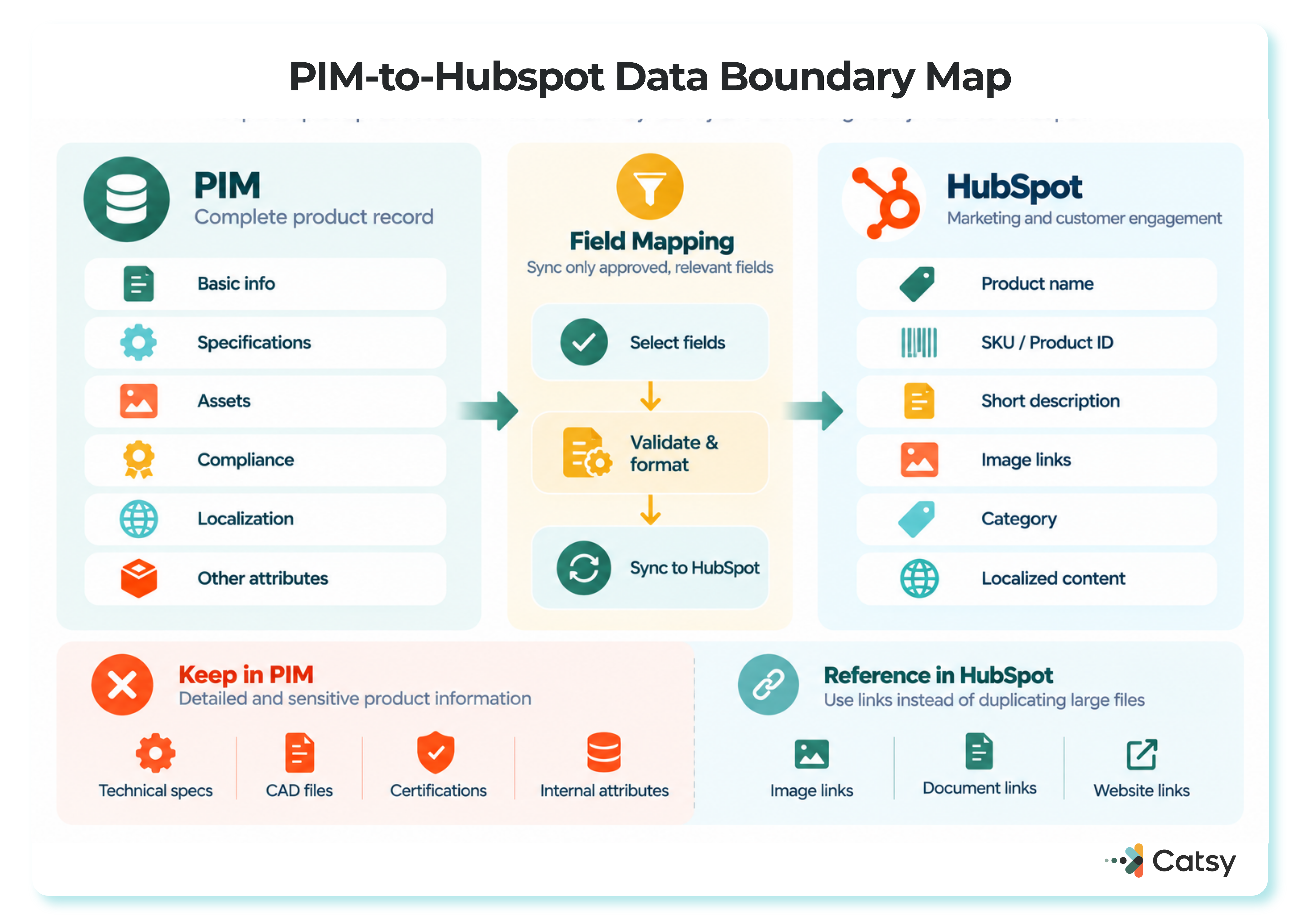
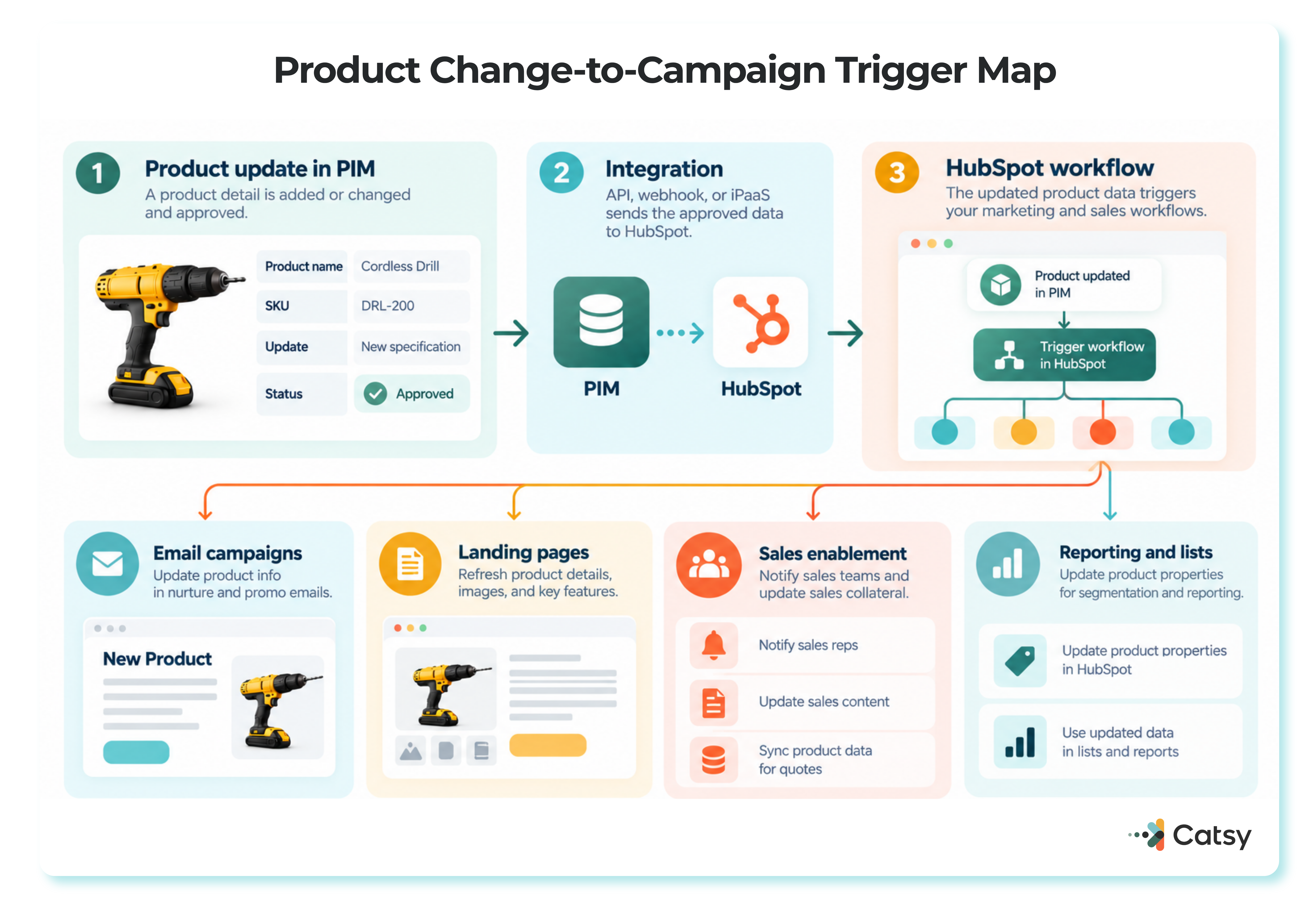
Webhooks. When a product update is approved in the PIM, a webhook can start a HubSpot workflow that sends an announcement email, alerts sales, and creates landing page tasks. Plan for one limit: HubSpot’s workflow webhook features require Data Hub Professional or Enterprise.
A newer option is Model Context Protocol (MCP), which lets an AI assistant ask questions of approved product data instead of moving records on a schedule. Catsy’s guide to PIM MCP versus API connections explains when each fits. Most integrations use both.
Build the Rest of the Stack
Once PIM and HubSpot are connected, the other tools fall into layers. Product data flows down from the PIM, and no other layer should become a second place to edit it.
| Layer | Example tools |
|---|---|
| Product system of record | Catsy PIM and DAM |
| CRM and automation | HubSpot |
| Commerce | Shopify, Magento, BigCommerce |
| Analytics and BI | Google Analytics 4, Looker Studio, Tableau, Domo |
| Testing, behavior, and project management | Unbounce, Hotjar, Asana, Trello |
Your website’s content management system should pull descriptions and images from the PIM, and SEO tools can check that product content follows search best practices. For reporting, remember that Google Analytics 4 replaced Universal Analytics on July 1, 2023, so conversion tracking should run on GA4 events. [TO FILL: standard Universal Analytics properties stopped processing new data on July 1, 2023, but the full shutdown of Universal Analytics access and its API ran through July 1, 2024 — original text preserved]
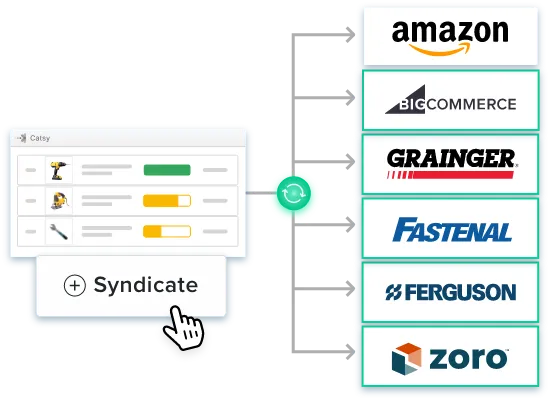
Roll out in order. Connect PIM and HubSpot first, map which product data each touchpoint needs, set governance rules, then add tools. Channel publishing from a PIM keeps product edits in one place as you add storefronts and marketplaces.
HubSpot’s 2025 Changes Raise the Stakes
At INBOUND 2025, HubSpot announced a new Data Hub that replaced Operations Hub and uses AI to connect and clean business data, along with new Breeze AI agents and AI-powered CPQ in Commerce Hub. Data Hub’s tools focus on CRM data, so a PIM remains the governed source for SKU attributes and assets.
An agent that drafts an email or a tool that builds a quote depends on correct product names, specifications, and prices. Catsy’s MCP integration for HubSpot workflows lets an AI assistant pull approved product data to draft campaign content, with a person reviewing the result. The same clean attributes also decide whether B2B catalogs stay visible to AI shopping agents, which compare structured attributes rather than marketing copy.
HubSpot’s AI is only as accurate as the product records it can see.
Book a demo to see how Catsy delivers approved product data to HubSpot and every channel you sell through. Book a demo.