How to Clone or Duplicate a Shopify Store: Guide 2026
Expanding into new markets or launching multiple storefronts? This guide explains how to clone or duplicate a Shopify store efficiently, what data transfers cleanly, what doesn’t, and how modern PIM tools dramatically reduce setup time.
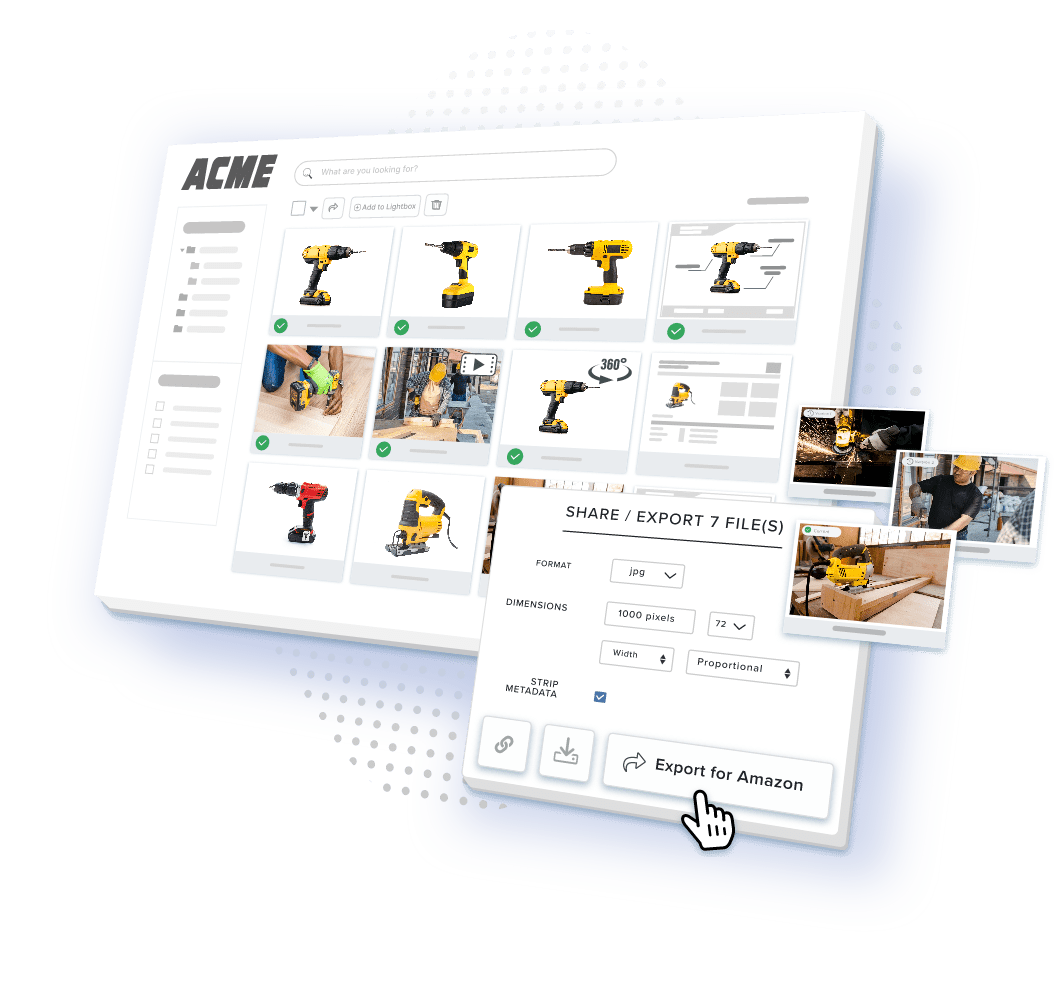
Table of Contents
Expanding your e-commerce business doesn’t have to mean starting from scratch. Learning how to clone or duplicate a Shopify store saves hundreds of hours, and thousands of dollars, when you’re launching new storefronts or entering international markets.
The challenge? Shopify doesn’t offer native, one-click duplication. Store owners face tedious manual efforts (and scattered CSV files) when trying to replicate a shop. Modern solutions, however, like the best PIM software for Shopify, have transformed store cloning from a week-long ordeal into a streamlined process that just takes a few hours.
Heading into 2026, that gap has narrowed further. A new generation of purpose-built duplication apps now moves entire catalogs, metafields, and media libraries in minutes rather than hours, and Shopify itself has built out Shopify Markets as a way to serve multiple countries from a single store, which means duplication is no longer the default answer to every expansion question. Later sections walk through exactly when a full clone still makes sense and when it doesn’t.
Introduction to Shopify Store Duplication
Shopify store duplication refers to the process of creating an exact copy of your existing store, even down to the settings of that store and your customer data. This approach is invaluable for merchants who want to expand an online presence without rebuilding everything from scratch.
Whether you’re launching a new store in Italy or just testing new strategies, duplicating a Shopify store makes sure that your online store pages and your customer experience stay consistent, no matter whether you’re using multiple stores.
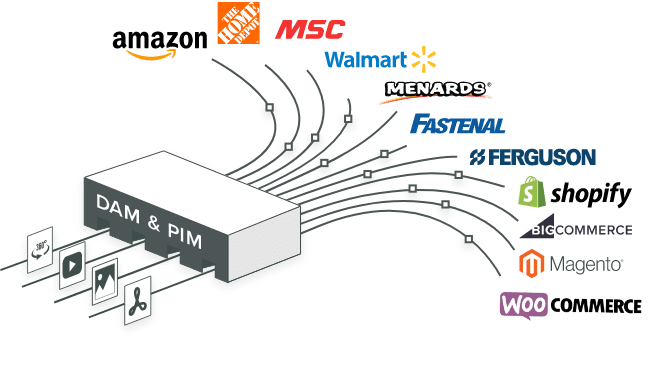
When you leverage store duplication, you can efficiently replicate your live store’s structure, maintain brand integrity, and save significant time and effort compared to manual setup. This approach is particularly useful for companies that manage multiple stores, since it enables streamlined scaling and a consistent customer experience across all storefronts. Product data is usually the hardest part of that replication to get right, which is why managing product and asset data across unlimited Shopify stores from one interface has become a standard part of the multi-store playbook.
Why You Should Clone Your Shopify Store
The bottom line: learning how to efficiently and easily duplicate a Shopify store can meaningfully reduce time-to-market and development costs. Merchants who rely on manual CSV work alone report the process taking 40 hours or more, while a dedicated duplication app can shorten that same job to a fraction of the time, a gap explored in more depth in Section 3 below.
International Market Expansion
When you clone a store that you’ve already opened, you gain the perfect foundation for serving customers in different countries. Duplicate your proven store, then customize it for your target market. Adjust currency displays, translate your descriptions, and adapt shipping options, all while maintaining your branding.
In addition, configure a custom domain for each localized store. This is essential to preserving a professional appearance, and for making sure your customers can find you everywhere they shop.
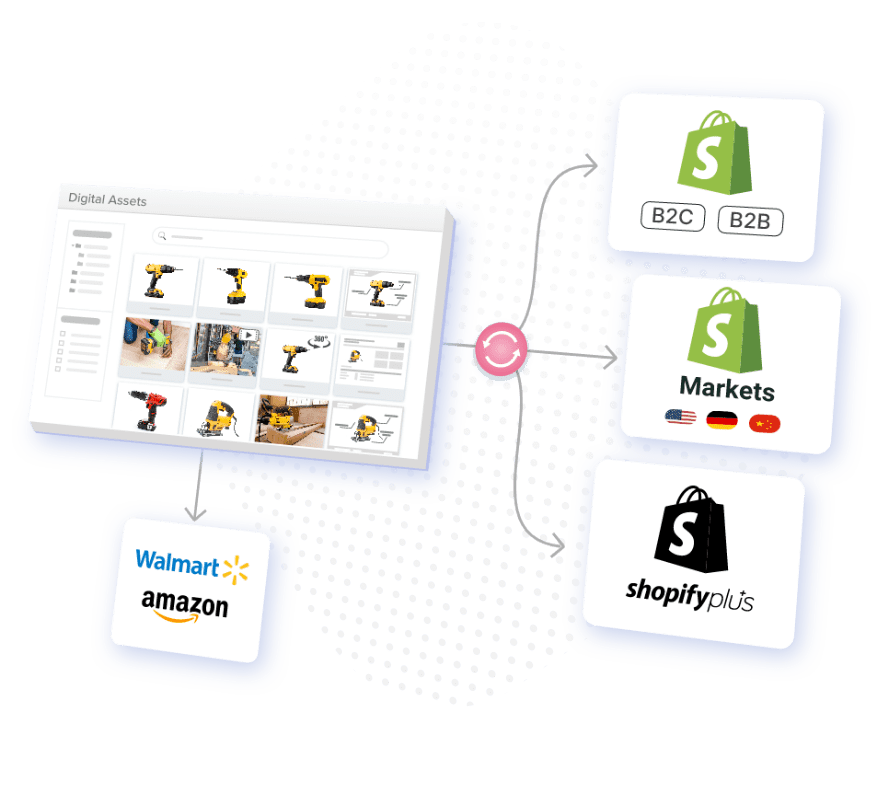
It’s worth noting that a full duplicate isn’t the only path to international selling anymore. By 2026, a single Shopify store using Shopify Markets to dynamically render the right experience per country has become the default starting point for most brands’ first international expansion, with a second, independent store reserved for cases where the product assortment or brand itself needs to differ by region. If your international plans mostly involve currency, language, and duty handling rather than a genuinely different catalog or brand, it’s worth evaluating Shopify Markets before committing to a full clone.
Safe Testing and Development
Developers need sandbox environments to experiment freely. A duplicated test store, often referred to as a staging environment, lets you trial new themes (or configure within the same theme), test app integrations, and preview code changes without risking interrupting customers on your live store’s performance.
Multi-Brand Management
Many retailers operate multiple Shopify stores and brands from one corporate structure. Cloning your proven Shopify architecture lets you launch new brands or storefronts quickly, while leveraging systems you’ve already perfected. This is precisely the scenario where Shopify Markets is rarely the cleaner answer and a genuine second store still makes sense, since each brand typically needs its own theme, domain, and merchandising logic.
What Gets Duplicated (and What Doesn’t)
Why it matters: when you understand the limitations of duplication, you’ll prevent frustration. You’ll also be better positioned to plan your manual configuration work. Not all of your store’s info will be duplicated automatically. Some will transfer (like your products and collections), but other details will require manual setup and cleanup.
Elements That Transfer Successfully
What Requires Manual Setup
Shopify’s own enterprise content on product content management makes a related point: many teams add a CMS or PIM once catalog complexity, channel count, or governance requirements grow beyond what the native product admin is designed to handle. That is exactly why many merchants turn to Product Information Management systems once they’re running more than one storefront, a topic covered fully in Section 4.
Best Methods to Clone Your Shopify Store
In this section, we’ll walk you through a step-by-step process for duplicating a Shopify store. We’ll cover both manual and automated methods.
It doesn’t matter whether you’re creating another store just for testing, launching two stores for new brands, or you just need to clone one of your Shopify stores. You’ll be copying data from the source store to the destination (cloned) store. If you’re planning to manage multiple destination stores, each will usually require a new Shopify account, so you may need to set one up for each of your destination shops.
Manual CSV Export Method
The traditional approach exports your data as CSV files for import into your new store. Shopify provides native CSV export functionality, but this method demands significant time and technical attention. LitExtension’s 2026 walkthrough of the process confirms that a manual clone still means preparing both stores, exporting products and customers to CSV, importing those files into the new store, and then manually restoring store settings, apps, and additional content.
If your CSV file is large, consider splitting it into smaller batches to avoid errors. After you import, check for missing images and ensure that all of your assets display correctly. Note that certain settings, like taxes, shipping, and checkout, must be manually reconfigured in the cloned store. Custom reports will also need to be recreated in the destination store.
Specialized Duplication Apps
Purpose-built apps like Duplify, Store Duplicator, and Matrixify can automate a great deal of the duplication process. Many of these apps feature a drop-down menu that will allow you to select which specific data or store elements you’d like to copy to the cloned store. This makes the process flexible and user-friendly.
Heading into 2026, this category has only gotten more capable. Duplify, one of the most-used store-cloning apps, now advertises the ability to instantly export products, variants, media, metafields, inventory, collections, pages, files, blogs, customers, orders, and redirects to a new store without manual copy-pasting, alongside scheduled syncs for keeping multiple stores aligned. Matrixify remains a popular alternative for bulk operations, and CopyCat Store Duplicator has also become a commonly recommended option for straightforward one-time clones.
PIM Software Integration
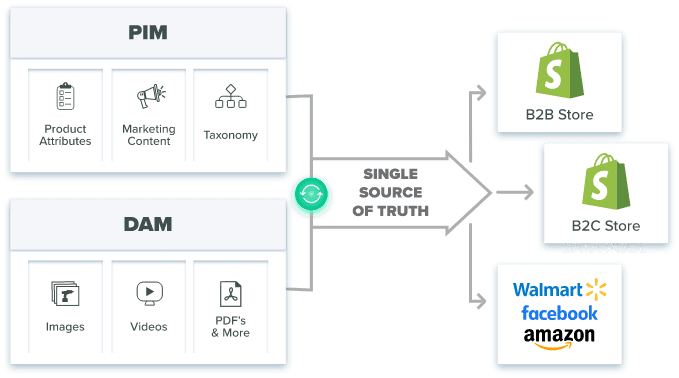
The best PIM software for Shopify represents the most sophisticated approach. Product Information Management systems centralize all of your product data into a single source of truth, making duplication seamless and error-free.
Using PIM Software for Seamless Shopify Store Duplication
Why it matters: PIM software solves the ongoing challenge of managing product information across multiple stores.
The PIM Advantage
Traditional methods copy data, but they don’t maintain accurate, consistent product information over time. The best PIM software for Shopify creates a central hub where all of your product data lives. Learn more about how to import products to Shopify using PIM solutions.
When cloning your existing store, the PIM already contains enriched product information. Simply connect your new store to the existing PIM, and the system will push complete, accurate data to both stores simultaneously.
The market has grown accordingly. Depending on the analyst firm, the global PIM market was valued anywhere from roughly $17 billion to $21 billion in 2026, with most forecasts projecting continued double-digit annual growth over the next several years as more retailers move away from spreadsheets and manual duplication toward centralized systems.
How PIM Streamlines Duplication
Real-World Impact
Shopify’s own enterprise content on Product Information Management makes a similar case: core identifiers standardize products inside the PIM software and help teams connect product data across systems while reducing duplication. Merchants who centralize product data before expanding to new stores generally report cutting their time-to-market from weeks to days, since the heaviest lifting (enrichment, validation, and image preparation) happens once rather than once per store.
Post-Duplication Setup and Optimization for Multiple Stores
Critical actions: your new store will need to be properly configured before you can launch it. Integrate Google Analytics and Facebook Pixel to track the performance of your store, your customers’ behavior, and your sales. Don’t forget to submit your sitemap to search engines, too. This will ensure that your Shopify store is properly indexed and that it’s discoverable in search results. In addition, remember to recreate any custom reports in the duplicated store to maintain business analysis and tracking continuity.
Essential Configuration Steps
Testing and Validation
Before you start to direct traffic to your new store, test store functionality. Check your product displays, verify the checkout process, confirm that you’ll receive email notifications, and validate the shipping calculations. Be sure to check for missing images and broken links, as these can damage the customer experience.
Optimization and Launch
SEO configuration needs customization. Update meta titles and descriptions, configure XML sitemaps, and implement hreflang tags for regional stores. Submit your sitemap to search engines to ensure that your store is properly indexed and discoverable in search results. The result: clean, keyword-rich metadata across your whole catalog, with no more bottlenecks. Automation like this can save hundreds of hours of manual work as you improve your search visibility.
Integrate Google Analytics and Facebook Pixel to track store performance, monitor traffic, sales, and customer behavior for ongoing optimization.
Launch gradually with a soft launch to a limited audience. Use your saved custom reports to monitor for issues, gather feedback, and adjust before expanding marketing efforts.
Future of Ecommerce and Duplicate Stores
As e-commerce continues to evolve, it’s becoming more and more important to quickly and efficiently duplicate stores. This is important because it’s what allows you to remain competitive. The rise of third-party apps and cloning solutions allows shopkeepers like you to expand into new markets and test innovative strategies, delivering a consistent experience to your customers, no matter where they shop for your products.
Store cloning doesn’t just improve your operational efficiency, it also empowers you to respond rapidly to changing market demands. When you embrace the latest duplication methods and best practices, you can unlock growth, enhance customer satisfaction, and future-proof your e-commerce business for the long run.
Looking ahead, the decision is increasingly less about “how do I clone my store” and more about “should this be a clone or a single store with Shopify Markets.” Brands with one catalog and mostly currency, language, and tax differences by country are trending toward the single-store model, while brands running genuinely distinct product lines, brands, or business entities continue to rely on true duplication, often backed by a centralized PIM to keep every storefront in sync.
Key Takeaways
Ready to Simplify Multi-Store Product Management?
Duplicating a Shopify store gets you a starting point. Keeping product data, images, and content consistent across every store you operate afterward is the harder, ongoing job. Catsy’s PIM and DAM platform centralizes your product catalog and digital assets in one place, then pushes accurate, enriched content to every connected Shopify store from a single dashboard. Explore Catsy’s Shopify PIM solution to see how a single source of truth can replace repetitive manual duplication for good. Or request a demo, or browse Catsy’s PIM and DAM resource center for more.