Free PIM Solutions for Small Shopify Stores: Tools, Limits & Alternatives
Compare free PIM tools for small Shopify stores, including Plytix, Akeneo CE, and Pimcore, plus their limits and the best paid alternatives.
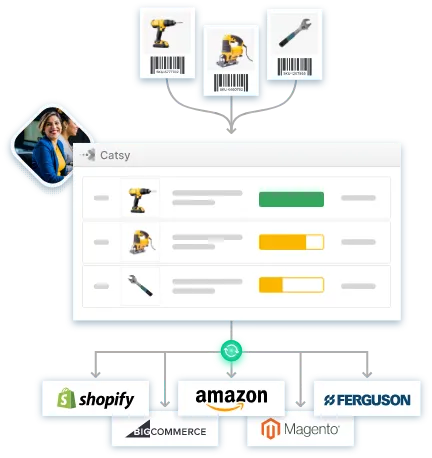
Table of Contents
Key Terms to Know
Most small Shopify stores start with a spreadsheet. That works until one product turns into twelve sizes and four colors, a wholesale buyer asks for a price list, or a marketplace rejects a listing because a field is missing. A product information management (PIM) system fixes this by keeping all your product data in one place and sending it to every channel you sell on.
If you run a small store, you probably want to try a free one first. That is a sensible instinct. This guide covers the free PIM tools worth knowing in 2026, the limits you will run into, and the paid alternatives to consider when free stops working.
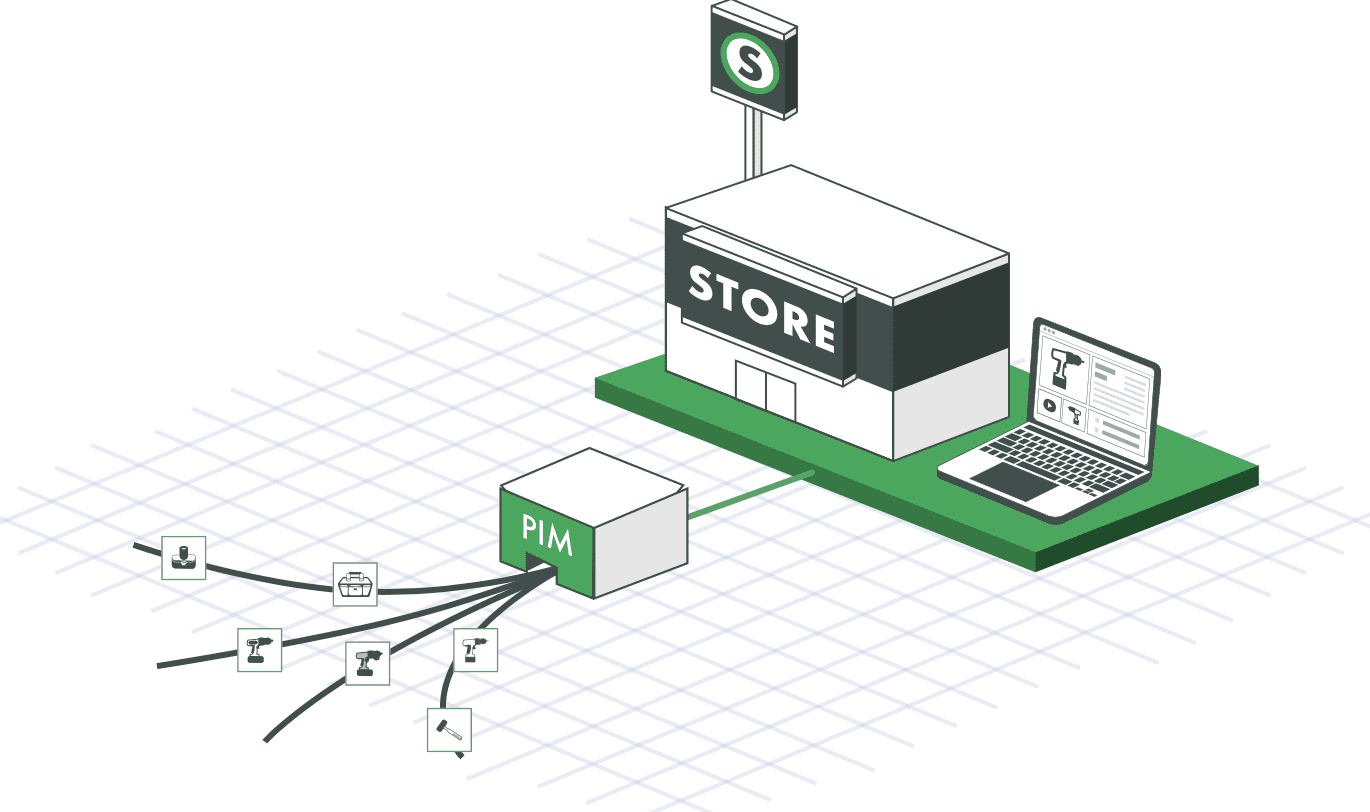
The short answer: Free PIM solutions for small Shopify stores come in two forms. Freemium tools, such as Plytix’s free plan, cost nothing until you pass a SKU limit (a SKU is a code for one specific product or variant). Open-source or open-core tools, such as Akeneo Community Edition and Pimcore, have no license fee for qualifying users, but you need developers to host, patch, and connect them to Shopify.
| Freemium | Open Source or Open Core | Paid Alternative: Shopify-Ready PIM + DAM | |
|---|---|---|---|
| Example | Plytix | Akeneo CE, Pimcore | Catsy |
| Start cost | $0 up to a SKU cap | $0 license (Pimcore up to €5M revenue) | Quote-based, free trial |
| Main ongoing cost | Paid tiers as you grow | Servers, patches, connectors, developer time | The subscription |
| Best fit | Small, simple catalogs | Teams with in-house engineers | Growing stores selling on several channels |
When a Free PIM Is Enough
Not every store needs to pay for PIM right away. A free plan can carry you for a while if most of these are true:
In that situation, a free tool mostly helps you build good habits: consistent attribute names, one place for images, and fewer copy-and-paste errors. That foundation makes any later move much easier.
Four Free PIM Tools for Shopify
Based on each vendor’s published plans as of October 2026:
| Tool | Free Version | Paid Entry Point | Shopify Connection on the Free Version |
|---|---|---|---|
| Plytix | Standard plan, $0 (500 SKUs per its Shopify App Store listing) | Paid plans from $149 a month | Shopify app, but Plytix’s pricing page also lists Shopify as a $179-a-month add-on |
| Akeneo Community Edition | Free, self-hosted | Paid SaaS packages (Growth and up) | No native connector. Third-party apps from $149 a month, or a custom build |
| Pimcore Community Edition | Free under €5M yearly revenue, self-hosted | Professional $9,900 a year, Enterprise $29,900 a year | Not built in. Needs developer work |
| Ergonode | Free plan, $0 (1,000 products, 2 users) | Advance €5,990 a year | CSV export only, no live sync |
Plytix
Plytix is the easiest free option for a small team with no developers, since it runs in the cloud.
What the free plan includes: Unlimited user seats, unlimited file storage in a built-in DAM, and 500 AI credits a month for writing and image edits. Plytix also tracks completeness, showing how “ready” each product is.
Shopify features: Connect several stores and markets, bulk-edit metafields, and import your existing Shopify products.
What the free plan leaves out: Automatic inheritance (passing parent product data down to variants), automations, scheduled imports, webhooks, formula attributes, a change log, and advanced user permissions.
Pricing: Paid plans start at $149 a month and Enterprise at $699, according to Plytix’s Shopify page. Its main pricing page lists Shopify, feed management, brand portals, and product data sheets as add-ons at $179 a month each, so confirm what your plan covers.
Akeneo Community Edition
Akeneo Community Edition is the free, self-hosted version of a PIM used by global brands. You take on everything a vendor would normally handle.
Strengths: Flexible data modeling, strong localization tools for multilingual selling, and a community of more than 3,000 members for support.
Hosting and upgrades: You run the servers, security, and upgrades yourself. New Community releases make no backward-compatibility promise, so every upgrade needs testing.
Version support: Akeneo’s version 7 on-premise and PaaS editions reached end of support on September 30, 2026, as the company focuses on its SaaS platform.
Shopify connection: Akeneo markets its own Shopify app alongside its paid Product Cloud, so Community users typically buy a third-party connector priced from $149 a month or build one.
Pimcore Community Edition
Pimcore is the broadest of the four, combining PIM, master data management, digital asset management (DAM, software for organizing product images, videos, and files), and a content management system. Its DAM handles more than 200 file formats, and its APIs let developers feed almost any channel.
The catches are complexity and licensing:
Ergonode
Ergonode is a cloud PIM with a free-forever plan and a modern, user-friendly interface. Its free plan is generous on features but tight on volume.
Features on the free plan: Attribute and variant management, multilingual support, a basic DAM, rule-based automations, spreadsheet-style editing, AI translation, and tools for EU compliance rules such as Digital Product Passports.
Free plan limits: Up to 1,000 products, two users, 2 GB of asset storage, 10 automation rules, and community support through Slack.
Shopify connection: A CSV export app only, with no live sync, so updates still mean exporting and importing files.
Next tier: Advance costs €5,990 a year for 25,000 to 50,000 products and 20 users.
For a deeper look at how these models differ, see Catsy’s guides to SaaS vs open source PIM and choosing the right PIM platform type.
The Limits You Will Hit
Shopify keeps raising the bar for product data
What pushes a store toward PIM is data complexity. Even 100 SKUs can bring mismatched details, missing attributes, weak SEO text, wrong images, and the same facts retyped for every variant. Gartner research from 2020 found that poor data quality costs organizations at least $12.9 million a year on average, and it names inconsistency across systems as the hardest problem to fix.
Shopify itself now asks more of your data:
A spreadsheet can hold this data but cannot validate it or keep it in sync. That takes product data governance and a real product information management system.
Free tools move the cost somewhere else
Freemium tools move cost into plan limits.
Open-source tools move it into engineering: hosting, security patches, upgrades, and connectors.
Neither usually includes onboarding or a service-level agreement (SLA), so nobody guarantees uptime or response times.
Shopify connections also need constant care. Shopify made its REST Admin API legacy on October 1, 2024, limits it to 40 requests per app per store per minute, and has required GraphQL for all new public apps since April 2025. It also releases a new API version every quarter, so custom connectors age fast.
Then there are lost sales. A seasonal launch that slips two weeks, or a listing rejected over one missing attribute, never appears on an invoice. That is why “free” often costs more once a store starts to grow.
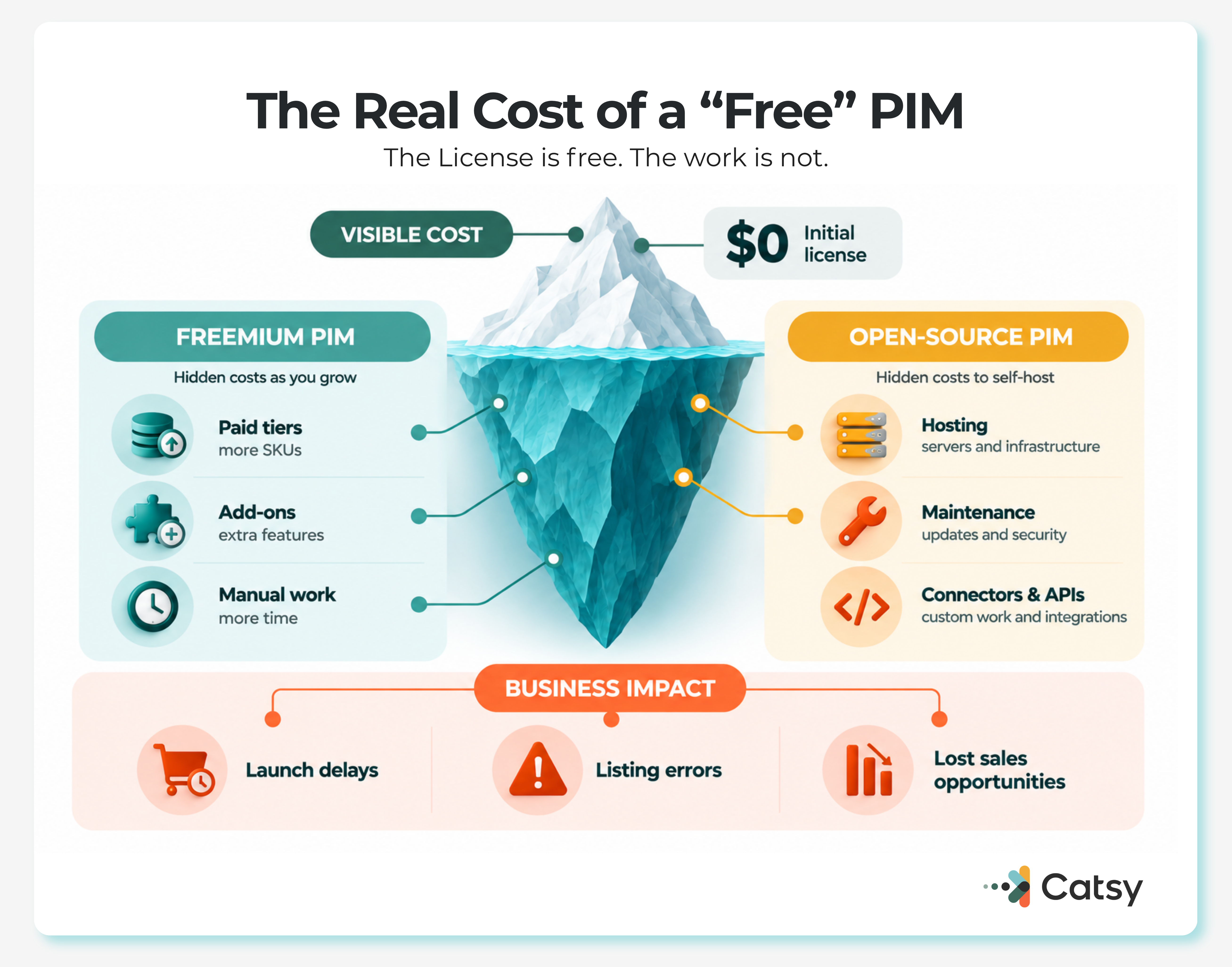
You have likely reached the limit of a free tool if you keep hitting SKU caps, launches wait on manual edits, you need omnichannel PIM for several channels, or your team keeps reformatting the same data for every distributor.
Paid Alternatives When Free PIM Tools Stop Working
When a free plan runs out, small stores can have three realistic paths.
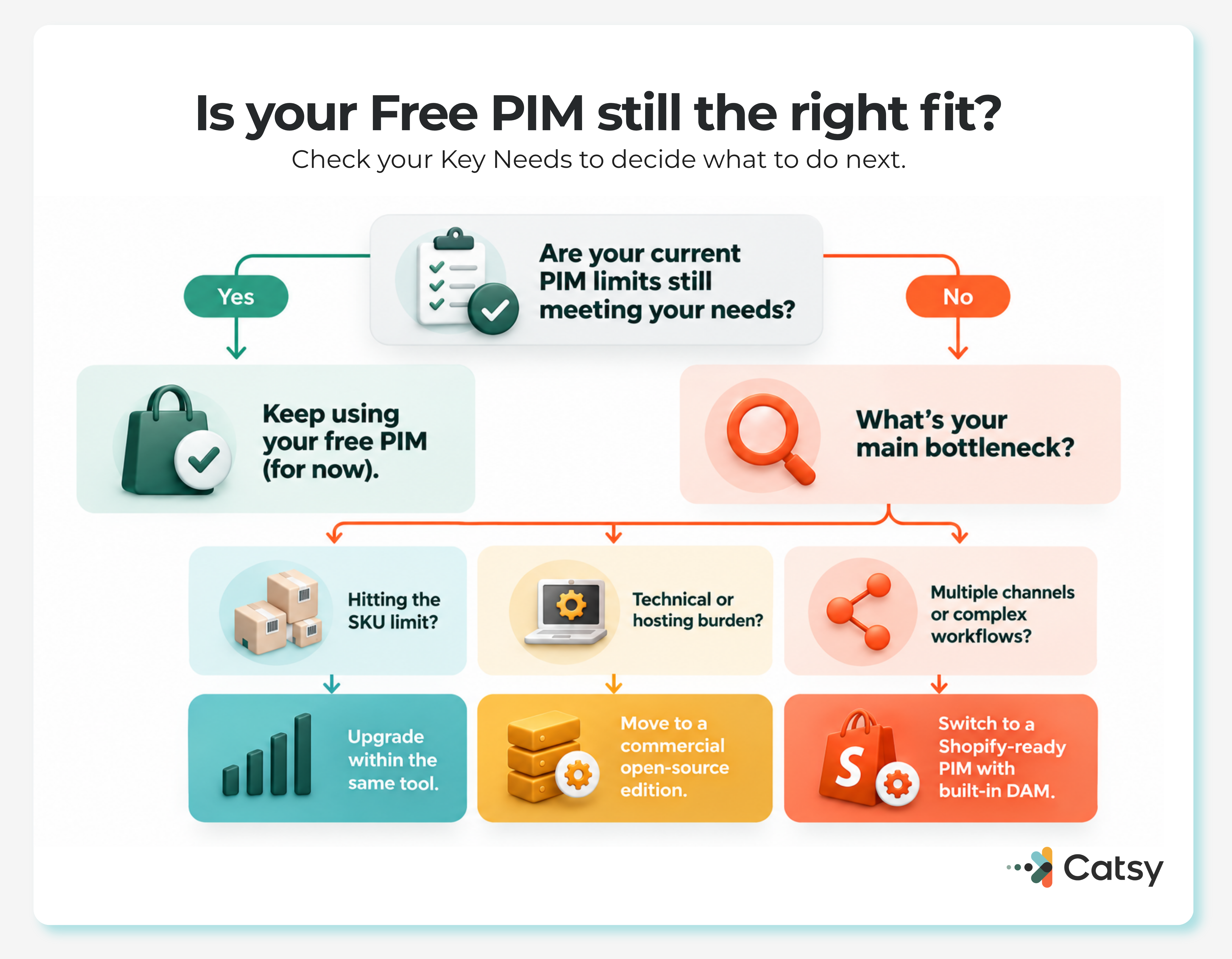
Upgrade within the same tool. Moving to a freemium tool’s paid tier is the smallest change, because your data and habits stay put. It works if your main problem is the SKU cap. It helps less if you also need distributor feeds, digital asset management, or approval workflows that the tool does not offer.
Move to a commercial or hosted edition of an open-source PIM. This removes some hosting work, but it is usually a bigger financial jump. For example, Pimcore requires a commercial license once a company passes the €5 million revenue line, and Akeneo now centers its roadmap on its SaaS platform rather than self-hosted editions.
Switch to a Shopify-ready PIM with built-in DAM. This is the right path when Shopify sync, variants, images, and several channels all need to work together without developers.
Catsy is one example of that third path. Its Shopify PIM uses a native, API-based integration that syncs product data and assets in real time. It supports every metafield type (Shopify’s custom fields for extra product details) without custom code, along with variants, multilingual and multi-currency data, and multiple stores.
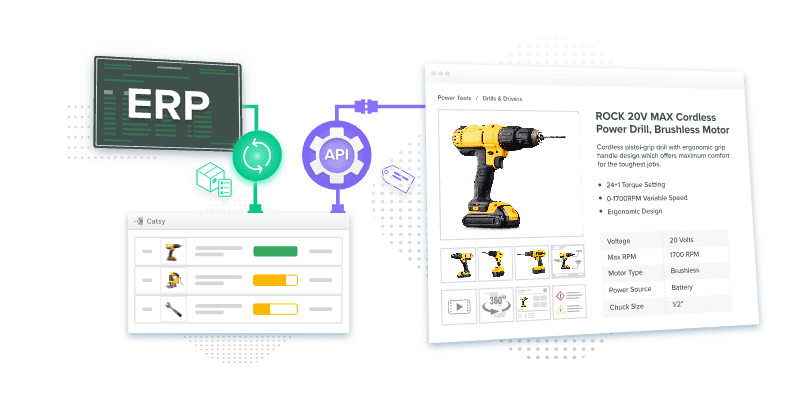
Catsy’s digital asset management links images, videos, 3D renders, and spec sheets to each product, and publishes them at the right size and alt text. Its channel syndication reaches Amazon, Walmart, The Home Depot, Lowe’s, Wayfair, and distributors such as Ferguson and Fastenal through spec templates.
For variant-heavy catalogs, shared facts are set once on the parent product. Catsy’s guide to what faceted search needs from your data explains what belongs on the parent and what belongs on each SKU. Teams edit whole product families in bulk, and built-in workflow routes changes through approval before they reach Shopify.
Completeness scoring flags missing fields before listings go live, and Catsy’s PIM tools for SEO keep keywords and image metadata in one place. This matters now that AI agents read your catalog directly, as Catsy’s Shopify MCP guide explains.
Catsy offers affordable PIM for small businesses. Its Shopify packages start with Essential (one store, metafields, completeness tracking, free trial), then Multi-Store (API sync for three stores) and Enterprise (custom onboarding and managed delivery). For a real example, see how Cobra Puma Golf runs five Shopify storefronts from one source of truth.
Choosing for Your Stage
If your store is small and simple, start free and use the time to clean up your data. Watch for the signs above, because the switch is easier before your catalog doubles than after.
As you grow, the license fee matters far less than the full cost of keeping variants, metafields, B2B catalogs, assets, and AI-ready data accurate everywhere. Work out that number, and the right choice usually becomes clear. These Shopify PIM best practices are a good next step, or you can book a Catsy demo.
Key Takeaways