How to Automate Product Catalog Creation with PIM Software
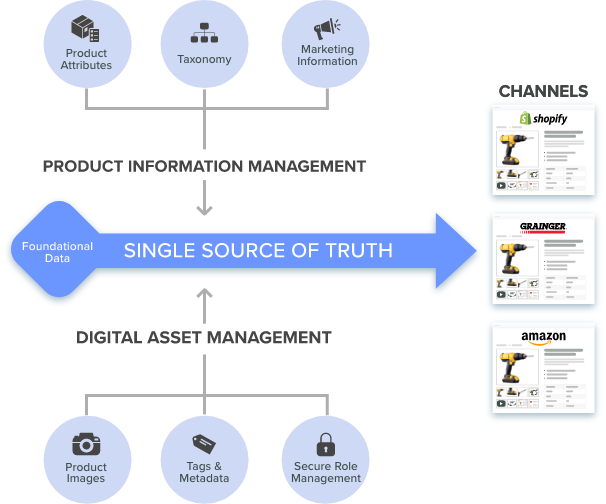
An automatic product catalog pulls live data straight from your PIM and DAM, so print price books and digital feeds update everywhere at once, no retyping required.
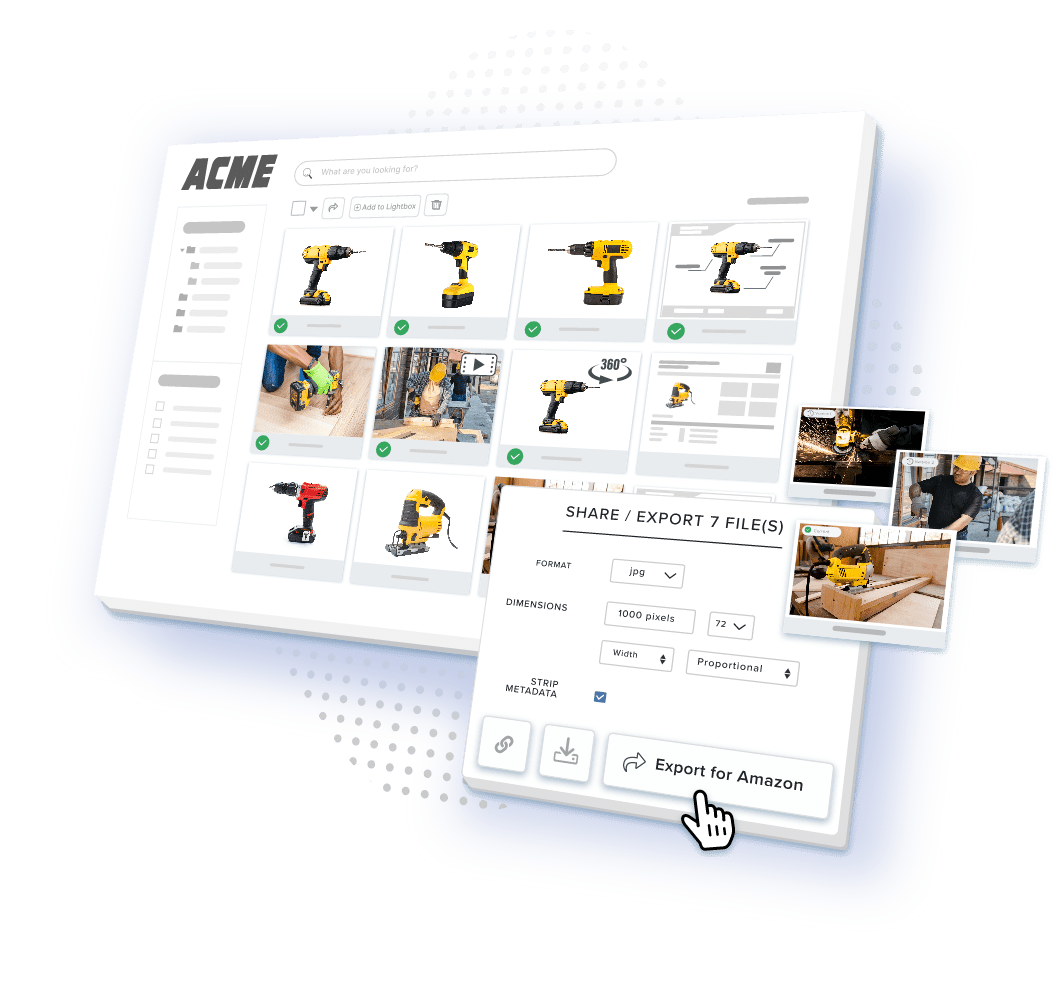
Table of Contents
Key Terms to Know
View Key Terms
What Is an Automatic Product Catalog?
An automatic product catalog is a catalog that keeps itself current. Instead of a person opening a file and typing in changes, it pulls fresh data every time the source record changes. That means the price, the spec, or the photo a buyer sees always matches what is actually true right now, not what was true last time someone updated the file.
This matters most for B2B sellers with large or fast moving catalogs. A manufacturer with thousands of SKUs spread across dozens of distributors simply cannot update every listing by hand. Automation is the only thing that makes that kind of scale realistic.
What Is the Difference Between a PIM, a DAM, and a Catalog?
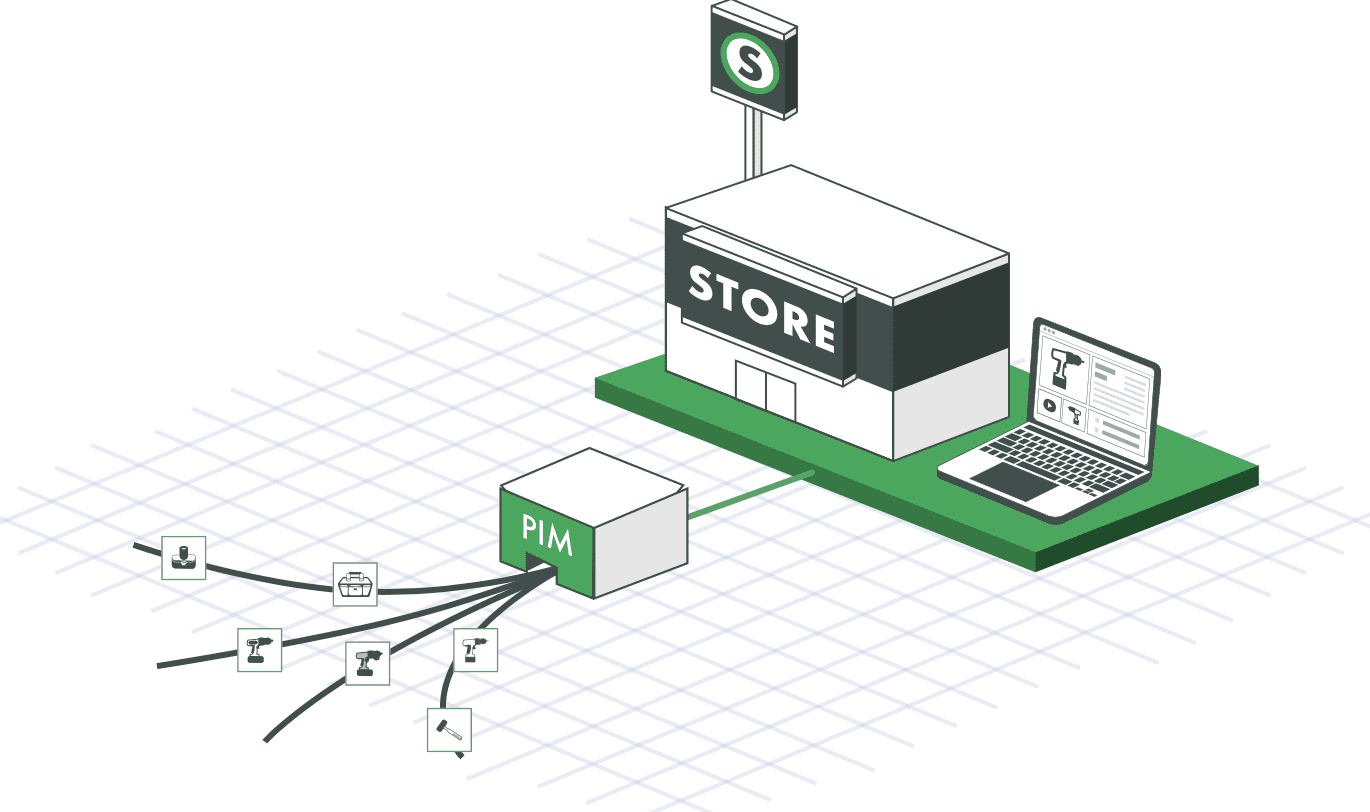
A PIM stores the facts about a product. A DAM stores the files that go with it. A catalog is what you build from both. People often use these three words loosely, but each one answers a different question.
| Term | What It Answers | Example |
|---|---|---|
| PIM | “What is true about this product?” | Dimensions, pricing, compliance status, description copy |
| DAM | “Where is the file for this product?” | Product photo, CAD render, spec sheet PDF |
| Catalog | “How does this look to a buyer?” | A price book PDF, a distributor’s website listing |
A second mix-up worth clearing up: catalog syndication is not the same thing as omnichannel marketing. Syndication is simply the act of sending checked product data to a channel. Marketing is what happens to that data once it lands there, things such as ad copy, promotions, or how a product gets merchandised. A PIM handles the syndication side. It does not run your marketing campaigns.
What Are the Benefits of an Automatic Product Catalog?
Automatic catalogs save time, cut down on mistakes, and keep every channel showing the same accurate information. Five benefits stand out most.
| Benefit | What It Means in Practice |
|---|---|
| Efficiency | You stop rebuilding catalogs by hand, which lowers the labor cost of every new launch. |
| Accuracy and consistency | Data comes from one place, so the same spec cannot show up differently on two channels. |
| Fresh information | The catalog shows the latest price and spec the moment the PIM record changes. |
| Inventory awareness | Stock levels tracked in the central database help you fill orders on time. |
| Convenience | Teams can update and share the catalog from anywhere, on any schedule. |
A Forrester data snapshot from May 2024 on U.S. shopping habits found that 69% of U.S. online adults regularly use a retailer’s website to research a product or service, more than any other channel Forrester measured. If your catalog is not current on that website, that is the first thing a buyer notices going wrong.
What Are the Two Paths of Catalog Automation?
Catalog automation runs on two separate paths: print and digital. Most teams need both, and both should pull from the same governed data.
| Track | Core Mechanism | Primary Output | Business Outcome |
|---|---|---|---|
| Print and PDF publishing | PIM data synced directly into InDesign templates | Price books, line sheets, dealer catalogs | Cuts catalog production from weeks to days |
| Digital channel syndication | Automated API feeds to storefronts and portals | JSON, XML, and channel-specific CSV feeds | Removes manual re-entry errors per channel |
| Buyer and partner portals | Permissioned, self-service access to the same PIM record | Secure portal with contract pricing | Speeds up RFQ turnaround |
On the print side, Catsy’s PIM-to-InDesign integration lets a catalog manager choose approved products and pricing, then sync them straight into a template. A custom price book can come from live, checked data instead of a static export. Product managers and designers can keep editing the underlying data right up until publish, and the InDesign file stays in sync the whole time.
On the digital side, that same governed record goes out through APIs. Catsy connects directly to Shopify, BigCommerce, and Amazon. It also offers pre-built export templates for major distributors such as Grainger, Fastenal, and Zoro. Change a spec once in the PIM, and it reaches every connected channel, so nobody has to update each portal one by one.

What Are the Best Practices for an Automatic Catalog?
Centralize your product data
Keep one updated home for all your product information. Start by identifying the data, files, and media you use most, such as videos and photos, and make sure every department pulls from that same source. Centralizing matters most for sellers on many channels. One shared repository keeps pricing and specs the same everywhere your brand shows up, and that list now includes Amazon, TikTok Shop, and AI shopping assistants that read structured data directly instead of a web page.
Build clear workflows
Give people clear roles so two team members never edit the same field without knowing it. A common setup: one person updates the data, a second reviews it, a third approves it. Mistakes are much harder to miss when three people touch a change instead of one. Clear workflows also make onboarding faster, since new hires and outside retailers learn a single defined process instead of picking up random habits.
Enrich continuously
Enrichment means checking every attribute, image, and video on a set schedule, then fixing anything missing or wrong. A catalog with complete, accurate content converts better and brings fewer returns, because buyers know exactly what they are getting before they order. Focus enrichment work on filterable attributes first, since better filters are one of the fastest ways to improve search results inside the catalog itself.
Standardize your taxonomy
Standardization keeps every version of the catalog consistent across regions, languages, and channels. For B2B manufacturers, that usually means mapping raw vendor attributes to a formal classification standard, not just an internal category name.
| Standard | Primary Use | What It Solves |
|---|---|---|
| ETIM | Electrical and HVAC wholesale distribution | Shared attribute sets across suppliers and distributors |
| UNSPSC | Corporate and government procurement | Consistent spend classification for buyers |
| eCl@ss | German industrial and engineering manufacturing | Deep, versioned property data for complex products |
Many manufacturers need more than one standard at the same time. A distributor selling into Europe might need ETIM for wholesale data and eCl@ss for a German customer’s procurement system, both pulled from the same SKU. Catsy stores each product’s classification across several standards in parallel and maps it into whatever format each destination needs, whether that is a UNSPSC code for a procurement platform or a browse node for a marketplace. Classification gets enforced right in the workflow: a product cannot get approved for syndication until every required attribute passes validation.
Taxonomy also depends on how attributes move through a product family. Parent-child attribute inheritance lets a value set at the parent level apply automatically to every child SKU below it. Update the master spec once, and every variant updates along with it, instead of someone editing each SKU by hand. A child SKU can still hold its own value for a genuine exception, but that override stays visible and traceable rather than hidden.
Syndicate on purpose
Syndication means sending the same governed data to every channel that needs it, each in the exact format that channel requires, without a person rebuilding the export by hand each time. Buyer and partner portals extend that same idea to a smaller, controlled audience. Instead of a public feed, sales teams and distributors get self-serve access to the same record. Contract pricing and compliance documents stay visible only to the accounts allowed to see them.
What Validation Gates Should Block a Product From Publishing?
A validation gate should stop any product that is missing required pricing, images, or compliance data from reaching print or a digital channel. A gate can block a product from publishing until its classification codes pass. It can block a print or digital sync until images and pricing meet a completeness threshold. It can also flag a missing Safety Data Sheet before approval.
The real case for gates is speed, not just accuracy. New product launches have traditionally moved slowly, because the steps happen one after another: engineering finishes the specs, then marketing writes the copy, then compliance reviews it, then sales gets channel-ready content. A gated PIM workflow runs those steps at the same time and only needs a person when a rule genuinely fails. That is what lets a launch that once took months shrink down to a matter of days for teams with centralized data. The exact number of days depends on how complex the catalog is and how many channels a product needs to reach, but the pattern holds: fewer handoffs in a row means a shorter launch.
It is worth being honest about a limit here too. Validation gates catch missing or broken data before it publishes. They do not speed up a marketplace’s own approval queue, and they cannot fix bad data that a supplier submitted in the right format but with the wrong facts. Automation cuts down how many errors reach a gate in the first place. It does not replace someone checking the source data before that.
How Do You Maintain an Automatic Product Catalog?
Keeping an automatic catalog running takes four ongoing steps, not a one-time setup.
Update it with accurate, relevant information. Keep descriptions current, and make sure photos and videos match what you are actually selling. Add customer reviews and ratings where you can, since they help buyers feel sure about a product before they order.
Categorize and tag everything. Buyers need to sort, filter, and search. A shopper looking for a specific size, color, or spec should be able to narrow the catalog down to exactly that, which means every product needs consistent tags and categories working in the background.
Suggest related products. Showing related or alternative items when a buyer views a product raises conversion and improves the shopping experience, since it saves the buyer from starting a brand new search.
Use a dedicated catalog tool. Manual spreadsheets do not scale. A real tool updates pricing and information on its own, keeps the catalog accurate, and can warn you when stock is running low.
How Does Catsy PIM Automate Catalog Creation?
Catsy PIM automates catalog creation by centralizing your product data and pushing checked updates out to print and digital automatically. Four capabilities do most of the work.
| Capability | What It Does |
|---|---|
| Ease of use | A simple interface that takes minutes to set up and load data into. |
| Automatic updates | Change a product once in Catsy, and every catalog that includes it reflects the change. |
| Rich media support | Images, videos, and other files attach directly to the product record. |
| Flexible integration | Publishes to e-commerce sites, email, social media, and marketplaces like Amazon from one system. |
Two more capabilities matter specifically for the two paths described earlier. Catsy’s PIM-to-InDesign integration handles the print side, syncing approved products and pricing straight into catalog and price-book templates. Catsy’s completeness scoring and validation rules act as the enforcement layer behind those gates. They flag missing classification, pricing, or asset data before a product can publish anywhere, print or digital.
What Business Impact Can You Expect?
Bringing print and digital together under one governed record shows up in ways a catalog manager notices day to day. Production cycles shrink, since the InDesign layout and the digital feed both pull from the same checked data instead of two teams re-entering the same SKU twice. Wrong-item returns drop when a validation gate, not a person, catches an incomplete SKU before a buyer ever sees it. And bringing on a new distributor or marketplace gets faster, since taxonomy mapping and channel templates already exist in the workflow instead of getting built by hand each time.
Key Takeaways
Ready to Run One Catalog Instead of Two?
See how Catsy’s PIM-to-InDesign integration and multi-channel syndication tools work from a single governed product record. Book a Catsy demo.