How to Manage Product Spec Without Channel Errors
Learn how to run a product data change impact analysis. Map field updates, assign risk levels, and prevent multi-channel data corruption across your SKUs.
Table of Contents
Key Terms to Know
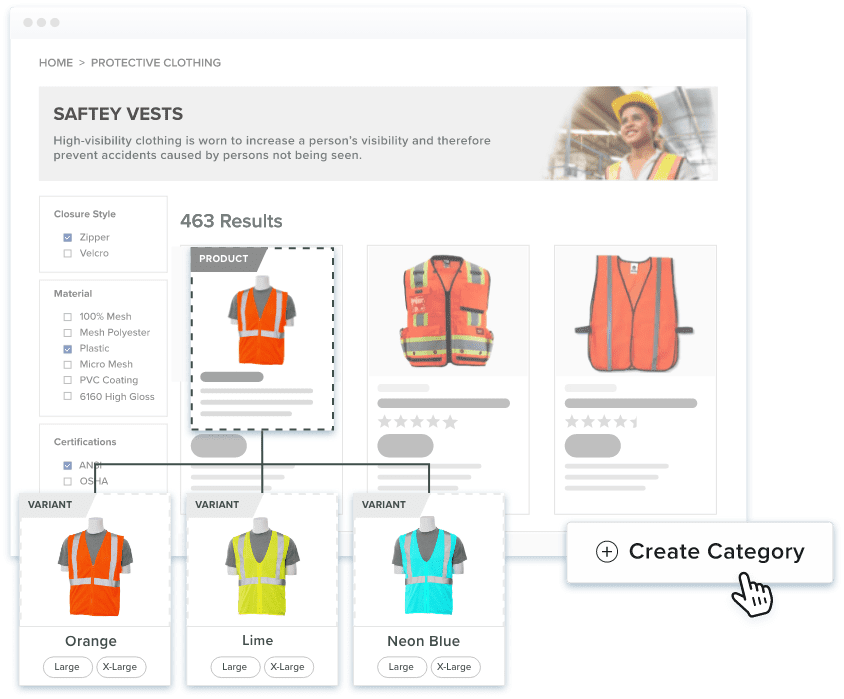
Even a small product specification change, like changing the material, size, or certification, can have big impacts across your product data. You might think that these changes will only impact the main product record, but you’re wrong. It can also affect related Stock Keeping Units (SKUs) that serve as unique codes to identify specific product versions like different colors or sizes.
What’s even tricky is that you may not notice them at first glance. While the main product record may be updated, the other places such as spec sheets, distributor feeds, or related SKUs might still display outdated information. But it does not have to be because of this simple process that you can use to find and fix these inconsistencies before customers or distributors notice errors. This process creates a practical foundation for product data change management across your product records, documents, and sales channels.
One Field Change Can Change the Whole Catalog
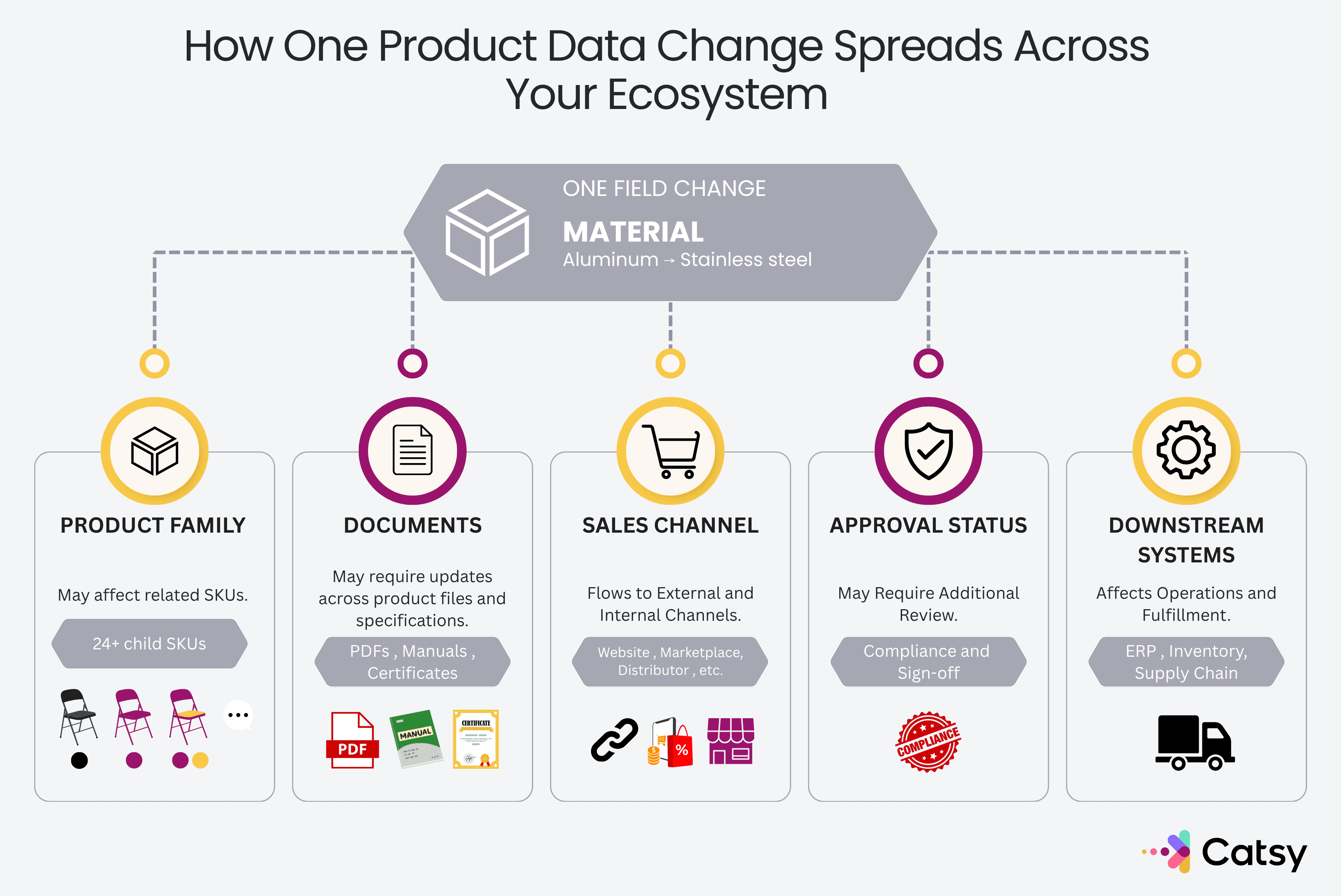
Changing a product specification seems like a piece of cake, you just have to get to the right area and update a few words, click done, and you’re good to go. But one field update can affect many records, documents, and sales channels.
If your child SKUs inherit the change, an error can cascade quickly across hundreds of products. Even worse is that supporting files like manuals or certifications might not update automatically, so that circulates the outdated information in your system. They just sit there, pushing outdated specs to customers while Amazon or Shopify takes its sweet time syncing the updates.
To top that off, your previous marketing or compliance approvals may no longer apply after changes. So you will need to prepare that again and require re-approval. That is why manufacturers must carefully track and document all changes, and follow strict standards like ISO 9001:2015 Clause 8.5.6 to manage these operational risks effectively.
Five Checks Before a Spec Change Goes Live
Not every correction needs a formal process. But for anything that matters, run these five checks every time. Together, these checks provide a consistent product change impact analysis before updated information is published:
| # | Question | Details |
|---|---|---|
| 1 | What exactly changed? | Record the field, the old value, and the new value. “The material was updated” is too vague. Instead change to something like: “The housing material changed from aluminum to stainless steel”. This is complete information and tells your team exactly where to look. |
| 2 | Which records receive this value? | Find every SKU that shares or inherits the field. If the value lives at the family or model level, chances are many SKUs may change at once. |
| 3 | Which documents still show the old value? | Check every offline document like your spec sheets, certificates, manuals, comparison charts, and printed materials. Updating your PIM will not rewrite these PDFs. So make sure to hunt them down and make the necessary changes. |
| 4 | Which sales channels display this field? | For this checklist every place that receives or shows the value that you updated. That could be your online store, marketplaces, distributor feeds, partner sites. Take note of how long each one takes to sync, so you know when different channels might contradict each other while the sync is ongoing. |
| 5 | Does the new value need approval? | Check whether the original sign-off was based on the old value. Even just a minor tweak to the material or the dimension will need a fresh review and approval before they can go live. |
Follow the Data Trail
It’s a lot easier to track the edit or changes done once you know the flow of your tech stack. If you don’t know, here’s how to trace a change from end to end:
Let’s say for example that you’re making an electronics brand update to a phone variant from Midnight Blue to Forest Green. The first thing that you need to do is to update the parent SKU in your PIM, but it is going to be useless if your Amazon store front still shows blue. The distributor XML feed breaks because it expects the old color code, and the bundled accessory kit sheet is not updated.
Sorting Spec Changes Into Risk Tiers
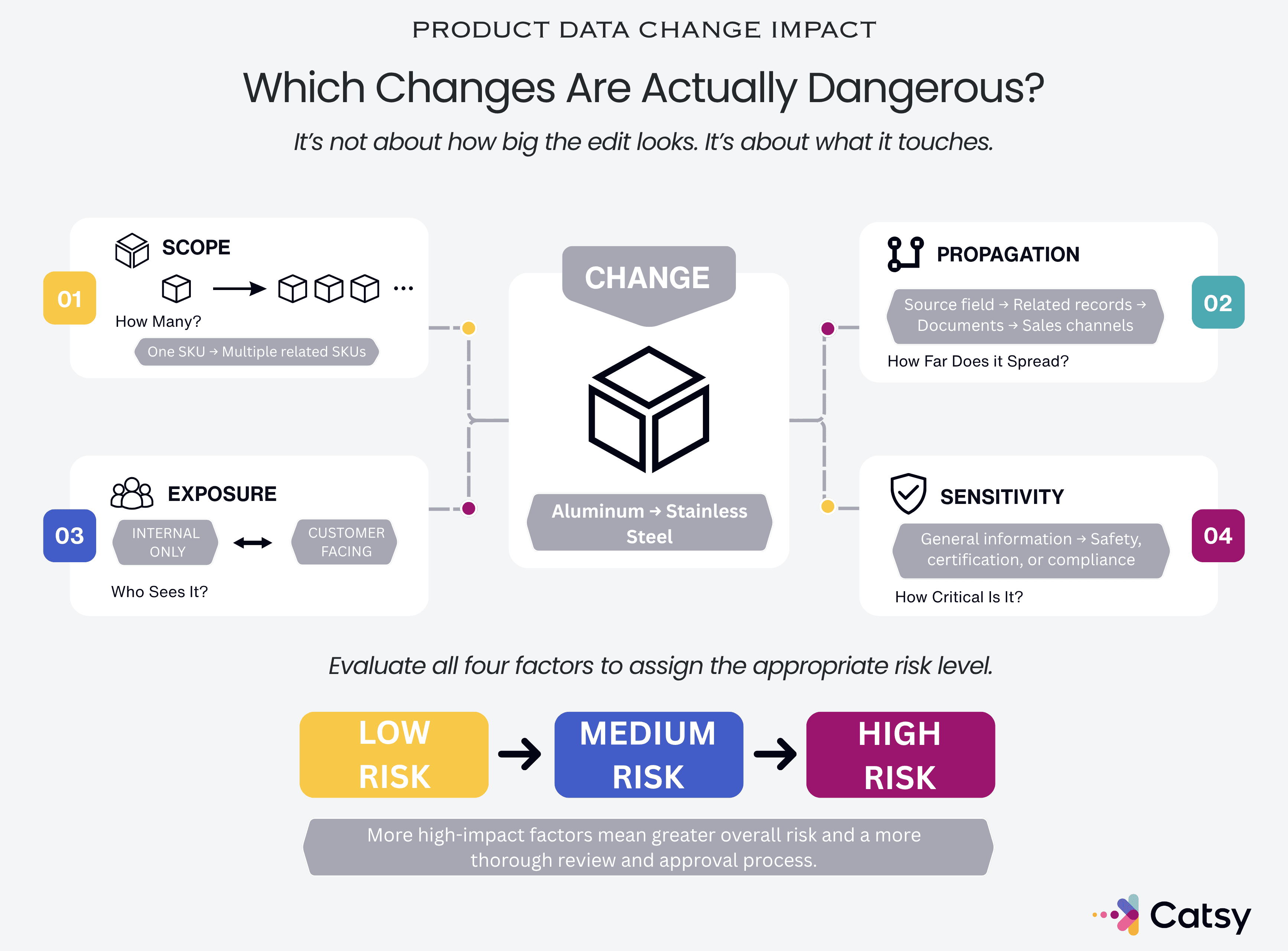
You don’t have to do a major overhaul on all updates though. A minor typo fix is different from a safety rating update. So, for things to move quickly, here’s how you can assign risk grades at every level of change. This risk-based approach keeps specification change management proportional to the potential impact of each update:
| Risk Level | What It Involves | Example | Process |
|---|---|---|---|
| Low risk | Affects only one SKU and does not impact other products or external documents. It does not involve safety or compliance. | Correcting a spelling mistake in an internal product note. | — |
| Medium risk | Impacts several related SKUs or appears in customer-facing documents like a spec sheet. Still does not touch safety, compliance, or certifications. | Updating the dimensions for a group of related products. | Logged review, plus a quick manual audit to confirm that every child SKU and channel synced correctly. |
| High risk | Involves safety, compliance, or certification information, requiring careful review. | Changing the material in a product that affects its fire safety rating or compliance with standards like REACH. | This will need all five checks, sign-off from the responsible owner, and confirmation that every affected output reflects the new value before publishing. |
Let the risk level set the process because the higher the risk, the more thorough the review and approval process is going to be.
A Working Checklist for the Next Spec Change
Use this checklist before making any product specification change.
- Record the exact change, such as changing a product’s material from plastic to metal.
- Identify every affected area, including related SKUs, manuals, online listings, and compliance documents.
- Map the value’s path from the main product record to specification sheets and website listings.
- Assign a risk level. For example, classify the change as high risk if the new material affects safety certification.
- Get the appropriate approval, such as sign-off from the compliance manager for a high-risk change.
- Confirm that every related record, document, and sales channel now shows “metal.”
- Record what changed, who approved it, and when for future reference.
That last step gets skipped most often, but it matters most. A clear audit trail means your team can answer “when did this change, and who signed off” without digging through six-month-old email threads. Over time, this record becomes a reliable product data audit trail for reviewing past decisions and approvals.
How This Fits Into Broader PIM Governance
This checklist covers one specific change but it does not replace a full governance framework. True governance will set the bigger rules like who owns each data field, how standards get set, and who holds the ultimate accountability when things break. Within that framework, product information change control defines how important updates are reviewed, approved, documented, and published. Check how this is done in Catsy’s guide to PIM governance.
When these core attributes live at the parent, you can instantly trace which products inherit a change without opening every record one by one.
This is easier to enforce inside a dedicated PIM system than across spreadsheets and email. A product information management system can track field-level changes and require approval before anything important is published.
Key Takeaways
See This Process Inside a PIM System
If your team has ever updated a spec and later found the old value sitting in a spec sheet, a sales channel, or an approval record, telling people to “be more careful” will not fix it. A structured product data change management process makes these updates easier to trace, review, and verify. Book a demo to see how Catsy handles change control directly inside the product record. You can also visit Catsy’s PIM and DAM resource center for more on managing product information at scale.