WooCommerce Multi-Location Inventory Management: Tech Stack Architecture Guide
WooCommerce doesn’t support multi-warehouse inventory out of the box, so stock accuracy suffers as you scale. This guide breaks down the core challenges, the three-tier architecture (PIM, WMS, WooCommerce) that solves them, and the best practices for syncing stock across warehouses without spreadsheet chaos.
Why Does WooCommerce Struggle With Multi-Location Inventory?
WooCommerce was built to track stock for one location, not many. It doesn’t include native multi-warehouse functionality. Most retailers start with spreadsheets or manual stock counts. That works for one location. It breaks down fast once you add a second warehouse.
Poor inventory management can meaningfully erode annual revenue, mostly from two problems: stockouts and overstocking. Picture this: your Birmingham warehouse shows stock. Your Manchester warehouse shows zero. Both numbers sync incorrectly to your WooCommerce store. The result is a customer who orders something you can’t ship.
Four failure points show up again and again:
- Stock mismatches. One warehouse’s sale doesn’t update another warehouse’s count fast enough.
- Overselling. The same item sells at two locations before either system catches up.
- Shipping delays. Orders route to a distant warehouse instead of the nearest one with stock.
- Data silos. Each location runs its own tracking system, and none of them talk to your online store.
Retailers with fragmented, poorly integrated systems consistently report weaker inventory accuracy than retailers running a unified stack. A 2023 industry survey by Fluent Commerce found that 58% of retailers and direct-to-consumer brands report inventory accuracy below 80% — meaning roughly one in five items in their system doesn’t match what’s actually on the shelf. When your POS, WMS, ERP, and WooCommerce store don’t talk to each other, you’re running blind across every warehouse you operate.
What’s the Difference Between a PIM, a WMS, and WooCommerce?
A PIM manages product content. A WMS manages physical stock. WooCommerce runs your storefront. These are three different jobs, and most multi-location rollouts stall when teams expect one system to do all three.
| System | What It Actually Tracks | What It Doesn’t Do |
|---|---|---|
| Product Information Management (PIM) | Master product specs, descriptions, images, and SKU data used across every warehouse and channel | Does not track physical stock counts or process orders |
| Warehouse / Inventory Management System (WMS) | The physical count of each SKU at each warehouse, bin, or shelf | Does not manage product content, descriptions, or digital assets |
| WooCommerce Core + Location Plugin | The storefront: checkout, location selector, pickup options, payment rules | Does not natively separate stock by warehouse without a plugin |
Confusing these roles is the single most common reason multi-location setups feel harder than they should. A location plugin can tell a shopper which warehouse has stock. It can’t guarantee that warehouse’s product page shows the same accurate description, price, and image as every other location. That’s a content problem, and a PIM is built to solve it — not to replace your WMS or your plugin.

How Does a PIM System Solve Multi-Warehouse Complexity?
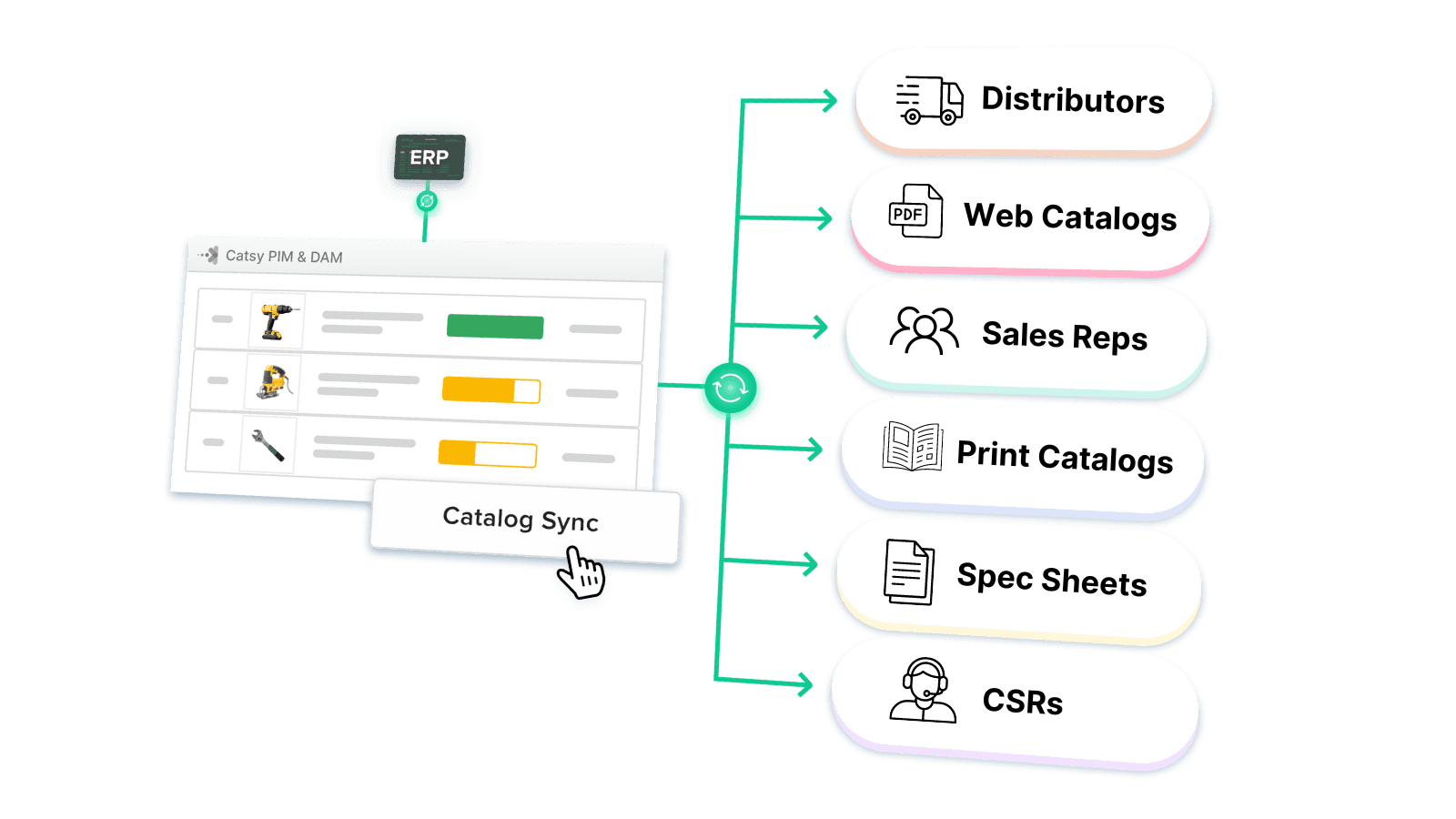
A PIM system centralizes your product data so every warehouse pulls from the same accurate source. Instead of managing inventory at the WooCommerce level, a PIM sits upstream of it. You manage product details, specs, digital assets, and inventory levels for every location in one platform, then push that information down to WooCommerce.
Here’s how it plays out in practice: a customer places an order. The system already knows which locations stock that SKU, how much they have, and which location should fulfill it based on rules you’ve set — proximity, stock level, or a manual priority list.
| Capability | What It Means in Practice |
|---|---|
| Unified data model | Every warehouse location shares the same product structure, so descriptions and specs never drift between locations |
| Real-time synchronization | A sale at one warehouse updates your WooCommerce store within seconds, not hours |
| Unlimited locations | Adding a new warehouse doesn’t mean buying another plugin license or rebuilding your setup |
| REST API access | Advanced systems expose an API for reading and writing stock data at the location level, so you can connect shipping, accounting, or ERP tools |
B2B sellers managing complex catalogs across several warehouses tend to need more than a basic plugin. A PIM handles technical specs, location-specific pricing, and the catalog complexity that distributors managing hundreds of SKUs run into daily.
What Features Do You Actually Need for Multi-Location Stock Control?
Five capabilities separate a real multi-location system from a basic stock counter: real-time sync, smart order routing, bulk editing, location-wise pricing, and location-level alerts.
| Capability | What It Does | Why It Matters |
|---|---|---|
| Real-time stock sync | Updates every location’s stock count within seconds of a sale | Prevents overselling the last unit while another channel still shows it in stock |
| Automatic order routing | Assigns each order to a location by proximity, stock level, or a manual priority list | Cuts shipping cost and transit time without a person choosing a warehouse manually |
| Manage stock grid | Bulk-edits stock, price, and status across every location from one screen | Replaces editing five warehouses’ worth of products one at a time |
| Location-wise pricing | Lets the same SKU carry a different price by warehouse, region, or customer segment | Supports regional demand and cost differences without duplicate products |
| Low-stock alerts by location | Notifies the right manager when a warehouse’s stock crosses a threshold | Catches a stockout before it happens instead of after |
Real-time visibility is still the biggest gap for most retailers. Zebra Technologies’ 2025 Global Shopper Study found that 84% of retail decision-makers rank real-time inventory synchronization as a top operational priority. More than half of shoppers in that study said they’d left a store without an item they meant to buy, usually because of a stockout or a product they couldn’t locate.
A few more features round out a complete setup. A store locator lets shoppers find nearby locations, often through a Google Maps integration. Buy-online-pickup-in-store support lets customers reserve an item and collect it at a specific location. Location grouping lets you organize warehouses by city, region, or country, which makes bulk updates easier as you add locations. For B2B operations, EDI connections keep your PIM and WooCommerce store synced with major distributor systems.
How Do You Roll Out a Multi-Warehouse Strategy in WooCommerce?
A multi-warehouse rollout works best across four phases, spread over roughly six weeks.
| Phase | Timeframe | Key Actions |
|---|---|---|
| Audit and standardize | Weeks 1–2 | Count physical stock at every location. Document how orders currently route and where fulfillment breaks down. |
| PIM and system configuration | Weeks 2–4 | Set up your PIM with every warehouse location. Configure fulfillment rules — proximity, stock level, or manual priority. |
| WooCommerce integration | Weeks 4–5 | Connect the PIM to WooCommerce. Test order routing with dummy orders before going live. |
| Staff training and monitoring | Weeks 5–6 | Train location managers on the new system. Set up dashboards to track accuracy, speed, and cost by location. |
Well-trained teams make fewer mistakes and adapt to a new system faster. That holds true whether you’re rolling out a PIM, a WMS, or a new plugin. Build training time into your timeline instead of treating it as an afterthought.
A few mistakes show up often enough to call out directly: migrating product data without assigning every SKU to a location, skipping tests of your default stock-handling rules, under-training staff on the bulk-edit tools, and forgetting to configure shipping zones for every new warehouse. Multi-location setups also put more load on your site, so plan for a CDN and hosting that can handle it.
How Do You Optimize Operations Across Multiple Warehouses?
Once your multi-location system is live, the next gains come from watching five metrics and acting on what they show you.
| Metric | What It Measures | Why It Matters |
|---|---|---|
| Fill rate by location | Share of orders fulfilled from the intended warehouse | Shows whether your routing rules are actually working |
| Stock accuracy | Gap between system counts and physical counts | Flags where your sync is failing before customers notice |
| Average fulfillment time | Speed from order placed to order shipped, per location | Identifies which warehouse is slowing down your customers |
| Low-stock incidents | How often a location crosses its stock threshold | Signals whether you’re allocating stock intelligently or reactively |
| Current stock value | Total inventory value held at each location | Shows where your capital is tied up |
Two practices consistently improve these numbers over time. First, allocate stock by demand, not evenly — if one region sells three times faster than another, its warehouse should carry more stock, not the same amount. Second, automate transfer recommendations between warehouses instead of managing them manually. McKinsey’s research on logistics handovers found that 13–19% of total US logistics costs can come from poorly coordinated handoffs between parties — a similar dynamic to what happens when a slow-moving warehouse and a fast-moving one aren’t rebalanced against each other.
Small, consistent improvements compound: shaving a day off fulfillment time, cutting shipping cost through smarter routing, and preventing even one stockout a week adds up across every location you run.
How Does Catsy PIM Complement a Multi-Location WooCommerce Store?
Catsy doesn’t replace your WMS or your location plugin — it keeps the product content attached to every warehouse’s stock accurate and consistent.
A location plugin or WMS handles where the physical units sit. It usually doesn’t solve what happens to your product content once you’re running several warehouses, regional store views, or marketplace listings at once. That’s the layer Catsy is built for. In practice, that looks like:
- One approved product record that flows to every location’s storefront, so specs and descriptions never drift between warehouses.
- Digital Asset Management (DAM) alongside the PIM, keeping images, videos, and spec sheets in sync with the same SKUs whose stock moves across warehouses — see how this works in Catsy’s guide to customizing WooCommerce product pages at scale.
- Workflow and approval controls, so marketing, product, and compliance teams sign off on content before it publishes anywhere — detailed in Catsy’s PIM/ERP integration guide.
- Multi-channel syndication, useful if you’re running WooCommerce alongside Shopify or another platform across regions — see how this plays out when managing Shopify merchants inside a WooCommerce store.
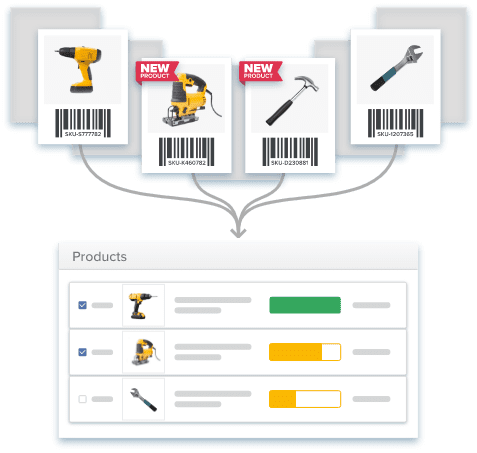
Worth saying plainly: a PIM does not speed up marketplace approval, and it doesn’t replace the physical inventory tracking a WMS or plugin provides. It solves a narrower problem — keeping product content correct everywhere your stock is sold. For a broader look at what a PIM does and doesn’t cover, see Catsy’s What Is PIM? guide or the PIM FAQ.
Key Takeaways
- 01.
WooCommerce tracks one stock number per product by default: multi-location tracking always requires a plugin, a WMS, or a PIM layered on top.
- 02.
A PIM, a WMS, and WooCommerce do three different jobs: treating them as one system is the most common reason multi-location rollouts stall.
- 03.
Real-time sync is still the biggest gap for most retailers: 84% of retail decision-makers call it a top operational priority (Zebra, 2025).
- 04.
A four-phase rollout keeps a launch on track: audit, configure, integrate, and train, spread across roughly six weeks.
- 05.
Five metrics turn a working setup into an optimized one: fill rate, stock accuracy, fulfillment time, low-stock incidents, and stock value.
- 06.
A PIM keeps content consistent, not stock counts: it does not replace the physical inventory tracking your WMS or plugin provides.
See How a PIM Fits Your Multi-Location WooCommerce Stack
A PIM doesn’t replace your WMS or location plugin — it keeps product content accurate across every warehouse you run. Talk to Catsy about multi-location WooCommerce and see how a connected PIM and DAM platform gives your team one accurate source of product truth.