
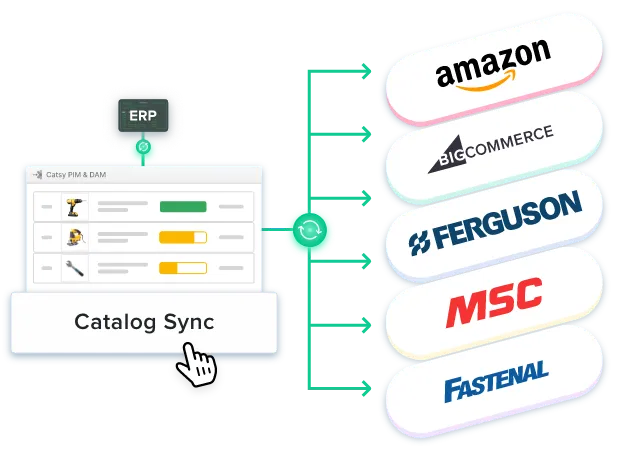
Why PIM-ERP Integration Matters
Here's the underlying issue: your ERP and your PIM systems each own different types of data. They weren't built to share.
The ERP system owns the operational side — supplier information, logistics data, human resources records, and supply chain processes. On the flip side, PIM solutions own the commercial side — product images and tech specs that customers actually encounter.
Without a PIM integration, there's someone on your team bridging the gap between those two systems manually. Every. Single. Time. That's a liability.
When the two systems are properly connected, the difference is immediate: a single source of truth, faster time to market, fewer errors, data consistency, better customer experience, and reduced operational costs.
Most mid-market companies discover that product data ends up living in three places at once: the ERP, a separate PIM, and yet another DAM for digital assets. Platforms like Catsy collapse the PIM-DAM layer into one.
What Data Flows Between PIM and ERP
ERP system data (hot data — operational): SKUs and product IDs, base pricing and cost data, inventory levels and warehouse locations, supplier information and lead times, weight, dimensions, and shipping classification, and order and fulfillment data.
PIM system data (cold data — commercial): product descriptions, digital assets including images and videos, technical specifications and feature attributes, channel-specific content for each sales channel, translations and localized content, taxonomy and categories, and compliance and regulatory data.
PIM-ERP Integration Patterns
Most PIM ERP integrations follow one of three patterns. One-way (ERP to PIM) is the most common starting point. Two-way bidirectional sync lets selected fields flow between the two systems in both directions. Event-driven triggers mean systems respond to events in real time — Catsy supports this natively with NetSuite ERP. Most companies eventually land on a hybrid approach.
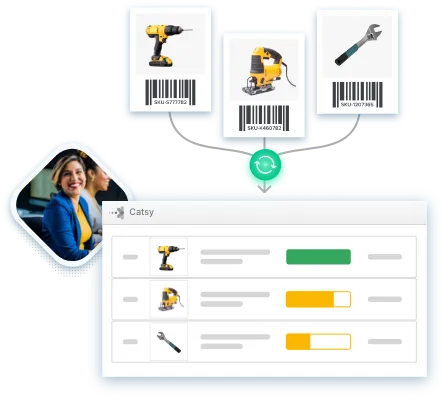
Integration Methods
API-based integration is the preferred method for modern PIM software and ERP solutions. It grants real-time or near-real-time data exchange and the most flexibility. Middleware and iPaaS platforms can act as a translation layer when API integration is too complex. File-based integration via CSV, Excel, or XML is viable for smaller catalogs or legacy ERP software.
Step-by-Step PIM-ERP Integration Guide
Step 1: Audit your data landscape — map every system that currently touches your product data. Step 2: Define data ownership and governance — for every product attribute, decide which system is the source of truth. Step 3: Choose your integration pattern and method. Step 4: Map fields and configure sync rules — ERP attributes and PIM attributes rarely have matching names or formats. Step 5: Test, monitor, and iterate — run the PIM ERP integration in a sandbox before going live.
Common PIM-ERP Integration Challenges
Dirty data derails everything. If your ERP data has inconsistencies, PIM integration won't fix that — it'll amplify it. Scope creep in phase one is another common trap. Start with critical data like SKUs, product names, pricing, or stock levels. Legacy ERP limitations may require file-based integration as a bridge. Organizational resistance from teams who have been managing product data in spreadsheets for years requires early involvement and quick wins. Undefined ownership creates conflicts — the Source-of-Truth Matrix exists specifically to prevent this.
