What is the Best PIM for Manufacturing Brands? (2026 Evaluation Guide)
From technical specifications to compliance documentation, manufacturing product data is complex. This guide breaks down what to look for in a PIM built for industrial and manufacturing environments.
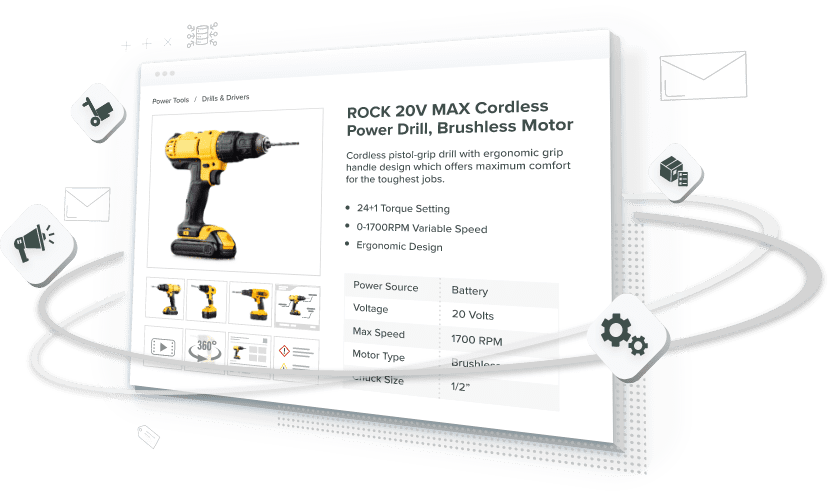
Table of Contents
Quick answer: The best PIM for manufacturing brands handles complex technical attributes, industry classification codes (ETIM, UNSPSC, eCl@ss, GS1 GPC), parent-child BOM structures, and two-way ERP sync (SAP, NetSuite, Epicor, Infor). Generalist retail PIMs manage simple SKUs for storefronts like Amazon and Shopify. An industrial PIM has to do more: combine product content and digital assets to automate spec sheets, distributor feeds, and print catalogs, while keeping compliance documents current.
What’s the Difference Between PIM, ERP, PLM, and DAM?
These four systems get mixed up constantly. Here’s the short version. A Product Information Management (PIM) system owns product content: descriptions, specs, and compliance documents. An ERP owns operational data: costing, inventory, and order status. A PLM owns engineering data, or how a product gets designed and built. A Digital Asset Management (DAM) system owns the files: images, manuals, CAD drawings, and videos. Many manufacturing PIM platforms, including Catsy, bundle PIM and DAM into one system. Product data and product files live together. But the four systems still serve different masters.
| System | What It Owns | Example Field |
|---|---|---|
| PIM | Customer- and channel-facing content, compliance docs | Product description, spec sheet, ETIM class |
| ERP | Operational and transactional data | Cost, inventory count, order status |
| PLM | Engineering and design data | CAD revision, tolerance, bill of materials |
| DAM | Digital files | Product image, manual PDF, CAD drawing |
Why Do Manufacturing Brands Need a Different Kind of PIM?
Manufacturing brands need PIM software built for technical depth, not a simplified retail catalog tool. Managing thousands of SKUs means juggling tech specs, multilingual content, and shifting rules at once. Picking the best PIM software for manufacturing is a strategic call, not a purchasing formality. The right system becomes the backbone of your go-to-market process. It’s not just a place where data sits.
Generic, retail-first PIM tools cannot solve manufacturing problems. They’re built for marketing copy and simple variants. Manufacturing teams need far more depth. That means detailed bills of materials, layered tech specs, and compliance documents that shift by region, market, or regulator.
The market reflects that demand. Grand View Research put the global PIM market at $11.49 billion in 2023. It projected more than 16% annual growth through 2030. That trajectory puts the market at roughly $17.2 billion in 2026, heading toward $32.8 billion by 2030. Mordor Intelligence’s current report estimates a similar 2026 figure, about $19.95 billion. It projects a 13.38% CAGR to $37.39 billion by 2031. Exact numbers vary by analyst. The direction does not.
A manufacturing PIM becomes the single source of truth for product data. Unlike a retail app, it has to handle deeply technical structures and heavy compliance load. It also has to track how products get built: parent and child part relationships, multi-level bills of materials. Without that structure, small data errors spread fast. They hit engineering, production, marketing, and sales alike. The best manufacturing PIM software bridges two technical systems: Enterprise Resource Planning (ERP) and Product Lifecycle Management (PLM). At the same time, it gives marketing teams what they need to write compelling content for distributors and end customers.
What Core Features Does a Manufacturing PIM Need?
A manufacturing PIM needs strong technical data management as a baseline. Integration, compliance workflows, and multi-channel distribution come on top of that. Not every PIM platform can handle manufacturing complexity. Knowing which features matter protects your investment before you sign a contract.
At minimum, the system needs to track precise specs: measurements, weight limits, and performance data, instead of relying on marketing language. It also needs to manage digital assets. Images, manuals, and technical documents each stay linked to the right product record. Integration with PLM and CAD platforms is not optional. Without it, data gets stuck in silos. That defeats the purpose of centralizing it in the first place.
Compliance management matters just as much. Products face regulations that vary by region or industry. The PIM needs to let teams attach certifications and regulatory documents directly to product records. Workflows should manage approvals and keep the latest version live. Advanced data modeling keeps product variants accurate as the catalog scales, through parent-child relationships and custom taxonomies. Distribution across websites, B2B portals, distributor systems, marketplaces, and print catalogs needs to happen without manual rework for each channel.
How Does a PIM Manage Complex Manufacturing Data?
A PIM manages complex manufacturing data by centralizing it into one governed platform. Four core capabilities do the work: data governance, flexible data modeling, workflow automation, and system integration. As a product portfolio expands, data volume overwhelms teams working from spreadsheets and shared drives. Centralizing it eliminates that sprawl.
| Capability | What It Does |
|---|---|
| Data governance | Enforces validation rules so only consistent, checked product data enters the system, reducing downstream errors. |
| Flexible data modeling | Structures intricate product hierarchies and multi-level relationships, from configurable components to regional variants. |
| Workflow automation | Automates approvals, updates, and syndication to multiple channels instead of relying on manual data entry. |
| System integration | Connects ERP, DAM, and e-commerce platforms so product data and digital assets flow through one technology stack. |
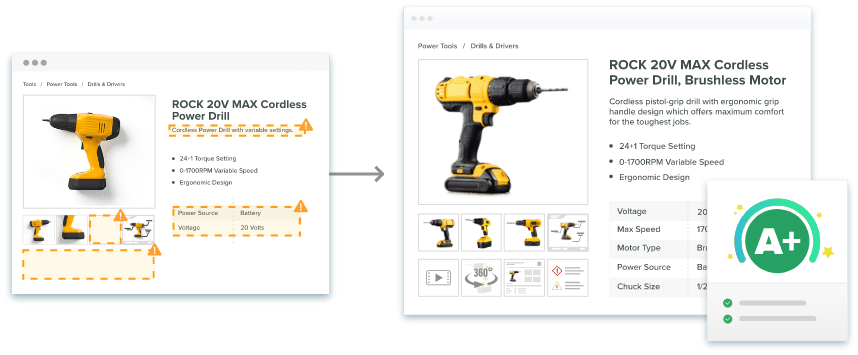
This kind of centralization creates a more agile organization. Teams respond faster to market changes. They see fewer costly errors from disconnected systems. The scale of the problem is well documented. A March 2024 press release from Hexagon, citing Forrester Consulting research, reports that 98% of manufacturers face data issues that stifle innovation and time-to-market. It adds that 42% can’t share product data effectively across teams. (Note: this cites Hexagon’s summary of the Forrester research, not the original Forrester report, since the underlying study isn’t public.)
What Are the Benefits of Implementing PIM Software?
Implementing PIM software delivers measurable returns: efficiency gains, fewer errors, and faster time-to-market. Centralized data management replaces scattered spreadsheets and disconnected systems. Teams work from identical, current information instead of conflicting versions.
Time-to-market improves because automated syndication reaches every channel at once, not one at a time. Catsy reports that customers using its manufacturing-specific workflow automation see 40–70% faster product launch speed. Note: this is a vendor-reported figure from Catsy’s own site, not an independently audited study. Treat it as directional, not a guarantee.
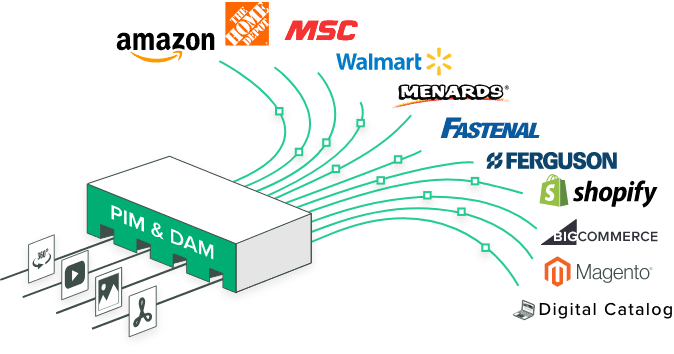
Data quality has a direct revenue impact more broadly. MIT Sloan Management Review research estimates that poor data quality costs most companies 15–25% of revenue. That figure covers general business data (billing, CRM, operations). It is not a study specific to product catalogs or PIM systems. Treat it as a directional benchmark, not a manufacturing-specific number. Standardized templates and automated enrichment still improve accuracy and build buyer trust. Digital shelf analytics let teams track product performance, pricing, and inventory in one place. Operational efficiency improves too, since one update in the PIM propagates everywhere. Built-in localization also makes multi-language, multi-region expansion far more manageable.
How Does PIM Support Data-Driven Decisions?
PIM supports data-driven decisions by giving manufacturers one reliable data foundation to analyze, instead of fragmented records across departments. That foundation feeds three related capabilities:
| Capability | What It Enables |
|---|---|
| Actionable insights | Comprehensive analysis of product performance, customer feedback, and sales trends across channels. |
| Advanced analytics | In-depth analysis to identify opportunities, spot gaps, and optimize product offerings. |
| Predictive analytics | Forecasting, trend analysis, and demand planning based on consistent underlying data. |
In practice, this helps manufacturers identify top-performing products and refine pricing using real-time sales data. It also helps them adjust product development using customer feedback and return-rate patterns. Consistent data reduces the risk baked into every one of those decisions.
What Classification Standards Does a Manufacturing PIM Need?
A manufacturing PIM needs to support the classification standards your trading partners require. The three most common are UNSPSC, ETIM, and eCl@ss. Classification is not optional for manufacturers. If a product lacks the right code, it won’t surface in the systems distributors and buyers actually search.
| Standard | Structure | Where It’s Required |
|---|---|---|
| UNSPSC | Eight-digit, four-level hierarchy (segment, family, class, commodity) | Government procurement, healthcare supply chains, platforms like SAP Ariba, Oracle, Coupa |
| ETIM | Class-based system with defined technical features and permitted values | European electrical wholesale, HVAC, building automation; increasingly requested in North America |
| eCl@ss | Class hierarchy paired with a structured property dictionary | Industrial manufacturing, process industries, and engineering, especially German-speaking markets |
Many manufacturers need more than one standard at once. A single electrical component might carry three codes: a UNSPSC code for a US buyer’s procurement system, an ETIM class for a European distributor, and a GS1 GPC code for a retailer’s GDSN supply chain. These are not competing systems. They’re different lenses trading partners use to find the same product.
This is why classification belongs in a PIM, not a spreadsheet. Free-text fields invite malformed codes. They also drift over time as team members interpret categories differently. A PIM with controlled classification vocabularies rejects invalid codes at entry. It scores completeness across the catalog, so gaps surface before a distributor feed fails, not after. Catsy ships with pre-loaded ETIM and eCl@ss attribute templates, plus marketplace mapping for Amazon, Walmart, and Google Shopping. Classification governance doesn’t have to be built from scratch.
How Does a Manufacturing PIM Connect ERP and Distributor Portals?
A manufacturing PIM connects to ERP and distributor portals through pre-built connectors and channel templates. One governed product record reaches every system in its correct format. A manufacturing PIM only earns its keep when it stays synchronized with the systems on either side of it: ERP internally, and dozens or hundreds of distributor portals and marketplaces externally.
| Integration Layer | What It Solves |
|---|---|
| Bi-directional ERP staging | Keeps ERP (costing, inventory, order status) and PIM (descriptions, specs, compliance) in sync without duplicate entry. Catsy maintains connectors for SAP, NetSuite, Great Plains, Microsoft Dynamics NAV/365, Epicor, Infor, and Oracle. |
| Distributor taxonomy mapping | Maps one product record into each distributor’s expected field structure and classification codes automatically, instead of manual reformatting for Grainger, Fastenal, Ferguson, MSC, or AD-affiliated distributors. |
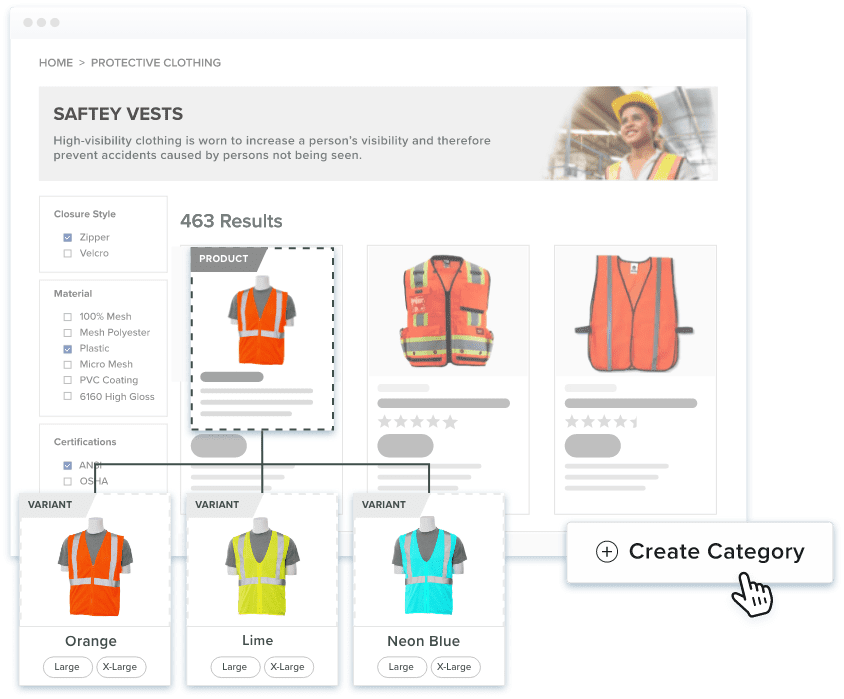
| Parent-child & replacement part structure | Represents BOM relationships and part supersession, so a search for a discontinued part number routes to its replacement instead of a dead end. |
Can a PIM Automate Print Catalogs and Spec Sheets?
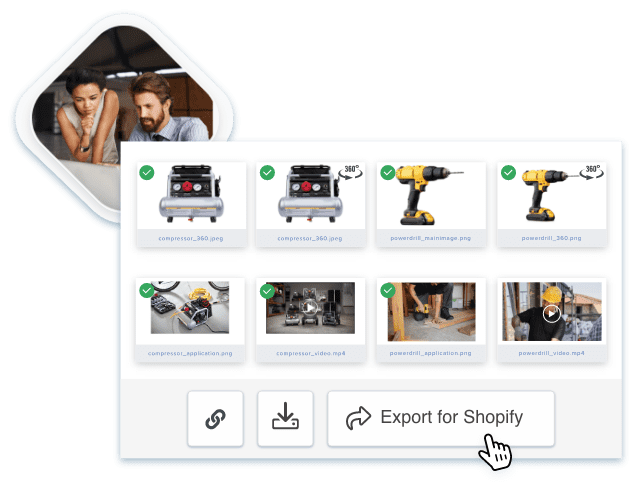
Yes. A manufacturing PIM can generate PDF spec sheets and print catalogs straight from live product data, not static, hand-maintained templates. Digital-first doesn’t mean paper-free. Distributors, trade shows, and procurement teams still routinely ask for printed spec sheets and catalogs. Manually rebuilding those documents every time a spec changes is tedious, error-prone work.
Catsy’s InDesign integration pulls current specs, imagery, and CAD drawings straight from the PIM. Price books, spec sheets, sell sheets, catalogs, and line sheets all sync from the same governed source. A catalog refresh becomes a re-sync, not a full rebuild. That matters most for manufacturers producing large-format catalogs on a seasonal or quarterly cycle, where hand-relaying hundreds of SKUs isn’t realistic.
Generalist PIM vs. Industrial Manufacturing PIM: What’s the Difference?
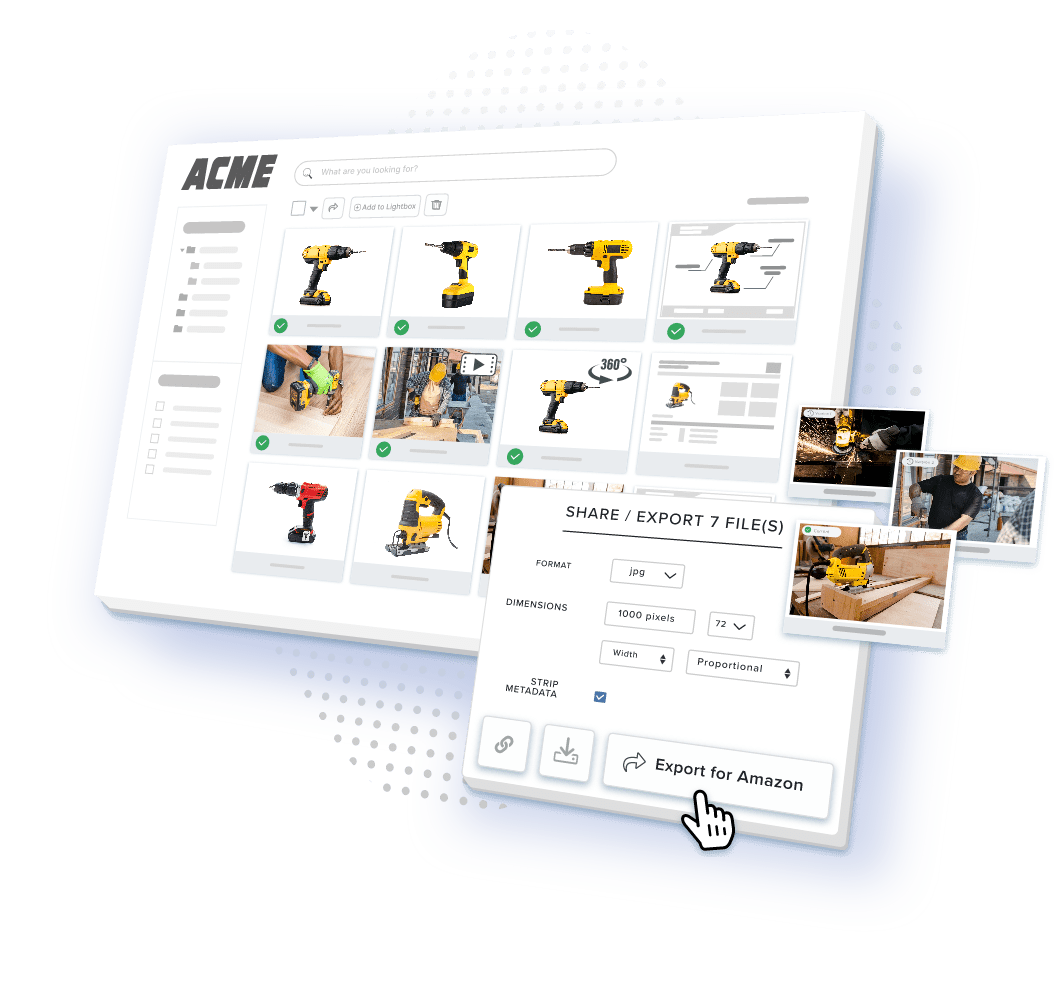
A generalist PIM manages simple SKUs for storefronts. An industrial manufacturing PIM has to handle BOMs, classification standards, distributor portals, and deep ERP integration on top of that. Retail-oriented, generalist PIMs are built for simple SKUs, color and size variants, and syndication to Amazon, Shopify, and Walmart. Industrial and manufacturing PIMs need to go further.
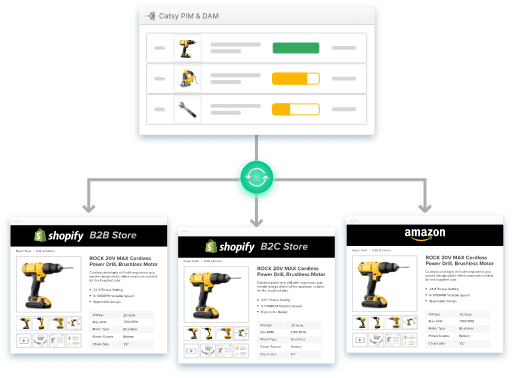
| Core Capability | Generalist / Retail PIM | Industrial Manufacturing PIM |
|---|---|---|
| Primary data model | Simple SKUs, color/size variants | Complex BOMs, technical specs, CAD-linked assets |
| Industry taxonomies | Basic category trees, retail syndication | ETIM, UNSPSC, GS1 GPC, eCl@ss mapping |
| Output channels | Amazon, Shopify, Walmart, social commerce | Distributor portals (Grainger, Fastenal, Ferguson), PDF spec sheets, InDesign print catalogs |
| Asset management | Basic image attachments | Integrated DAM for CAD files, high-res diagrams, technical drawings, test reports |
| ERP integration | Basic CSV export or lightweight REST API | Deep, bi-directional staging with SAP, NetSuite, Epicor, Infor, Oracle, Microsoft Dynamics |
This isn’t a knock on generalist platforms. They suit catalogs without heavy technical or compliance complexity. The distinction matters because choosing a retail-first platform for an industrial catalog usually backfires. Teams discover the gaps, like no controlled classification vocabulary, no BOM structure, no InDesign export, after implementation has already started.
How Do You Calculate the ROI of a Manufacturing PIM?
You calculate manufacturing PIM ROI by modeling four concrete savings. They are SKU onboarding time, distributor rejection rates, revenue protected by better data quality, and faster time-to-market. Each is worth estimating against your own catalog before you buy.
| Savings Area | What to Model |
|---|---|
| SKU onboarding time | Manual entry is commonly cited industry-wide as 20–46 minutes per SKU, but we could not trace this to a single authoritative primary source — treat it as an unverified, widely-repeated estimate, not a study finding. Model your own team’s actual time per SKU instead if you can measure it. |
| Distributor rejection rate | Feeds get rejected or flagged when classification codes are missing or a spec sheet doesn’t match the storefront; a PIM that validates completeness before syndication cuts the resubmission cycle. |
| Revenue protected by data quality | Apply the MIT Sloan 15–25% general revenue-loss estimate as a rough, non-manufacturing-specific benchmark — directional only. |
| Time-to-market | Catsy customers report 40–70% faster launch speed (vendor-reported figure, not independently audited) from parallelizing engineering, marketing, and compliance handoffs. |
None of these figures are guarantees. They depend on catalog size, channel count, and how disorganized the starting point is. They give a defensible framework for a business case. That beats a single, hard-to-verify per-SKU number to hang a budget on.
Key Takeaways
FAQs
What’s the difference between a PIM, an ERP, and a PLM?
PIM manages product content: descriptions, specs, images, certifications. ERP manages inventory, accounting, and supply chains. PLM manages product design and engineering. The best manufacturing PIM connects to both via API.
How long does a manufacturing PIM take to implement?
3–6 months for a smaller, cleaner catalog. 12–18 months for larger, multi-system catalogs, usually rolled out in phases. Classification projects (UNSPSC, ETIM, eCl@ss) add another 30–60 days.
Is PIM only for large manufacturers?
No. Cloud-based PIM is affordable for small and mid-sized manufacturers too. Any company selling through more than one channel benefits, and smaller catalogs often see results faster.
When do manufacturers see ROI from PIM?
Most see results within 6–12 months: less manual entry, fewer mistakes, faster launches. (The widely-cited “20–46 minutes per SKU” figure isn’t traceable to a verified source — see the ROI section above.)
How does PIM help with regulatory compliance?
It centralizes certificates, test reports, and region-specific documents on each product, with expiration alerts — including EU Digital Product Passport data as it phases in, starting with batteries in February 2027.
Cloud-based or on-premise PIM?
Most manufacturers choose cloud: it scales without IT overhead and updates automatically. On-premise still fits companies with strict security or data residency needs.
What data quality gains does PIM deliver?
Fewer incomplete or incorrect listings, no duplicate records, and one source of truth — which means fewer complaints, fewer returns, and more trust.
Do I need ETIM, UNSPSC, and eCl@ss, or just one?
Depends on your channels. ETIM for European electrical or HVAC. eCl@ss for German-speaking industrial markets. UNSPSC for government and enterprise procurement. Most manufacturers need two or three at once.
What does the EU Digital Product Passport require right now?
The registry is live, but no general product deadline has hit yet. Batteries are first, mandatory February 18, 2027. Iron, steel, and textiles follow in 2027–2028. Treat 2026 as a data-readiness year regardless.
Ready to Centralize Your Manufacturing Product Data?
Manufacturing catalogs don’t get simpler on their own — more SKUs, more classification standards, more distributor portals, and more compliance documentation all compound over time. Catsy’s PIM for manufacturers centralizes BOMs, technical drawings, compliance docs, and ERP-synced content in one platform. See how it fits your catalog with a personalized demo.