How Integrated PIM & DAM Drive B2B Customer Relationships and Retention
In B2B, trust comes from accurate data, not branding. See how linking PIM specs to DAM files at the SKU level cuts order errors and keeps buyers coming back.
In This Article
Key Takeaways
In B2B, buyers stick around because your data is accurate and easy to check. Combine PIM and DAM into one system and you get a single source of truth, with SKU details linked straight to CAD files, schematics, and safety sheets. This is very important because when product info and media are connected at the SKU level, returns go down, engineers work faster, and buyers trust you more across every channel, including Grainger, Amazon Business, and your own site.
Why B2B Buyers Stay Loyal to Accurate Data
We know that loyalty comes from branding in retail. In B2B, it comes from trust in your numbers. A buyer either trusts your data enough to place an order, or they don’t. B2B parts also stay in use for years, sometimes even decades, and they get built into bigger systems.
A valve goes into a hydraulic assembly. A fastener holds a structural build together. A sensor runs inside a control panel for years. Get one detail wrong, and it’s not a bad review. It’s downtime on someone’s production line.
Additionally, bad data costs B2B companies in a few more ways:
- A part arrives with the wrong thread pitch, tolerance, or pressure rating, and it can’t be installed. Work stops.
- A safety sheet is missing, outdated, or attached to the wrong version of a part. Now there’s a compliance issue.
- A buyer can’t confirm the specs fast enough, gets frustrated, and takes the order to a supplier who answers faster.
Why Buyers Are Doing More Research Without Sales Reps
This risk is even bigger now because fewer deals start with a phone call. McKinsey’s Global B2B Pulse Survey found that e-commerce is now the top revenue source for B2B companies that sell online, bringing in about a third of total revenue. Buyers confirm this too. Gartner surveyed 646 B2B buyers and found 67% want to buy without talking to a sales rep at all, and 45% said they used AI tools during a recent purchase.
In short, your product data has become the sales pitch.
Most Companies Still Are Not Ready
However, most companies are not ready for that shift. Forrester Consulting, working with Zoovu, found that 83% of B2B executives admit their product data is incomplete, inconsistent, inaccurate, or outdated. That’s exactly the gap good data management should be closing. When it does not get closed, buyers notice it fast.
For instance, Sana Commerce and Sapio Research surveyed manufacturing buyers and found 97% say order errors are a barrier to buying online, 77% have run into those errors themselves, and 29% say they’ve hit order errors on more than half their online orders. Each one of those errors is a buyer who might not come back.
How PIM and DAM Work Together at the SKU Level
Most B2B catalogs keep product data and product media in separate worlds, and this is the breeding ground for expensive mistakes. An engineer downloads a CAD file that does not match the current spec, or a buyer looks at a schematic for a version that’s already discontinued. That smells like trouble.
The Data Layer
Product Information Management, or PIM
Manages the structured attributes behind every SKU:
- Custom fields like thread pitch, pressure tolerance, voltage, and material grade, whatever’s specific to your product type
- Parent-child attribute inheritance, where one base part number passes its shared specs down to every size, finish, or configuration variant, so you’re not typing the same spec 40 separate times
- ETIM/UNSPSC taxonomy mapping, standard codes that keep your catalog readable when distributors, procurement systems, and marketplaces pull it in
The Media Layer
Digital Asset Management, or DAM
Manages the files tied to those attributes:
- CAD models and 3D renders
- Schematics and engineering drawings
- SDS PDFs and compliance documentation

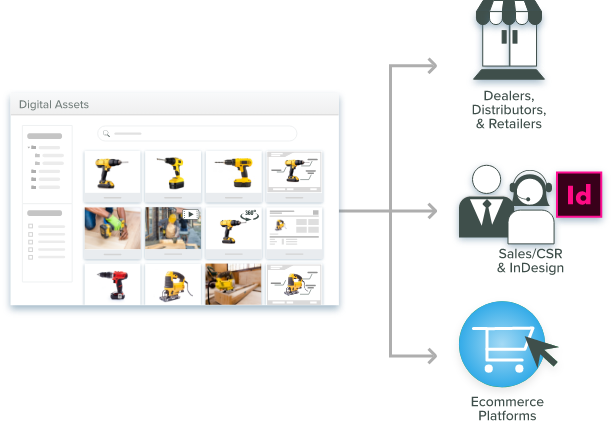
But you should not treat them in isolation. Here’s why linking the two matters. Attach a CAD file or SDS straight to the SKU record itself instead of dropping it in a shared drive and hoping someone finds the right filename. Updating the spec can then automatically flag or update the file tied to it.
That’s what kills the “wrong revision” problem: an engineer grabbing an outdated CAD model or a buyer reading an SDS that’s already been replaced. The spec and the file should move together everywhere that SKU shows up.
The 3 Phases Where PIM and DAM Change the Buyer Relationship
Integrated PIM and DAM changes the buyer relationship across three phases: before the sale, during the sale, and after it.
Phase 1: Before the Purchase
As we’ve mentioned, buyers want to check things themselves before they talk to sales. They need CAD files to confirm fit, spec sheets to confirm tolerances, and SDS documents to confirm safety and compliance. If that information is hard to find or tied to the wrong version, the buyer stalls or goes to a competitor instead. Gartner’s research backs this up. Most B2B buyers want to handle their own evaluation before picking up the phone.
Phase 2: During the Purchase
Accurate, matching data stops mistakes before they happen. Pricing, minimum order amounts, and configurations need to match across every channel: your site, a distributor portal, Amazon Business, or wherever a buyer might order from.
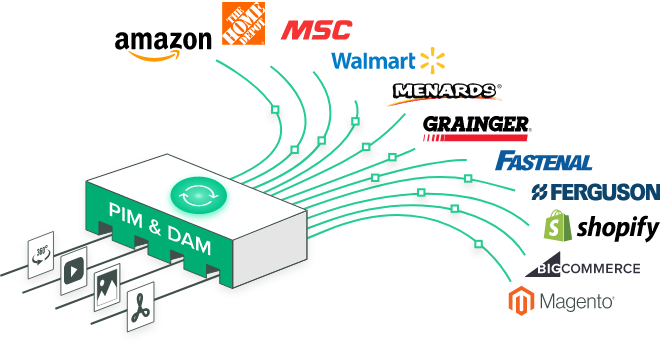
When PIM and DAM are connected, a spec update reaches every channel at once. A buyer ordering through a distributor sees the same price, tolerance, and CAD file as someone ordering from you directly. This solves the exact problem Sana Commerce’s survey found: an order that looks fine at checkout but was built on outdated info from one channel.
Phase 3: After the Purchase
The relationship does not end at the sale. Installation guides, maintenance manuals, and replacement-part references should be kept in one place, and this can decide whether a customer succeeds with what they bought and whether they buy again.
Harvard Business Review has called this an underused opportunity for years. Their study, “Winning in the Aftermarket” (Cohen, Agrawal & Agrawal, HBR, 2006), found aftermarket businesses had grown four to five times larger than the original equipment businesses they served, in industries like automotive and industrial machinery. But most companies still ignore it. The same study also found American businesses and consumers spend about $1 trillion a year on assets they already own.
Dynabrade is a real example. The pneumatic tool manufacturer runs its catalog on Catsy, and after centralizing product data that had been scattered across a US ERP, European spreadsheets, and shared drives, its quarterly distributor feed errors dropped from 25–35 to zero and data completeness rose from 61% to 99%. Strong post-purchase support needs everyone, including catalog managers, engineers, sales, and support, working from the same data instead of scattered files. When guides, part references, and specs live in one system, support can answer questions correctly even on the first try.
ERP, PIM, and DAM Are Not the Same Thing
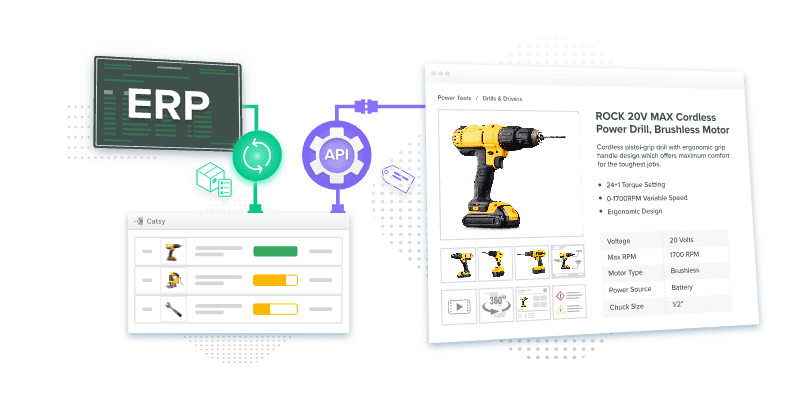
Now let’s address this common mix-up first: PIM does not handle inventory or create purchase orders. That is the ERP’s job (Enterprise Resource Planning). Keeping this boundary clear matters because mixing up the two breaks workflows and sets the wrong expectations.
- ERP tracks live inventory, triggers reorders, and sends purchase orders to suppliers.
- PIM takes that inventory and fulfillment data and formats it correctly alongside technical specs, lead times, minimum order quantities, and stock status shown right next to the CAD file and spec sheet a buyer is already looking at.
- DAM supplies the linked files, CAD, schematics, and SDS, that back up those specs.
Together, these three systems answer three different buyer questions:
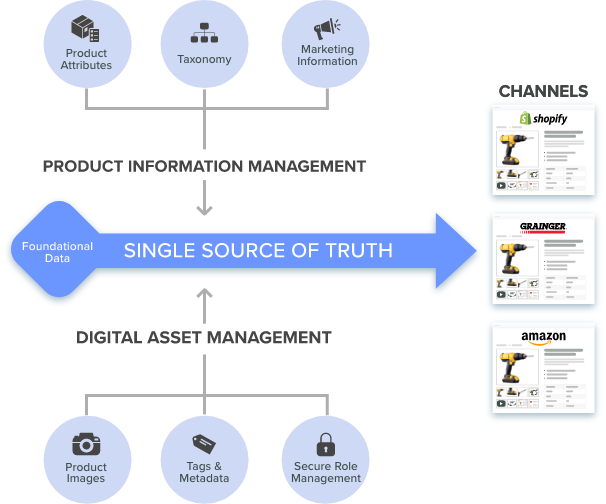
When specs, fulfillment data, and technical files stay in sync instead of drifting apart, supply chain efficiency actually improves. So having all three systems working from the same data is what makes a B2B catalog trustworthy enough for someone to order from without ever picking up the phone.
Next Steps & Call to Action
When ERP, PIM, and DAM are synced correctly, every team can support a B2B customer at every stage, from the first technical evaluation to years of aftermarket support down the line.
See What This Could Do for Your Catalog
Want to see what this could do for your catalog? Book a Catsy demo and see how linking specs to CAD files, schematics, and SDS documents at the SKU level cuts down order errors and builds buyer trust.