Common Shopify Multi-Store Mistakes: How to Avoid Costly Pitfalls
Running multiple Shopify stores? Avoid costly mistakes like inconsistent product data, manual inventory chaos, compliance gaps, and messy assets with smarter centralisation.
- Sean Purdy
- February 18, 2026
- 6:00 am

Table of Contents
What You'll Learn:
Why inconsistent product data across multiple Shopify stores damages customer trust and increases returns, costing stores millions in lost sales every day
How manual inventory management creates costly errors when operating in multiple currencies and markets, leading to overselling and stockouts
The compliance risks of ignoring regional regulations across different countries and how centralized systems prevent these pitfalls
Why scattered digital assets slow down your multi-store operations, with slow loading speeds resulting in a 7% loss in conversions for every second of delay
How centralized PIM systems solve common Shopify multi-store mistakes before they impact revenue, enabling scalable multi-store management
Running more than one Shopify store in different countries can sound like a smart way to grow. But it quickly gets complicated. Managing product details in different languages, currencies, and legal systems is harder than most store owners expect. The most common mistakes with multi-store Shopify setups do more than cause headaches. They can hurt profits, confuse customers, and create serious compliance problems.
Some of the biggest mistakes include messy inventory, security gaps, too many apps, inconsistent branding, scattered data, and marketing that does not work together. If you are expanding from the United States to Europe, or running separate stores in Canada, Australia, and the UK, the challenges add up fast. Without the right systems in place, managing multiple Shopify stores can become overwhelming, even for experienced sellers.
Many Shopify store owners realize too late that these problems can cost thousands of dollars. Lost sales, unhappy customers, and missed growth opportunities are common results. Understanding these mistakes early can make a big difference. With the right tools and processes, it is possible to manage multiple stores more smoothly and grow without the chaos.
1. Inconsistent Product Information Across Markets
Why it matters: When your product descriptions, specifications, and attributes don’t match across different regional stores, customers notice… and they don’t buy.
The problem
Store owners often copy-paste product information between stores, then manually adjust for local markets. This creates data drift where your French store shows different dimensions than your German store, or different prices appear without clear explanation. These common Shopify mistakes damage credibility when your target audience compares information across your online stores.
According to Shopify’s own research, inconsistent product information is one of the top reasons for cart abandonment in cross-border e-commerce. When potential customers find conflicting information, customer trust evaporates instantly. Cart abandonment rates average 70% across all industries, but much of this represents fixable Shopify problems that proper systems can solve.
Weak product pages cost millions
Weak product pages with poor descriptions and inadequate images cost stores millions in lost sales every day. Product descriptions should be clear, succinct, and informative to create a pleasant customer experience that encourages purchases. High-quality images and detailed descriptions help shoppers imagine owning your product; a critical factor in online conversion.
Clear explanations of what sets your brand or products apart can help capture customer attention in competitive markets. Investing in stunning, clear, and engaging product photos is essential for increasing online sales, especially when customers can’t physically touch or examine products before purchasing.
The ripple effect includes:
Higher return rates when specifications don’t match received products
Lost sales from customers who abandon carts due to confusing information
Customer service nightmares fielding questions about which specifications are correct
SEO penalties from duplicate or thin content that pushes your stores down in search results
Damaged customer retention when shoppers lose faith in your brand consistency
Mobile experience matters
Mobile users represent over 70 percent of ecommerce traffic, yet many Shopify store owners neglect mobile optimization when managing multiple stores. Neglecting mobile users means missing out on the majority of online purchases. If your store is not mobile optimized, you are missing out on a significant number of potential customers.
Using responsive web design can greatly improve the mobile customer experience and ensure product pages load quickly. Mobile optimization is essential for maintaining a competitive edge in ecommerce. Product pages that load perfectly on desktop may have slow loading times on mobile devices, causing frustrated customers to bounce. Slow loading speeds can result in a 7% loss in conversions for every second of delay… a staggering impact on revenue.
The solution
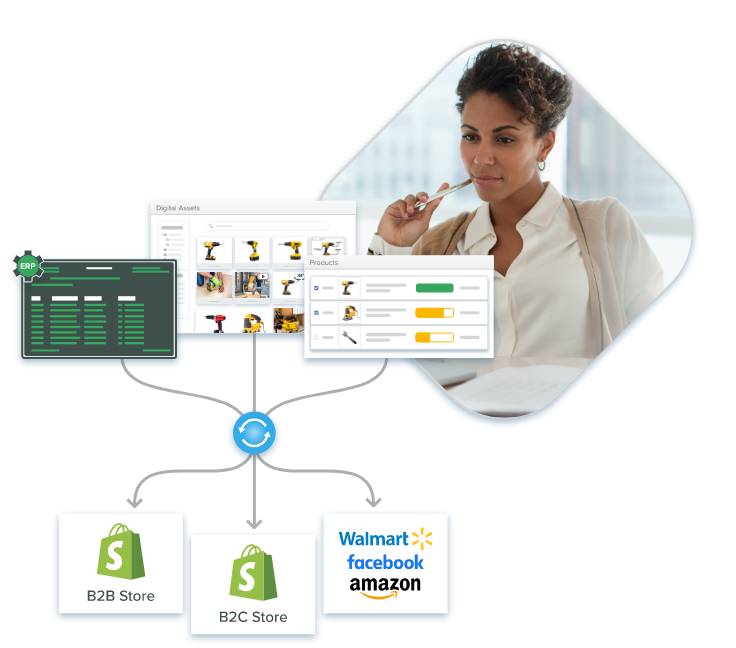
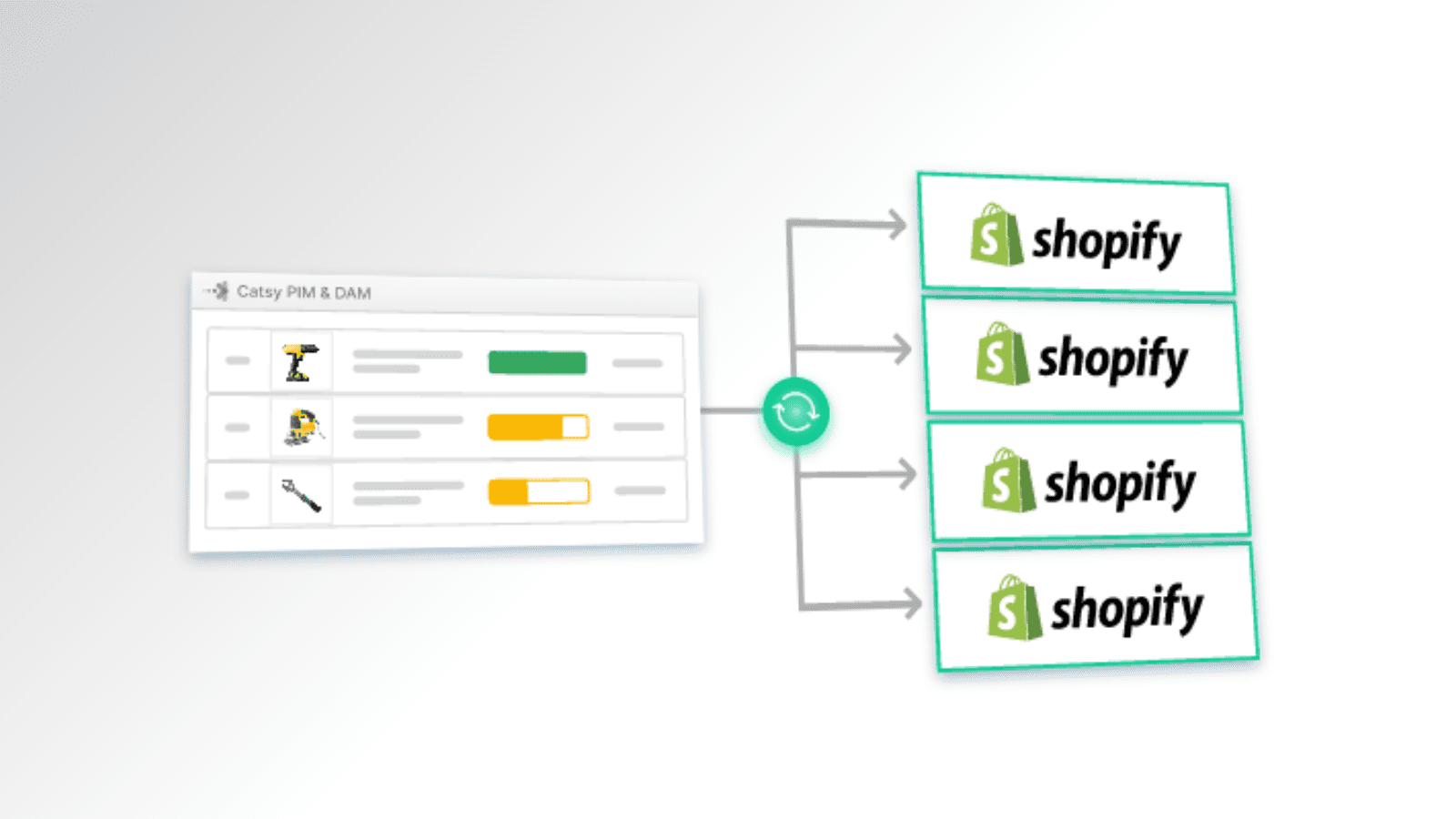
A Best PIM for Shopify serves as your single source of truth. Update product specifications once, and push accurate, localized information to all your regional stores simultaneously, maintaining consistency while adapting for local requirements. This approach ensures every Shopify store delivers the same quality experience regardless of market while maintaining the performance needed for mobile users.
2. Manual Data Entry and Inventory Management
Why it matters: Spreadsheets and manual updates don’t scale when you’re managing thousands of SKUs across multiple countries with different currencies and units of measurement.
The inventory chaos problem
Without a centralized system, managing stock levels across multiple stores can lead to confusion and overselling. Using separate systems can lead to manual updates, overselling, or stockouts that damage customer trust and cost you sales. Every manual update is an opportunity for costly mistakes.
When you’re converting USD to GBP, EUR, and AUD while also switching between imperial and metric measurements, errors multiply. Research from Harvard Business Review found that poor data quality costs organizations an average of $15 million annually… a significant number that impacts even small ecommerce stores.
For Shopify store owners managing multiple stores, common mistakes include:
Pricing mistakes from incorrect currency conversions or outdated exchange rates
Measurement confusion mixing metric and imperial systems
Inventory discrepancies showing stock in one store that’s actually allocated to another
Missing product attributes because someone forgot to update all online stores
Transaction fees that weren’t factored into different market pricing strategies
Centralized inventory solutions
Using a Master Order Management System (OMS) or Shopify Plus can unify inventory and order processing across all sites, preventing the chaos of manual tracking. Utilizing apps for real-time inventory sync or a unified system like Shopify Plus can help manage stock across stores from one dashboard, eliminating overselling and ensuring accurate availability information.
Considering Shopify Plus for large-scale operations offers features like centralized admin and unified reporting that transform multi-store management from a daily headache into a streamlined operation.
The time drain on marketing efforts
Beyond errors, manual management wastes valuable hours. Your team spends time copying data instead of running paid ads, optimizing email marketing campaigns, or improving customer engagement. When you launch a new product or update pricing, the workload multiplies by the number of stores you operate – time that successful ecommerce companies invest in attracting customers instead.
Separate email lists and inconsistent campaigns lead to wasted ad spend across markets. Centralizing email marketing can streamline campaigns targeting different store segments, ensuring consistent messaging while adapting for local preferences.
Technical optimization suffers
Manual processes prevent proper technical optimization across your Shopify stores. You can’t implement image optimization consistently, enable lazy loading uniformly, or ensure every store loads quickly for mobile users. These common Shopify challenges directly impact organic traffic from search engines and hurt your bottom line.
The solution
PIM software automates data synchronization across all your Shopify store locations. Set conversion rules once for currencies and measurements, then let the system handle updates automatically. What took hours now happens in minutes, accurately, freeing your team to focus on increasing sales through better marketing efforts and customer experience improvements. Investing in robust systems like Shopify Plus enables scalable multi-store management without the manual burden.
3. Neglecting Regional Compliance and Localization
Why it matters: Different countries have different regulations, and ignorance isn’t a defense when customs holds your shipments or regulators fine your online business.
Regulatory landmines
The European Union’s complex product regulations require specific product labeling, safety certifications, and documentation that differ from US requirements. The UK post-Brexit has its own standards. Australia has strict regulations on product descriptions and consumer guarantees. These common Shopify store mistakes can shut down your international sales overnight.
Critical mistakes include:
Missing CE markings or other required certifications on European products
Incorrect tax classifications leading to customs delays and extra shipping costs
Non-compliant product descriptions that violate local consumer protection laws
Inadequate safety warnings in local languages that expose you to liability
Localization beyond translation
True localization goes beyond translating product pages. Your US store might measure fabric in yards while your EU store needs meters. Date formats differ. Payment expectations vary: customers in Europe expect options beyond Apple Pay and Google Pay, while these digital wallets dominate in other markets.
Standardizing payment gateways is crucial for a smooth user experience across all your stores. A seamless, secure checkout can inspire trust and encourage customers to complete their orders. Using trust signals, like displaying payment processor logos, can help consumers feel confident about payment security.
According to Shopify’s localization guide, merchants who properly localize see 20-40% higher conversion rates than those who simply translate text. This represents substantial lost sales when you’re converting visitors across multiple markets.
Checkout process optimization
A complicated checkout process kills sales globally, but requirements vary by region. European customers expect guest checkout options, while some Asian markets prefer different payment methods entirely. Improving the checkout process can significantly reduce cart abandonment and improve conversion rates across all your markets.
Failing to establish your ‘why’ can prevent emotional connections with customers during checkout. When customers understand your brand story and values, they’re more likely to complete purchases even in unfamiliar markets.
The solution
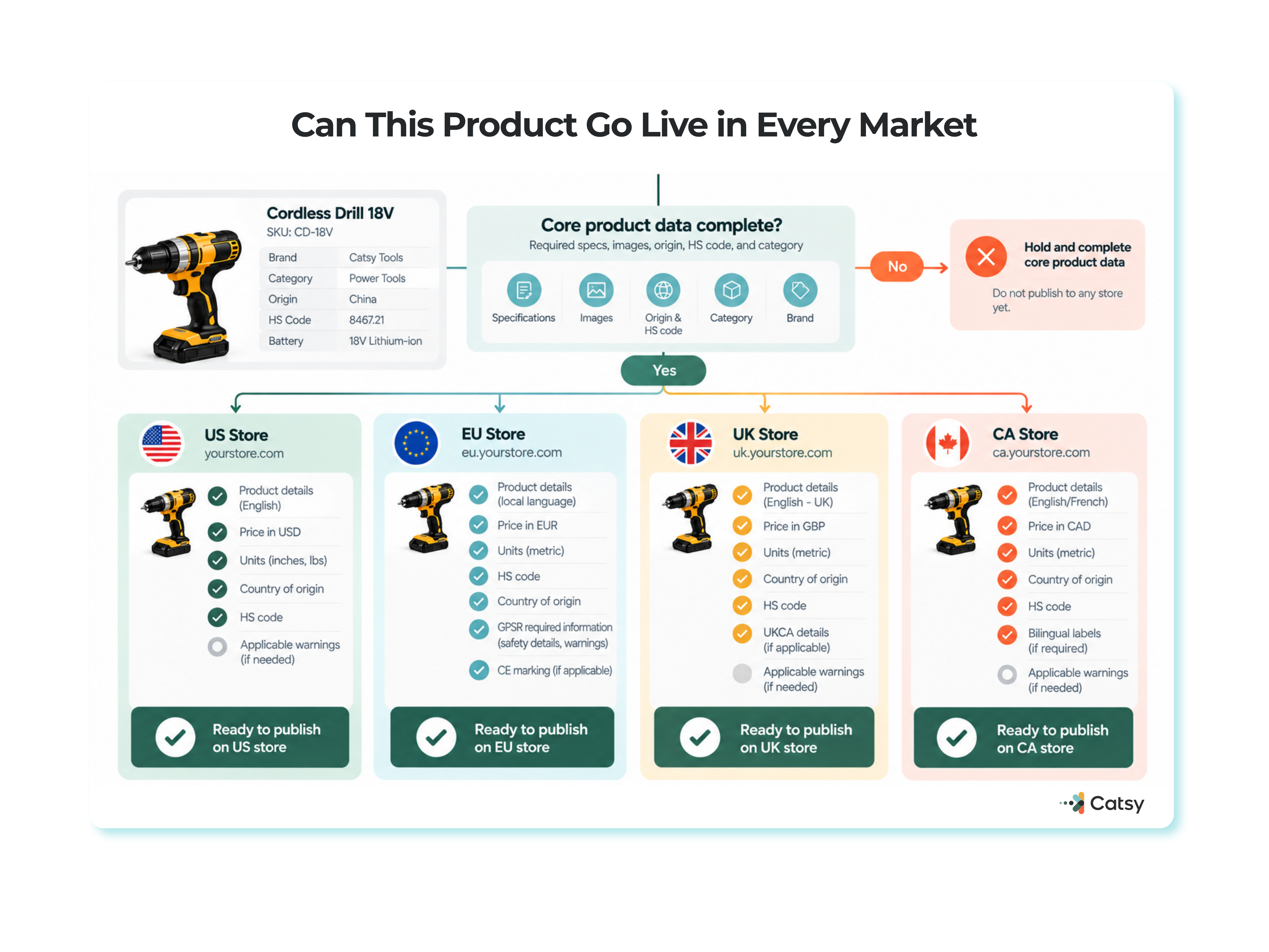
Robust PIM systems manage compliance data alongside product information. Tag products with required certifications, store region-specific regulatory details, and ensure every market gets the exact attributes needed for legal compliance… automatically. This prevents critical mistakes before they cost you sales or trigger regulatory action.
4. Poor Digital Asset Management Across Stores
Why it matters: When your product images, videos, and marketing materials are scattered across different systems, you waste time searching for files and risk using outdated or incorrect assets.
The asset chaos problem
Operating multiple Shopify stores means managing thousands of digital assets. Without centralized Digital Asset Management, common Shopify mistakes compound:
Wrong images appearing on product pages when someone grabs an outdated file
Inconsistent branding as different teams use different versions of logos or marketing materials
Wasted time searching through folders, Dropbox accounts, or old hard drives for the right image
Missing context about which images are licensed for which markets or have model releases
Broken customer trust when product images don’t match across your stores
Developing a master brand guide can unify branding across multiple Shopify stores, ensuring visual consistency that builds recognition and trust.
Image optimization nightmares
High quality images are essential for ecommerce stores, but they create slow loading times without proper optimization. When you’re managing separate image libraries for each store, optimize images becomes nearly impossible at scale. According to Google’s research on page speed, 53% of mobile site visits are abandoned if pages take longer than three seconds to load.
This common Shopify mistake costs you sales from mobile users who won’t wait for slow loading pages. Slow loading speeds can result in a 7% loss in conversions for every second of delay. Many store owners install too many apps trying to fix image issues, which ironically makes site speed worse while adding unnecessary transaction fees from multiple Shopify apps.
Auditing apps regularly and using fewer, high-quality apps is recommended for better performance and avoiding app bloat that slows your stores.
The right tools for asset management
Successful ecommerce companies use tools that enable lazy loading, automatic image optimization, and centralized asset storage. Without these capabilities, every product page becomes a liability. Mobile devices have limited bandwidth, and slow loading times guarantee frustrated customers will abandon their carts.
Using third-party apps specifically designed for multi-store synchronization can automate tasks and bridge functional gaps in digital asset management across your Shopify stores.
Great tips for improvement:
Enable lazy loading to prioritize above-the-fold content
Optimize images before uploading to maintain loading speed
Use tools that automatically resize images for mobile ready display
Ensure your ecommerce store remains mobile optimization ready
Invest in stunning, clear, and engaging product photos
Version control chaos
When you update product photography or launch seasonal campaigns, ensuring all stores use current assets becomes full-time work. One store might still show last year’s images while others are updated, damaging customer experience and establishing credibility with your target audience becomes impossible.
The solution
Integrated DAM within your PIM system keeps all digital assets organized, tagged, and connected to the right products. Update an image once, and it propagates to all relevant stores. Set usage rights by region to ensure compliance. Automatically optimize images for web performance across all channels, solving multiple common Shopify challenges simultaneously while maintaining the 7 percent conversion advantage that fast-loading pages provide.
5. Failing to Centralize Product Updates
Why it matters: When product information lives in multiple places without a single source of truth, updates become a game of telephone, and errors compound into costly mistakes.
The decentralization disaster
Many store owners start with good intentions: separate spreadsheets for each Shopify store, maybe a shared Google Drive folder. As the online business grows, this approach collapses under its own weight, a common mistake that prevents scaling effectively.
Typical scenarios include:
Pricing updates applied to four stores but missed on the fifth, creating different prices that confuse customers
Product launches delayed because information wasn’t distributed simultaneously across all stores
Discontinued products still appearing for sale in some markets, damaging customer trust
Specification changes from manufacturers that only update in one store, creating website issues
Standardizing Operating Procedures (SOPs) ensures consistency in fulfillment, returns, and customer service across stores, but these SOPs are impossible to maintain without centralized data management.
Security vulnerabilities multiply
Using the same password for all stores can create security vulnerabilities that expose your entire business. A password manager with unique passwords for each store can enhance security, but only if you have systems in place to manage access properly across decentralized operations.
The snowball effect on sales
Each missed update erodes customer experience. When your UK store shows old specifications while your US store is current, customers notice. Social media amplifies these common Shopify store mistakes… one frustrated customer’s tweet can reach thousands of potential customers, damaging your reputation and hindering customer engagement.
Using overly aggressive marketing tactics can drive unsubscribes when customers receive inconsistent messaging across markets. Your team burns out constantly firefighting instead of focusing on activities that increase sales.
Rather than developing loyalty programs, running strategic email marketing campaigns, or improving average order value, they’re chasing down which store has correct information.
Workflow breakdown impacts profit margins
Without centralization, your approval workflows fragment. Does your French store have legal review for new product claims? Did someone verify the German translations use relevant keywords for search engines? Who approved those images for the Australian market?
This chaos directly impacts profit margins. Time wasted on manual coordination is time not spent on:
Customer retention initiatives like loyalty programs that build long-term value
Converting visitors through better checkout optimization and trust-building
Increasing average order through strategic bundling and cross-selling
Technical optimization that improves search results and organic traffic
Marketing efforts that drive qualified traffic to your stores
Analytics and reporting challenges
A unified analytics dashboard is essential for comparing performance and consolidating customer data across stores. Without centralization, you can’t see which markets are performing best, where customer engagement is strongest, or how to allocate marketing budget effectively.
Centralized analytics dashboards facilitate monitoring of key performance indicators across all stores, enabling data-driven decisions that improve overall performance.
Navigation and discovery suffer
Confusing navigation emerges when different stores organize products differently. Customers bouncing between your markets get frustrated when they can’t find similar products. This common Shopify mistake makes attracting customers harder and reduces customer engagement across all your online stores.
Custom code complications
Some Shopify store owners add custom code to individual stores trying to solve these problems. This creates technical debt and makes updates even more difficult. Without centralized management, you’re essentially running separate ecommerce stores that happen to share a brand name, missing all the efficiency of a true multi-store strategy.
The solution
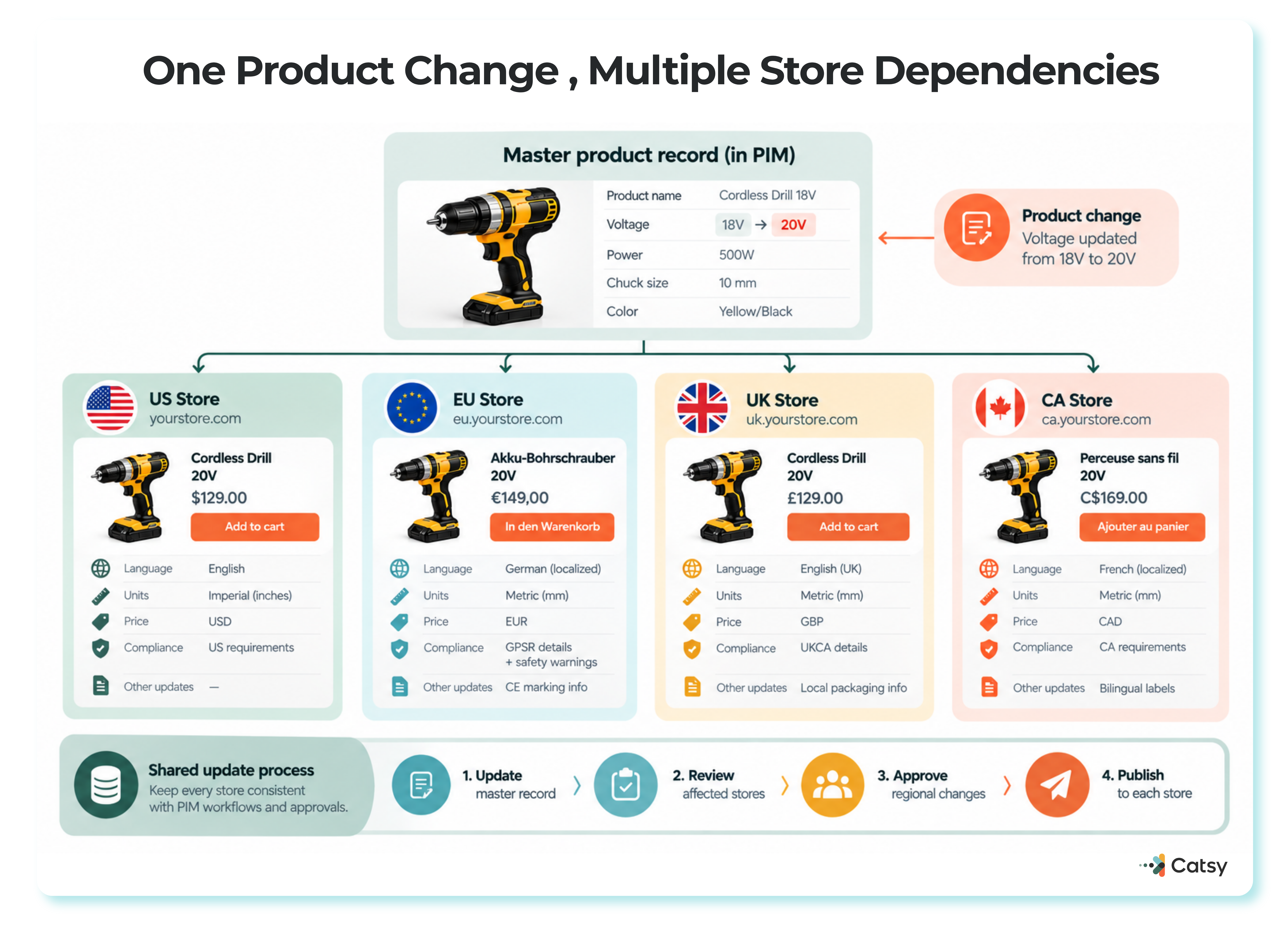
Centralized PIM systems create one master record for each product. All updates flow from this single source of truth to your multiple Shopify stores. Built-in workflow tools ensure proper reviews and approvals before information publishes. Your team works smarter, not harder, focusing on activities that actually increase sales rather than fighting constant fires.
Investing in robust systems that enable scalable multi-store management transforms operations from chaotic to controlled, allowing you to focus on growth instead of maintenance.
Key Takeaways
Consistency builds customer trust: Inconsistent product descriptions and specifications across stores destroys credibility and increases returns – centralized PIM software maintains accuracy automatically while improving customer experience
Manual processes guarantee costly mistakes: Managing multiple Shopify stores through spreadsheets creates errors in pricing, measurements, and inventory that damage profit margins – automation eliminates human mistakes and frees teams to focus on attracting customers
Compliance protects your business: Regional regulations vary significantly, and missing requirements costs you in fines, shipping costs, and stuck shipments – PIM systems manage regulatory data alongside product information, preventing critical mistakes
Organized assets accelerate operations: Scattered digital files waste time, slow site speed, and create branding inconsistencies that hurt conversion rates – integrated DAM keeps high quality images optimized and accessible across all online stores
Centralization enables scaling: A single source of truth for product information enables confident expansion into new markets without operational chaos, helping successful ecommerce companies grow while maintaining customer engagement
The most successful Shopify store owners don’t fight common Shopify multi-store mistakes with more manual effort… they invest in the right tools that prevent problems before they start, protecting both sales and customer retention.
FAQs:
How many Shopify stores can I manage with PIM software?
PIM software can manage many Shopify stores from one main dashboard. Whether you’re running three stores or 30, it keeps your product information the same.. everywhere. And, it doesn’t add manual work. This makes it much easier to expand into new markets while you keep your sites quick and easy for your customers to use.
What is the biggest mistake merchants make when expanding to multiple countries?
The biggest mistake you can make is thinking international selling is just about translating words. Selling in other countries also means you’ll need to work on handling different currencies, measurements, taxes, and local rules. Many Shopify store owners also forget to adjust for mobile shoppers or simplify checkout, which can hurt sales.
How do I keep inventory synced across multiple Shopify stores?
PIM systems connect with your inventory tools to show real-time stock levels across all stores. You can set rules to decide how much inventory goes to each market. This helps prevent overselling and avoids showing items as available when they are not, which keeps customers happy and reduces complaints.
Can PIM software handle different tax rules and shipping costs for each country?
Yep! Modern PIM platforms can handle managing taxes, VAT, customs paperwork, and shipping costs for each market you serve. You’ll just set the rules one and the system will automatically apply them to new products. This will help you avoid pricing mistakes that can surprise your customers at checkout.
How long does it take to set up PIM for multiple Shopify stores?
Implementation time will depend on how big or complex your catalog is. But many store owners have their sites up and running within a month to two months. You can start to see the benefits right away, like fewer errors, faster updates, faster page loads, and more time for marketing and customer support!
Do I need separate DAM software, or does PIM include image management?
Many PIM platforms include built-in image and asset management. That means you won’t need extra apps that will slow your store down. Your product images will stay linked to the right SKUs, load faster on mobile, and help improve the shopping experience overall.