10 BigCommerce PIM Benefits for Better Product Data Management
Learn how PIM helps BigCommerce stores manage product data, automate catalog updates, support multiple storefronts, and improve product content.
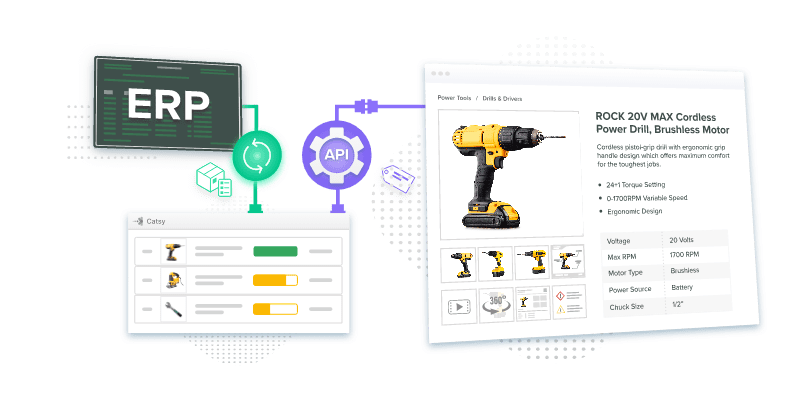
Table of Contents
Key Terms to Know
Click to expand the key terms used in this article
API (Application Programming Interface): A standard way for two software systems to exchange data, such as a PIM sending updates to BigCommerce.
Channel Assignment: The BigCommerce setting that makes a product available on a specific storefront or sales channel.
Digital Asset Management (DAM): Software that stores and organizes images, videos, and documents, ideally linked to the products they show.
Enterprise Resource Planning (ERP): The system that manages operational data such as SKUs, costs, and inventory.
Item Highlights: Amazon’s searchable field of up to 125 characters that sits alongside the 75-character product title.
Multi-Storefront: A BigCommerce feature that runs several storefronts from one store, each with its own channel and category tree.
Product Attribute: A single detail that describes a product, such as size, color, material, or weight.
Product Information Management (PIM): Software that centralizes, enriches, approves, and publishes product data to every sales channel.
Role-Based Access Control (RBAC): A permission system that limits what each user can see and edit based on their job.
Syndication: Sending product data from one central source out to storefronts, marketplaces, and retail partners.
BigCommerce has grown a lot since its founding in 2009, and many merchants now run several storefronts from one account. More storefronts mean more product data to keep correct, and that is the job of product information management (PIM) software.
The stakes rose in July 2025, when BigCommerce’s parent company renamed itself Commerce.com, Inc. and tied the move to agentic commerce, where AI agents research and buy products for shoppers. An AI agent can only recommend what your catalog actually says.
What BigCommerce PIM Actually Means
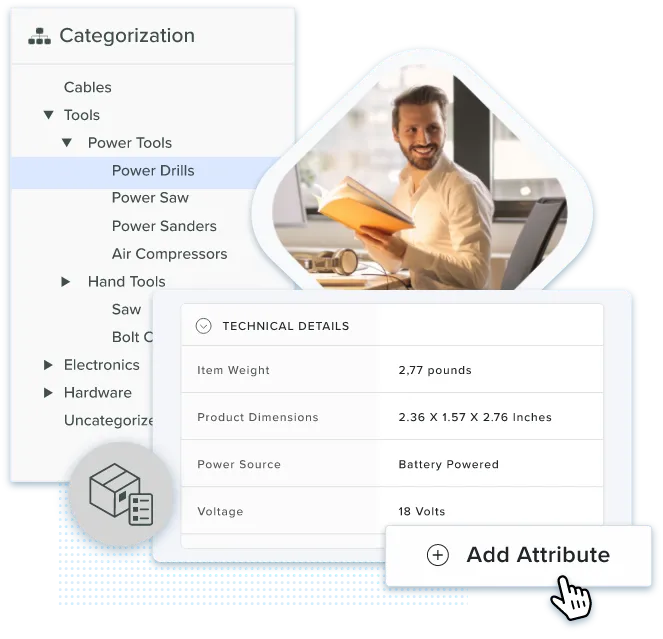
BigCommerce PIM means using PIM software alongside BigCommerce. Your team builds, checks, and approves product content in the PIM, then sends the approved version to BigCommerce and other channels. The PIM does not replace BigCommerce. BigCommerce still runs the storefront, cart, checkout, and orders.
| Task | BigCommerce Native Catalog | Dedicated PIM |
|---|---|---|
| Sell products on the storefront | Its main purpose | Sends approved data in |
| Supplier and ERP data | Depends on apps | A core use case |
| Multi-step approvals | Depends on configuration | Often built in |
| Channels beyond BigCommerce | Needs extra tools | Depends on connectors |
A simple test: if one person manages a few hundred products for one store, the native catalog may be enough. Once several teams, suppliers, or storefronts touch the same product, a PIM gives it one owner and one approved version.
1. Fewer Manual Updates
Every product needs names, descriptions, SKUs, attributes, categories, and images. Gathering all of that by hand from folders and spreadsheets can take weeks, and mistakes slip in along the way. A BigCommerce PIM keeps everything in one place, flags incomplete products, and uses a PIM workflow to route each task to the right person.
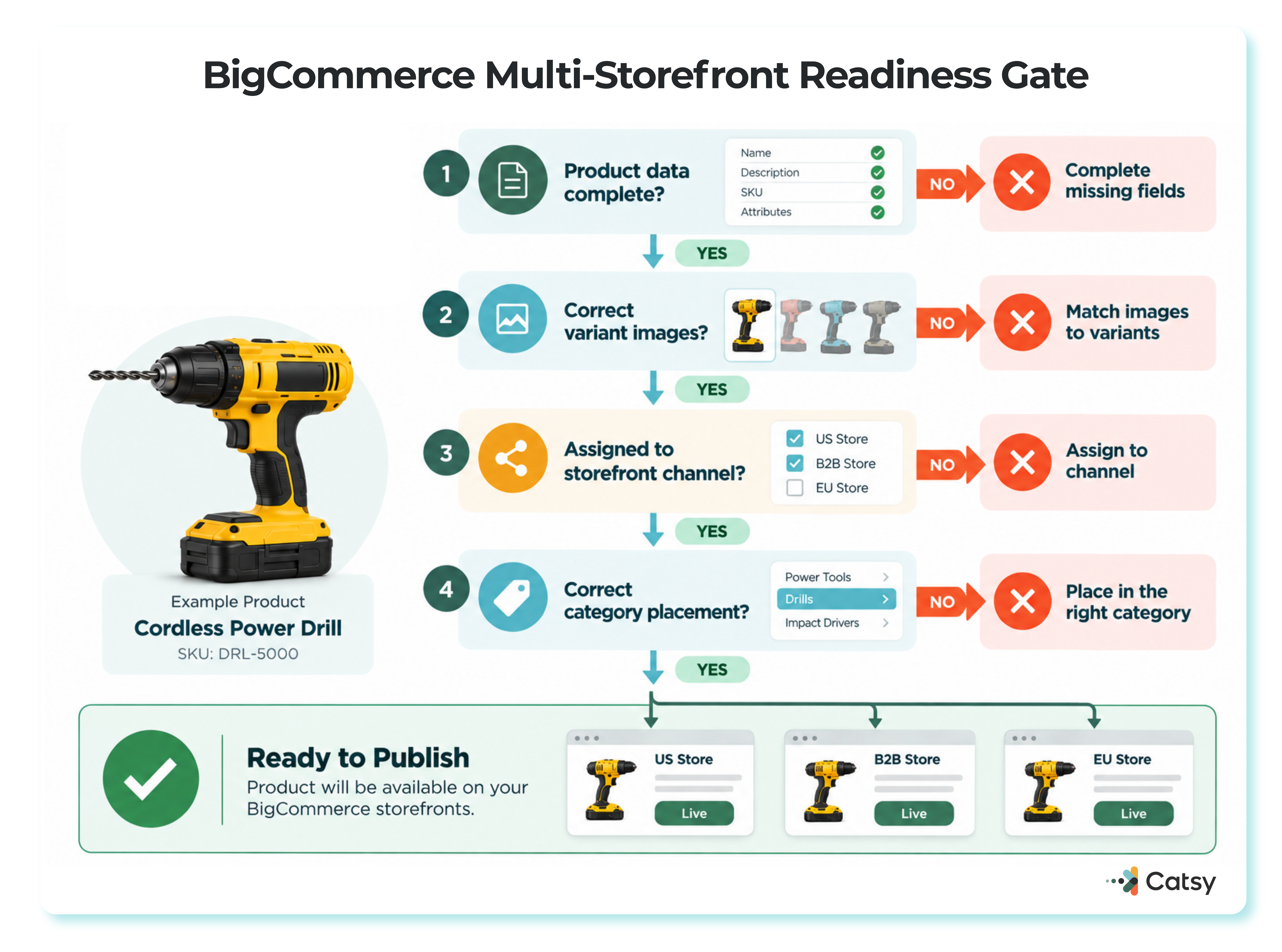
One BigCommerce detail causes extra rework. According to BigCommerce’s Multi-Storefront guide, a product must be assigned to a channel before it can be sold there. Adding it to a category is not enough. A PIM workflow can treat category placement and channel assignment as two required steps, so neither gets skipped.
2. Fewer Errors from Store to Store
With several stores, spreadsheets multiply, copies drift apart, and old details stay live. Gartner’s data quality research puts the average cost of poor data quality at $12.9 million a year, based on 2020 research.
Buyers notice. McKinsey’s 2026 Global B2B Pulse Survey found that inconsistent information is now the top reason B2B buyers switch suppliers. Clear product data quality standards let a PIM block a listing until it meets your rules.
3. Images Stay Tied to the Right Product
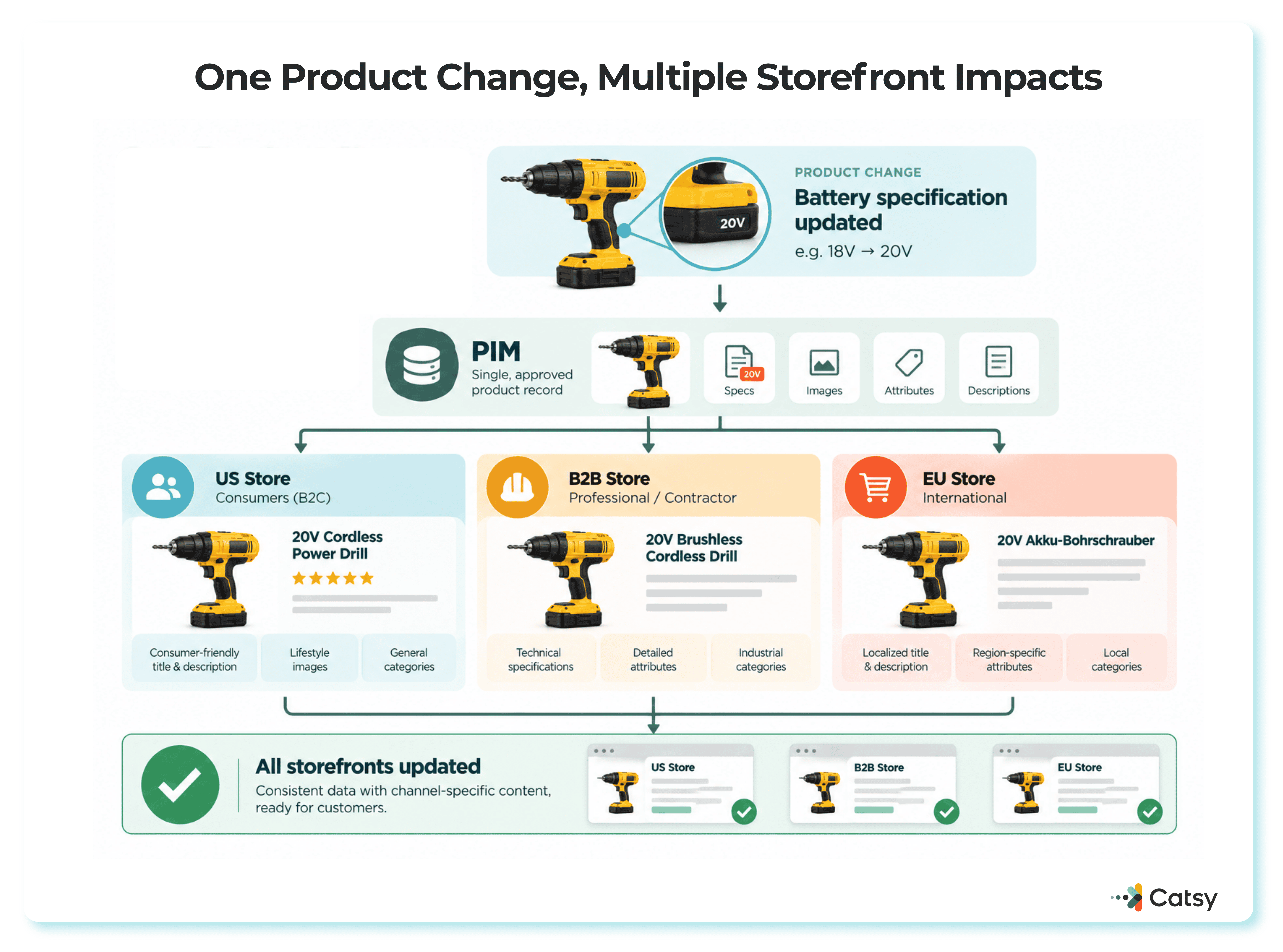
Many standalone tools store images but do not link them to product attributes, so someone matches them by hand for every site. A PIM with digital asset management keeps each image, video, and spec sheet attached to its SKU.
That matters on BigCommerce. Its platform limits allow up to 1,000 images per product but only one image per variant. A shirt in eight colors needs the right image on each color, and a DAM that knows which file belongs where handles that safely.
4. Product Names and SEO That Fit Each Channel
A homeowner searches for “pliers.” A contractor searches for “5-inch needle nose pliers.” If you run multiple BigCommerce storefronts for different buyers, each one needs its own keywords, titles, and alt text. A PIM stores those variations together and updates them in one place.
The same structure helps with AI search. Google’s guidance on AI features says normal SEO best practices still apply to AI Overviews and AI Mode, with no special markup required. That means complete, accurate product pages serve both regular search and AI answers. Catsy’s guide to how PIM supports SEO goes deeper.
5. Room to Grow Across Storefronts
Growth adds products, channels, suppliers, and languages, and each one creates new chances for error. Errors become returns. The National Retail Federation’s 2025 Retail Returns Landscape estimated $849.9 billion in retail returns for 2025, with 19.3% of online sales sent back.
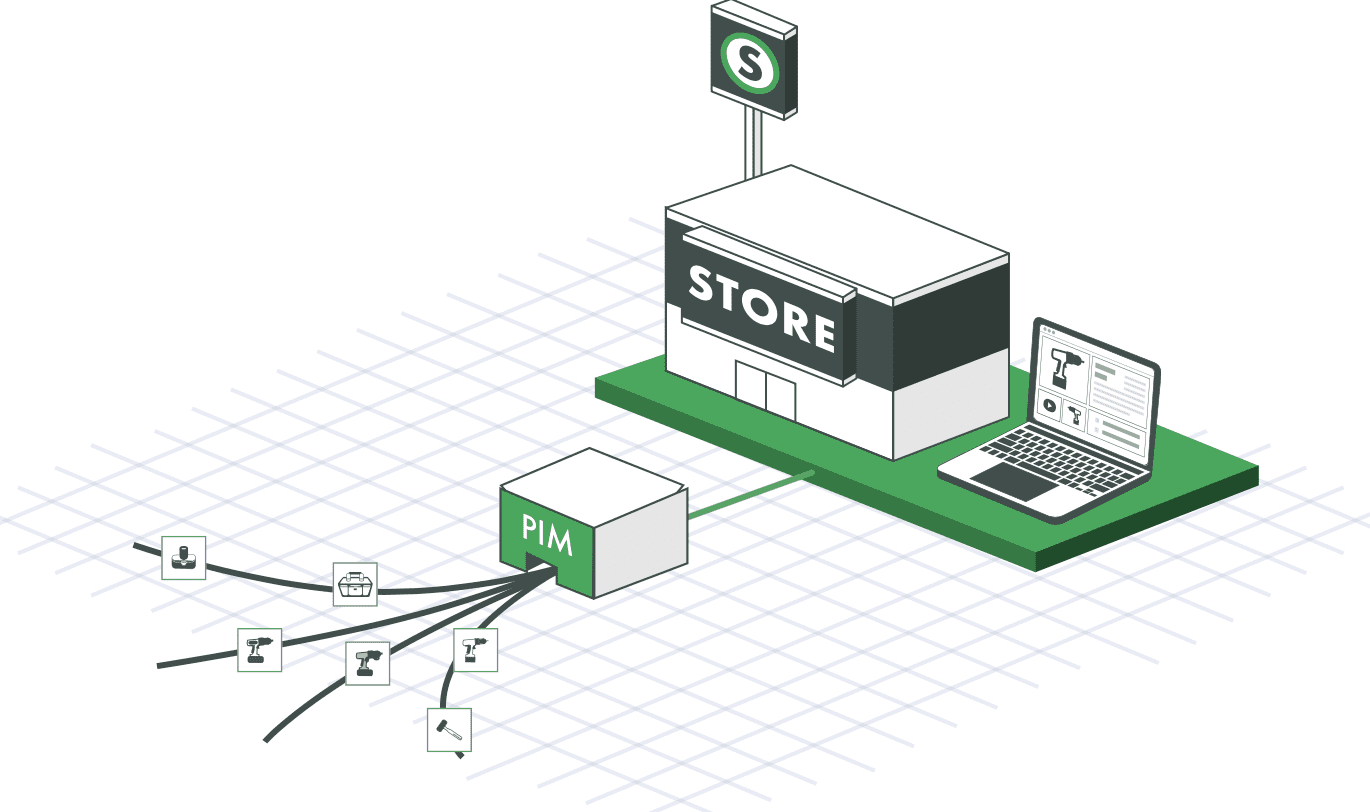
BigCommerce Multi-Storefront lets each storefront have its own category tree while sharing one catalog. A PIM keeps shared details, such as specs and compliance text, identical everywhere and manages the differences, such as marketing copy, as controlled variations.
6. Tighter Control Over Pricing
When everyone can edit everything, price lists leak and nobody knows who changed what. Role-based access gives each person only the access their job needs. Catsy’s data governance tools add clear data ownership and custom roles, which matters because BigCommerce price lists can vary by channel and customer group.
7. A Clear Audit Trail
An audit trail records every change: what was added, edited, or deleted, and by whom. It helps you catch errors and unauthorized edits, and it speeds up recovery after a failure.
That speed matters. ITIC’s 2024 downtime survey found that an hour of downtime costs more than $300,000 for over 90% of mid-size and large enterprises. Catsy PIM includes audit logs and connects to BigCommerce through APIs instead of fragile custom code.
8. One Catalog for Sales and Service
Sales reps need accurate specs and price books. Service teams need installation guides and part numbers. When every team pulls from the same PIM, a catalog and a store page never disagree.
The same McKinsey survey found that B2B buyers now use an average of ten channels across the purchasing journey, which is why omnichannel product information management matters.
9. Faster Marketplace Listings
Each marketplace has its own rules. Since July 27, 2026, Amazon titles in every category except media must be 75 characters or fewer, with extra detail moved to a searchable 125-character Item Highlights field. Amazon main images need a pure white background and at least 1,000 pixels on the longest side.
A PIM can store a long BigCommerce title and a short Amazon title on the same record. Catsy’s asset transformation tools resize images for each channel, so one master image can feed BigCommerce, Amazon, and other sales channels.
10. Print Catalogs from the Same Data
Print still works. About 69% of consumers consult a printed catalog before buying online, according to Xerox data cited by the Hansel Group, a figure that could not be independently re-verified against the primary Xerox source in this session. Printed catalogs also make useful leave-behinds for B2B buyers.
Catsy’s InDesign integration pulls approved product data straight into catalog templates, so print and web stay in sync.
Connecting a PIM to BigCommerce
Most integrations follow the same order:
- Bring in SKUs, prices, and dimensions from your ERP or suppliers.
- Add descriptions, specs, and images in the PIM.
- Check completeness and approve.
- Map fields to BigCommerce products, variants, and categories.
- Assign each product to the right storefront channels.
- Sync and log errors so they are fixed at the source.
Before the first sync, decide which system owns each field. The ERP usually owns cost and stock, the PIM owns customer-facing content, and BigCommerce owns promotions and checkout. Catsy’s PIM vs ERP guide explains the split.
Where Catsy Fits
Catsy combines PIM and DAM in one platform. Its BigCommerce integration syncs every connected store each hour, and Catsy is listed in the BigCommerce app marketplace. The platform adds completeness and validation scoring, approval workflows, user roles, ERP integration, content by locale, and export formats for distributors and marketplaces such as Walmart Marketplace and Amazon.
See Catsy PIM with your own BigCommerce catalog. One approved source of product content for every storefront and channel. Book a demo.
Key Takeaways
See Catsy PIM With Your Own BigCommerce Catalog
One approved source of product content for every storefront and channel. Book a demo, or browse Catsy’s BigCommerce PIM software.