How to Successfully Implement a PIM in Your Shopify Store
A Complete Shopify Implementation Guide
- CJ
- April 7, 2026
- 9:48 am
Table of Contents
What You’ll Learn |
→ Strategic Planning: How to assess multi-store requirements and define implementation objectives for product data management |
→ Data Preparation: Best practices for data cleansing and structuring complex product data across countries and sales channels |
→ System Selection: Key features to evaluate when choosing the best PIM software that scales with multi-store operations |
→ Integration Excellence: Step-by-step Shopify integration ensuring data synchronization between your PIM and ecommerce store |
→ Performance Optimization: Proven strategies to maximize ROI and maintain consistent product data across your Shopify storefront |
Managing product information across multiple Shopify stores in different countries quickly becomes overwhelming. Manual data entry creates data errors, inconsistent product details multiply across storefronts, and your team spends more time firefighting than growing. When you’re juggling product descriptions for five languages, converting prices for three currencies, and adapting technical specifications for different measurement systems, spreadsheets and manual updates fail.
That’s where Shopify PIM implementation becomes essential. According to Shopify’s enterprise research, ecommerce businesses implementing a product information management system save 50 percent of the time previously spent on manual effort. For Shopify merchants managing multiple sales channels, this translates into faster expansion, improved data accuracy, and fewer costly data discrepancies.
The challenge intensifies with scale. Managing three online stores across different markets requires handling product data for different sales channels, each with unique technical specs and detailed descriptions. Digital asset management becomes critical as media files need optimization for each platform. Customer relationship management depends on accurate product details flowing to every customer touchpoint.
This guide covers complete Shopify PIM integration, from initial data audit through optimization. You’ll learn to achieve centralized data management, automate distribution, and maintain data consistency at scale.
1. Understanding Shopify PIM Implementation Requirements
Why it matters: Clear requirements prevent costly mistakes. The right PIM system must handle your current complexity while scaling for growth.
Timeline expectations: Most Shopify PIM implementations take between 3 to 6 months from planning to launch, depending on catalog size, data quality, and integration complexity. However, phased approaches that launch with core functionality first can reach initial deployment in just 12 to 16 weeks, allowing you to start seeing value sooner.
The reality: Most ecommerce businesses discover existing product data contains 40 to 60 percent incomplete records and 25 to 35 percent duplicates. For merchants managing multiple Shopify stores, these data quality issues compound across every storefront and sales channel. Regular data quality audits and cleanup are crucial for maintaining high data quality in a Shopify store.
What to document:
Market requirements: Every market, language, currency, and compliance need your PIM for Shopify must handle
Product complexity: Electronics need detailed technical specifications, voltage specs, plug types; apparel requires size charts and custom attributes per region
Operational needs: Team access, approval workflows, inventory management integration, customer relationship management connections
Current workflows: Data mapping between multiple systems, who updates product attributes, where all the data originates
Localization essentials: According to Shopify, a PIM allows for localization of product data, adjusting language, currency, and units of measurement for different markets. This helps businesses expand into new markets by managing localized product information efficiently: color names, sizing terminology, and technical data presentation all adapt automatically per region.
System capabilities to verify:
Can it manage product data across multiple platforms simultaneously?
Does it handle digital assets alongside product information?
Will it integrate with your existing inventory management and customer relationship management systems?
Can it maintain data consistency as you expand to new markets?
Does it streamline workflows by allowing teams to collaborate on product data from a centralized platform?
Bottom line: Thorough assessment prevents expensive mid-project corrections. Understanding how product data flows through multiple systems reveals your true PIM requirements.
2. Preparing Your Product Data for Migration
Why it matters: Clean, centralized data is the foundation. Migrating incorrect data automates problems at scale. The data migration phase typically consumes the most time during a Shopify PIM implementation.
The investment: Successful implementations spend 35-40 percent of project time on data preparation through regular data audits and data cleansing. Many teams underestimate the soft costs associated with PIM implementation, particularly the time required to maintain daily operations during the process. Data discrepancies discovered post-launch require fixing across all sales channels and multiple platforms.
Step 1 – Comprehensive data audit:
Identify all sources: ERP, supplier feeds, legacy databases, marketing spreadsheets
Assess product data quality: inconsistent naming, missing product attributes, duplicate records
Inventory all the data: product descriptions, technical specs, digital assets, pricing, variants, custom attributes
Critical: Document data entry processes currently used; these reveal inefficiencies the PIM solution must eliminate
Step 2 – Establish data governance:
Product descriptions: Create templates supporting translation while maintaining SEO optimization
Technical specifications: Standardize how detailed technical specifications appear across product pages
Product attributes: Build taxonomy accommodating regional variations without creating chaos
Digital asset management: Organize media files with consistent naming and metadata for efficient system management
Step 3 – Data modeling and enrichment:
Merge duplicates systematically to create single source of truth
Enrich incomplete records with missing product details
Validate technical data meets each market’s requirements
Key benefit: Data enrichment workflows in a PIM system streamline the process of adding detailed product descriptions and specifications
Example: Furniture retailers need specs in metric and imperial, materials meeting regulations, origin data for customs
Translation strategy: Quality translation requires deep technical expertise in your product category. Professional services understand how customers search… technically correct translations may use wrong terminology for local search engines and customer experience.
Bottom line: Data preparation eliminates manual effort later. This investment ensures the product information management PIM system manages clean data from day one.
3. Selecting and Configuring Your PIM System
Why it matters: The right PIM solution scales with growth. Wrong choice becomes another obstacle requiring workarounds and continued manual updates.
Essential PIM capabilities:
Native Shopify integration: Look for Best PIM for Shopify eliminating custom development
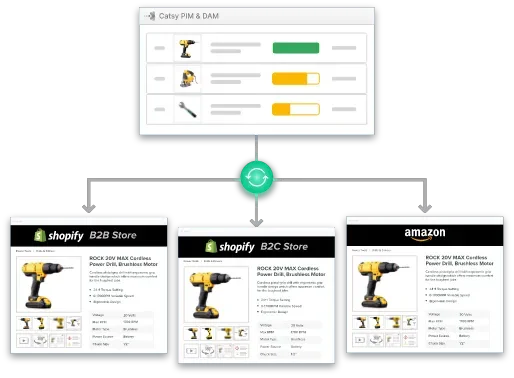
Multi-channel syndication: Distribute to multiple sales channels automatically
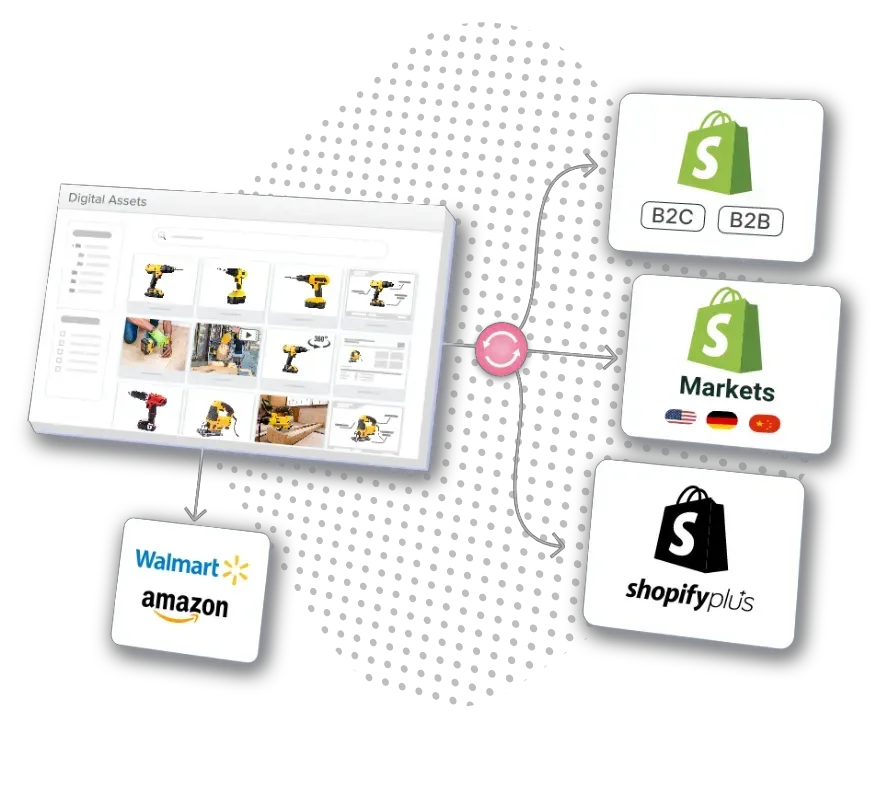
Digital asset management: Unified system manages product images, videos, documents across all platforms
Data synchronization: Real-time or scheduled updates maintaining data consistency
Evaluation checklist – Key features:
Can it manage complex product data with extensive custom attributes?
Does product data management include workflow automation for approvals?
Will the system integrate with inventory management and customer relationship management?
Can it handle detailed descriptions and technical specifications at scale?
Does it support data mapping between different sales channels?
Market context: The global PIM market grows from $3.67B (2023) to $20B+ by 2032. Choose vendors investing in AI-powered content generation, automated data quality checks, SEO optimization tools.
Cost considerations – Best PIM software evaluation:
Budget range: Small to medium businesses can typically expect to spend between $10,000 to $75,000 annually for PIM software and implementation services
Enterprise solutions: Can exceed $150,000, but they often deliver larger ROI through automation and efficient management
Total ownership: Budget considerations include both hard costs (software licensing) and soft costs (internal time and training)
ROI reality: Implementing a PIM can lead to a 40 percent faster time-to-market for new products due to streamlined processes
Variable factors: Costs can vary significantly based on company size and unique business needs
Configuration priorities:
Data modeling: Define product attributes supporting merchandising, marketing, operations
Workflow automation: Eliminate manual effort in approvals and updates
Data governance: Control who modifies product data, preventing incorrect data propagation
Integration planning: Map data flows between PIM software and multiple systems
SEO optimization: PIM systems help optimize product pages for SEO, which can lead to increased organic traffic
Bottom line: Invest time evaluating the right PIM solution. Switching later is expensive! Get it right initially.
4. Executing the Integration Process
Why it matters: Shopify PIM integration execution determines whether implementation takes weeks or months. Poor data mapping creates ongoing data discrepancies.
Authentication and connectivity:
Modern information management PIM systems use OAuth for secure Shopify store access
Configure each Shopify storefront separately… even shared catalogs need individual mappings
Test connections thoroughly before data synchronization begins
Critical: Connection failures during migration significantly delay going live
Data mapping strategy:
Standard fields: Product descriptions, prices, inventory management data require direct mapping
Custom attributes: Technical specifications, certifications become Shopify metafields
Critical requirement: Careful mapping of product attributes between your PIM and Shopify fields is essential to prevent data loss and ensure consistency
Product complexity: Simple products map directly; variants need careful option handling; bundles require custom configuration
Digital assets: Images, videos, documents need proper associations and alt text for SEO optimization
Pilot testing approach: Select 50-100 products representing full complexity:
Simple products with basic product details
Products with extensive custom attributes and technical specs
Variants testing all product attributes combinations
Products requiring localization across different sales channels
Document everything: Every data error, mapping issue, workflow problem discovered
Data synchronization options:
Real-time: Ensures inventory management accuracy but requires infrastructure; may impact online store performance during traffic spikes
Scheduled (hourly/daily): Balances data consistency with system performance; provides checkpoints for data quality verification
Recommended: Hourly syncs for Shopify merchants managing multiple sales channels
Quality assurance:
Verify product pages render correctly across all Shopify stores
Test search engines can properly index product descriptions and technical data
Confirm customer experience remains smooth during data updates
Validate inventory management integration prevents overselling
Rollback planning: Document recovery procedures before launch. How do you prevent incorrect data from propagating to multiple platforms?
Bottom line: Methodical Shopify integration testing prevents months fixing data errors across your ecommerce store network.
5. Optimizing Post-Implementation Performance
Why it matters: Success is measured by ongoing performance. Real PIM value emerges through continuous optimization based on data accuracy metrics.
KPIs to track:
Time-to-market: Product launches across multiple sales channels (should improve from weeks to days… implementing a PIM can lead to 40 percent faster time-to-market)
Data accuracy: Percentage of product data with complete technical specifications and product attributes
Manual effort reduction: PIM systems can significantly reduce the time spent on manual updates, allowing teams to focus on more strategic tasks
Data discrepancies: Frequency of inconsistent product details across different sales channels
Customer experience: Return rates due to incorrect data on product pages
Customer service improvement: Using a PIM can improve customer service by providing accurate product details quickly, leading to faster and more accurate responses to customer inquiries. Customer service teams accessing centralized, accurate product information can resolve issues more efficiently.
Role-based training for system users:
Merchandisers: Product data management, enrichment workflows, data quality verification
Marketing: Creating detailed descriptions, SEO optimization, managing digital assets across platforms
Operations: Inventory management integration, data synchronization monitoring
Customer service: PIM systems can improve customer service by providing accurate product details that help customer service teams respond quickly to inquiries
Data governance framework:
Define who can modify centralized data and when
Implement workflows preventing unauthorized changes to product information
Critical practice: Regular data audits and cleanup are essential for maintaining high data quality in a PIM system
Establish data cleansing procedures for maintaining consistent product data
Without governance: Teams create workarounds, manual updates return, data consistency degrades
Optimization roadmap for PIM tools:
Phase 1: Basic implementation (product data management flowing to Shopify store)
Phase 2: Automated translation reducing manual effort for new markets
Phase 3: AI-driven content generation for product descriptions and technical specifications
Phase 4: Additional channel integration beyond multiple Shopify stores
Phase 5: Advanced analytics revealing insights in complex product data
Continuous improvement: Monthly reviews with key users reveal where the efficient system falls short. Address feedback demonstrating responsiveness increases engagement with the information management PIM system.
Bottom line: Companies achieving greatest ROI treat their product information management system as strategic asset requiring continuous refinement, not one-time project.
Key Takeaways
Assessment First: Audit product data quality across all sales channels before selecting PIM software (successful PIM SaaS implementation)
Clean Data Foundation: Invest 35 to 40 percent of time in data cleansing and data governance to prevent data errors
Strategic Selection: Choose the best PIM software with native Shopify integration and robust PIM capabilities
Methodical Integration: Test Shopify PIM integration with pilot products to identify data mapping issues early
Continuous Improvement: Monitor data accuracy, reduce manual effort, maintain consistent product data through governance
Frequently Asked Questions
How long does Shopify PIM implementation typically take?
Usually, Shopify implementations take between 3 to 6 months from planning to launch. That depends, though, on your catalog size, the quality of your data, and the complexity of the integration. The data migration phase will typically consume the most time. But phased approaches that launch with core functionality first can reach deployment in 12 to 16 weeks. Plan around 35 to 40 percent of time for cleansing your data and for data modeling, with the remainder for the technical integration and for testing of the right PIM system.
Can I use Shopify’s native product management instead of a PIM?
Shopify’s native tools work for single online stores with simple product data. Shopify notes that Shopify merchants who are running multiple Shopify stores, managing complex product data with extensive custom attributes, or selling across different sales channels need a dedicated PIM for Shopify. Once you grow beyond a few thousand SKUs or when you operate internationally, a PIM (product information management system) becomes essential to maintaining data consistency.
What’s the typical ROI for Shopify PIM integration?
Most ecommerce businesses see ROI within 6-12 months through reduced manual effort, improved data accuracy, and faster expansion to new markets. Implementing a PIM can lead to a 40 percent faster time-to-market for new products due to streamlined processes. Companies report 50 percent time savings eliminating manual data entry, 20 to 30 percent reduction in data errors from inconsistent product details, and significant improvement launching products across multiple platforms. Small to medium businesses typically invest $10,000 to $75,000 annually, while enterprise solutions exceed $150,000 but deliver larger ROI. Many teams underestimate the soft costs, particularly internal time and training requirements.
How does a PIM solution handle product data for different sales channels?
Modern PIM tools centralize all the data while automating channel-specific formatting. Set base product information once, and the system manages variations for each sales channel. Product descriptions get optimized for SEO, technical specifications format appropriately, digital assets resize automatically. The information management PIM system ensures data synchronization across multiple platforms while maintaining data consistency and preventing data discrepancies.
What happens to existing product data during PIM implementation?
Existing product data imports into the PIM during migration, then undergoes data cleansing and enrichment. Most implementations maintain your Shopify storefront live throughout, with the product information management PIM gradually becoming the centralized data source. Plan for transition where multiple systems coexist until data mapping is complete and all product attributes are verified for data quality.
Can PIM software integrate with systems beyond Shopify?
Yes, enterprise PIM capabilities include integration with inventory management, customer relationship management, ERPs, marketplaces, and marketing platforms. This multi-channel capability benefits Shopify merchants selling through multiple platforms beyond their ecommerce store. The right PIM solution serves as central hub managing product data management, digital asset management, and data synchronization across your entire commerce ecosystem while maintaining technical expertise requirements minimal for day-to-day operations.
This is the preferred method for modern PIM software and ERP solutions. It grants real-time or near-real-time data exchange, granular control over exactly what syncs and when, and the most flexibility for future changes. Most modern ERP software and PIM platforms support REST APIs out of the box.
The trade-off: it requires development resources to build and maintain. If your team has the capacity, this is where to start. If not, you should probably look at middleware.
PIM Shopify Store integration turns fragmented product data into a competitive advantage. But the technical connection is only half the work. The other half is data governance, like defining ownership, locking down fields, and making sure everyone agrees on which system is the source of truth before any of it goes live.
If you’re evaluating a PIM solution that integrates with your existing Shopify Store, our guides to the PIM vs. ERP comparison and what PIM is are good starting points. And when you’re ready to compare platforms, our best PIM software guide breaks down options by catalog size, channel complexity, and whether integrated DAM is a priority for your business.
Related: What is PIM? | PIM vs DAM | PIM vs ERP | Best PIM Software