

What You’ll Learn
The real difference between PIM and DAM and what each system does
How product data and digital assets support different parts of your business
When a PIM system becomes essential for SMB growth
When a DAM system is the right investment
How PIM and DAM work together to improve brand consistency and customer experience
Product details live in scattered spreadsheets. Images sit in shared drives nobody trusts. Marketing can’t tell which assets are approved.
PIM (product information management) and DAM (digital asset management) are often mentioned in the same breath, but they solve different problems. PIM handles your structured product data. DAM handles your rich media assets — images, videos, brand assets.
The simplest way to think about it is: PIM focuses on what your product is. DAM focuses on how your product looks.
This guide breaks down the differences to help small and mid-sized businesses decide which system — or combination — fits your needs. Whether you’re evaluating PIM solutions, DAM solutions, or integrated PIM and DAM solutions, this comparison covers what each platform does, where they overlap, and how to avoid buying the wrong one.
1. What Is PIM and Why It Matters
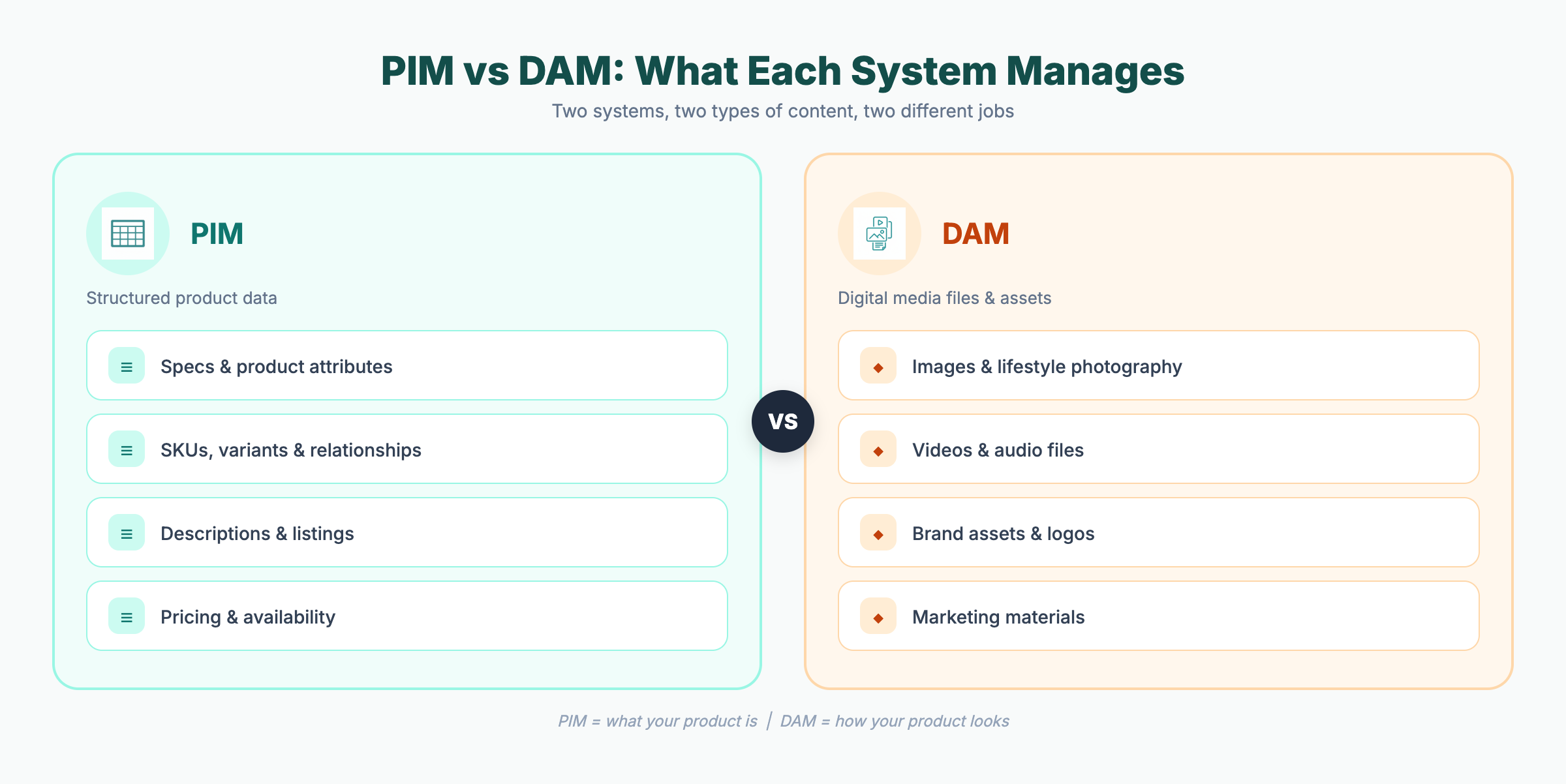
A PIM system centralizes your product data — specs, SKUs, descriptions, pricing — and distributes it consistently across the entire product lifecycle. It’s the single source of truth for everything a customer reads about your products.
A PIM system typically manages:
Technical specifications and product attributes
SKUs, variants, and product relationships
Descriptions and product listings
Pricing and availability
Metadata, classifications, and taxonomy
Syndication to sales and marketing channels
Without PIM, teams rely on manual data entry across channels. That means errors, delays, and inconsistent product information wherever your customers find you.
The cost adds up. According to Gartner, poor data quality costs large organizations an average of $12.9 million per year due to inefficiencies and operational mistakes. For growing businesses managing hundreds or thousands of SKUs across multiple channels, even a fraction of that cost justifies a centralized PIM solution.
“Poor data quality costs large organizations an average of $12.9 million per year.” — Gartner, 2020
2. What Is DAM and Why It Matters
A digital asset management (DAM) system organizes, governs, and distributes your visual assets — product images, promotional videos, brand assets, marketing materials — across every channel and touchpoint.
A DAM system typically manages:
Product images and lifestyle photography
Promotional videos and audio files
Brand assets (logos, guidelines, templates)
Marketing collateral and documentation
Version control and usage rights
As product catalogs and marketing programs grow, finding the right asset gets harder. A single product launch might require lifestyle shots, size charts, promotional banners, and video — across a dozen channels, each with different format requirements.
Without a centralized system, teams waste time searching for files, reuse outdated visuals, or publish content that’s off-brand. DAM software solves this with centralized storage, advanced search, metadata management, and governance workflows that keep everyone working from approved, up to date assets.
3. PIM vs DAM: Key Differences Explained
Their roles are fundamentally different. Here’s how they compare:
| Area | PIM | DAM |
| —————- | —————————————– | ———————————— |
| Primary focus | Product data management | Digital asset management |
| Core content | Specs, descriptions, pricing | Images, videos, brand files |
| Main users | Ecommerce, product, and operations teams | Marketing and creative teams |
| Content type | Structured data | Unstructured media files |
| Workflow focus | Validation, enrichment, and syndication | Creation, approval, and distribution |
| Business outcome | Accurate product listings across channels | Brand consistency and visual quality |
Both are centralized hubs, but they serve different teams and different types of content. Treating them as interchangeable is a common and costly mistake in business operations.
4. When You Need PIM, DAM, or Both
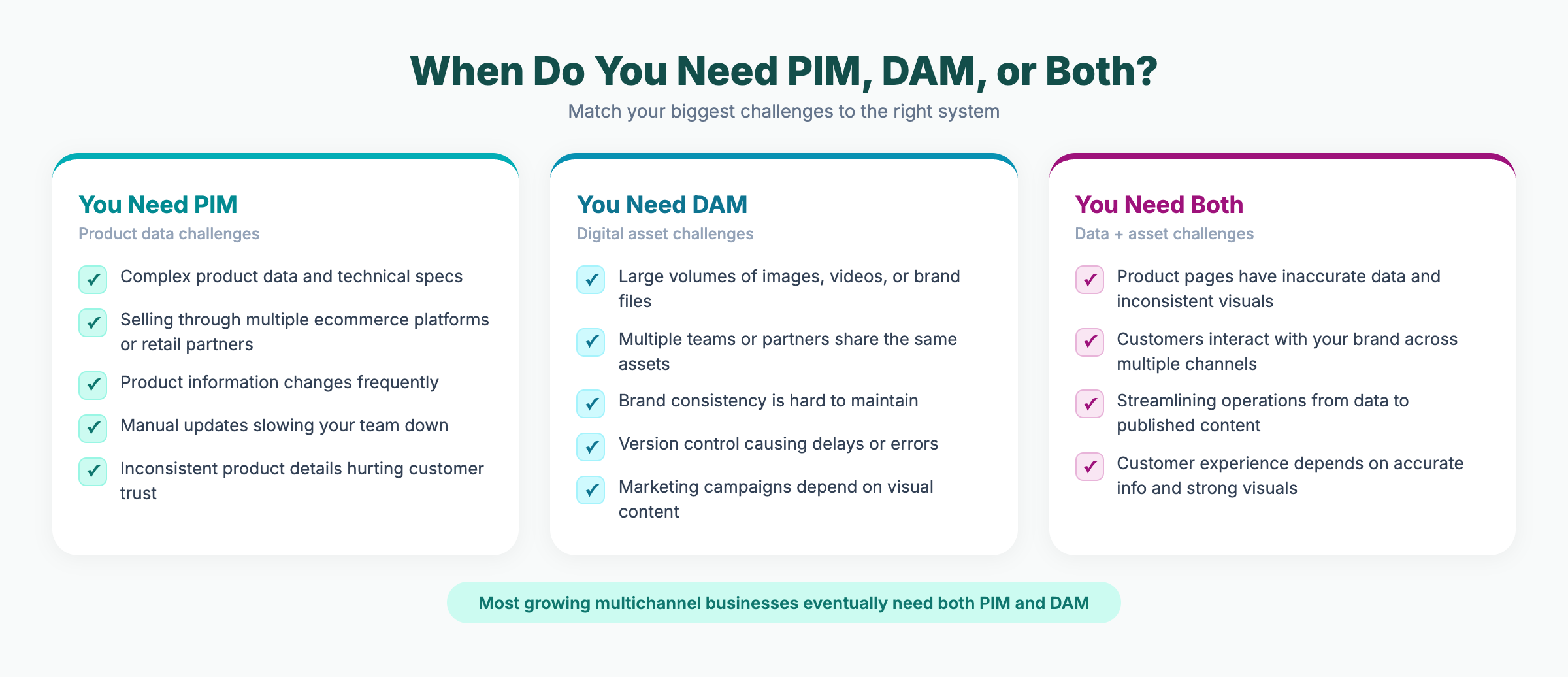
You need a PIM system if:
You manage complex product data and technical specs
You sell through multiple e-commerce platforms or retail partners
Product information changes frequently
Manual updates are slowing your team down
Inconsistent product details are hurting customer trust
You need a DAM system if:
You manage large volumes of images, videos, or brand files
Multiple teams or external partners share the same assets
It’s difficult to enhance brand consistency across channels
Version control causes delays or errors
Marketing campaigns depend heavily on visual content
You need both if:
Product pages have inaccurate data and inconsistent visuals
Customers interact with your brand across multiple channels
You want to streamline operations from product data to published content
Superior customer experiences depend on both accurate information and strong visuals
Research from Lucidpress and Demand Metric found that consistent brand presentation across channels can increase revenue by up to 33 percent — a result that depends on both accurate product data and on-brand visuals working together.
“Consistent brand presentation across channels can increase revenue by up to 33%.” — Lucidpress/Demand Metric, 2019
5. Common Mistakes When Choosing PIM, DAM, or Both
Knowing what each system does is the easy part. The expensive part is buying the wrong one.
Using DAM as a PIM substitute. Some teams try to manage product specs, pricing, and SKU data inside their DAM software because it already stores product images. DAM has no concept of product relationships, validation rules, or channel syndication. The result: spreadsheets return through the back door, and the DAM becomes an expensive file server.
Using PIM as a DAM substitute. The reverse happens too. PIM software might accept image uploads, but it typically lacks version control, rights management, format conversion, and the metadata depth that creative teams need. As media volume grows, the bottleneck moves from product data to asset retrieval.
Buying both when you only need one. A company with 200 SKUs and two sales channels probably doesn’t need a dedicated DAM solution yet. Start with the system that solves your most painful problem today. You can add the other when channel complexity or media volume demands it.
Underestimating integration costs. Connecting separate PIM and DAM solutions requires shared metadata models, API development, ongoing sync monitoring, and someone to own the integration when it breaks. For mid-market teams, this overhead can rival the cost of the software itself. Factor integration into total cost of ownership from the start — or evaluate platforms that eliminate it entirely.
6. How PIM and DAM Work Together for Better Results
PIM and DAM deliver the most value when connected. In an integrated setup:
PIM manages the product record — specs, descriptions, pricing
DAM stores and delivers images, videos, and brand files
PIM references media assets stored in DAM
Both systems share aligned metadata models
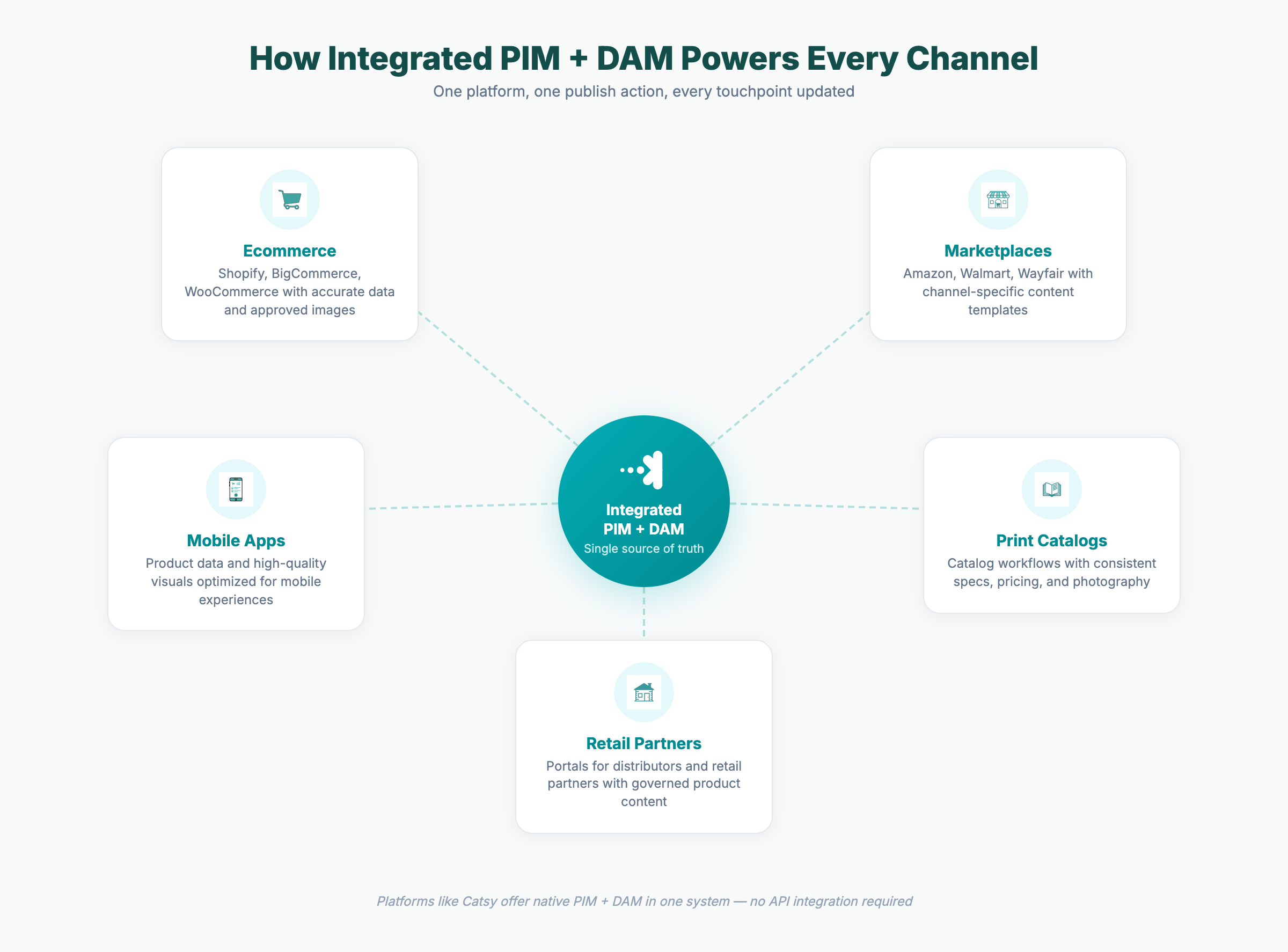
This eliminates duplication, reduces manual work, and means product listings go live with accurate data and approved visuals at the same time.
Three Integration Patterns
Not all PIM+DAM setups are equal. The architecture you choose determines how much friction your team lives with daily.
Separate PIM + separate DAM, connected via API. Each system has its own database, login, and approval workflow. An API layer syncs asset references between them. This provides best-of-breed flexibility but introduces sync lag, duplicate metadata models, and an integration layer someone has to maintain. When the connection breaks — and it will — product pages go live with missing images or outdated assets.
PIM with basic built-in media storage. Some PIM platforms offer a media library as a secondary feature. This covers simple use cases, but the asset management is usually shallow: limited search, no rights tracking, no format conversion. Creative teams outgrow it quickly.
Natively integrated PIM+DAM. Product data and digital assets share a single database, a single login, and a single set of workflows. No sync layer, no duplicate metadata, no integration to break. Platforms like Catsy follow this model — product specs and approved images exist side by side, and publishing to any channel pulls from one source of truth.
For growing businesses, the third pattern reduces implementation complexity and total cost of ownership. For enterprises with established best-of-breed stacks, the first pattern may make more sense — provided the integration budget is realistic.
Example: Baldinini (luxury fashion)
Italian luxury brand Baldinini needed to manage complex product content across multiple international marketplaces while maintaining brand consistency. By integrating PIM and DAM, the team centralized control across platforms, automated asset updates, and eliminated manual searching and errors. As their team put it: “We work faster without manual searching or errors.”
With an integrated PIM+DAM approach, product launches can go from weeks to minutes. Leigh Country reduced product launch time from 2-3 weeks to minutes after implementing a unified system.
Key Takeaways
PIM and DAM solve different problems — PIM manages structured product data, DAM manages digital assets
Each system serves different teams: operations and ecommerce for PIM, marketing and creative for DAM
Growing businesses selling across multiple channels often need both
Integrated PIM+DAM platforms reduce manual work, eliminate sync issues, and speed up time to market
Accurate data paired with strong visuals drives better customer experiences and revenue
