
PIM vs PLM: What’s the Difference (And When Do You Need Both?)

Key differences between PLM and PIM systems to determine the best fit for your business

PIM vs PLM

Table of Contents

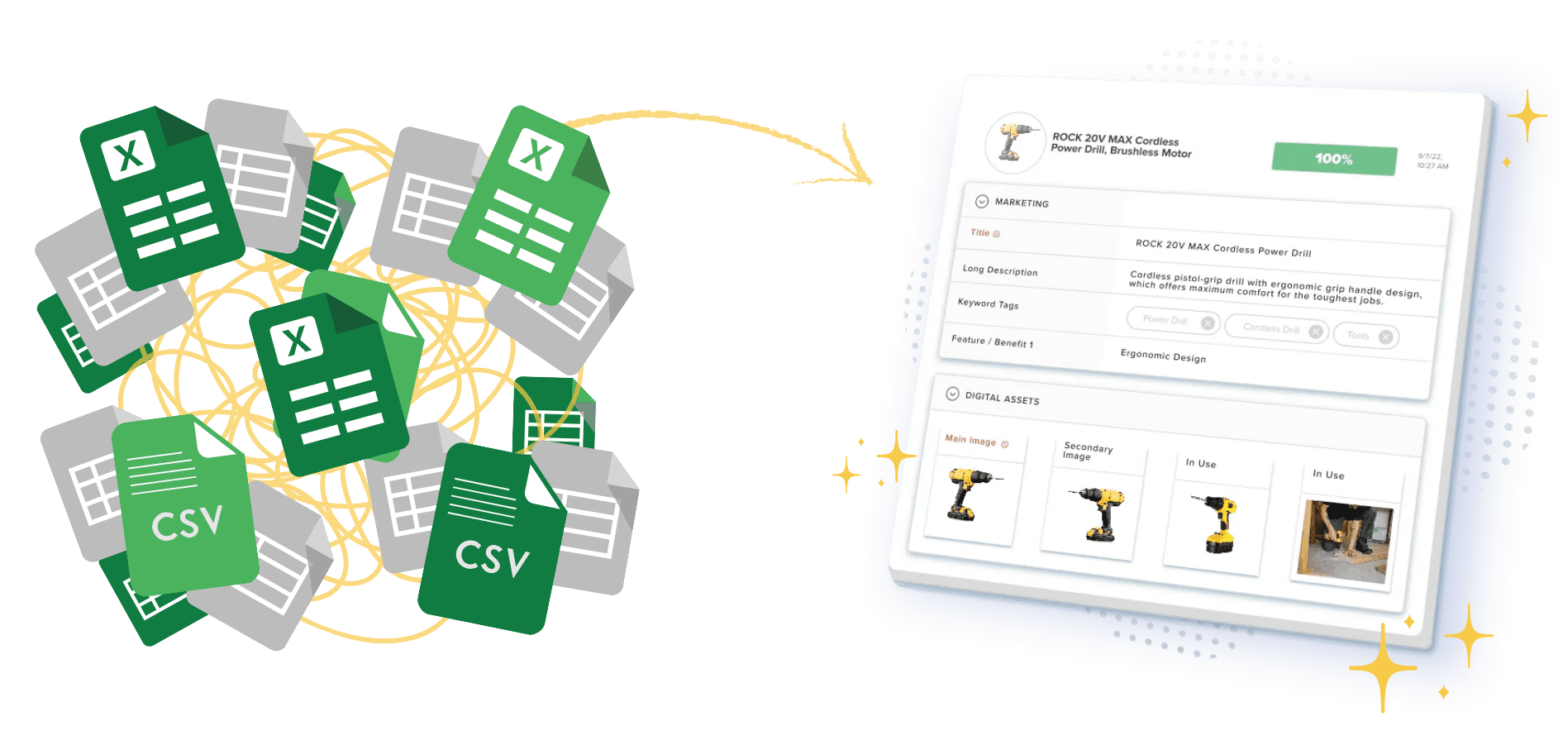
If you don’t have a good system in place for data management, here’s what tends to happen:

  • Your specs get finalized by engineering
  • The product is made
  • And someone’s still manually copying dimensions into Shopify weeks later
  • Product photos end up in a shared drive, but no one’s sure which versions are final – you can spend twenty minutes just trying to find the right ones… that’s if you can find the right image to use.
  • Listings go live with outdated descriptions… and no one catches it until a customer complains
  • A retail partner gets sent a PDF with specs that are two revisions old, and you only find out when they call asking why nothing matches


Sound familiar? You’re stuck in the gap between two systems. Product lifecycle management (PLM) handles how products get built. Product information management (PIM) handles how they get sold. Most teams learn the difference between PIM vs PLM only after the gap starts costing them real money: wasted payroll hours, botched listings, and launch windows that just breeze by.

In this guide, we’re going to look at which system does what, the key differences that matter, when you’ll need one or both, and where DAM fits in to the equation. Just straight talk, no filler.

What Is Product Lifecycle Management (PLM)?

Product lifecycle management (PLM) is software that tracks one of your products from its first sketch to the design, engineering, manufacturing, and launch. It’s internal facing – your customers never see it. PLM exists so that your manufacturing teams, your engineering crew, research and development, and marketing stop losing track of what’s current.

Before PLM software was around, product development data lived everywhere. Design files were hidden on someone’s laptop, and email chains with outdated attachments from three years ago got forwarded yesterday. PLM fixes this with a centralized repository. There’s one place for every version of every single document.

So what does a PLM software solution manage? Well, for starters:

  • CAD files

  • Engineering drawings

  • Bills of materials

  • Technical specifications

  • Prototyping data

  • Compliance docs

  • Change orders

  • Accurate historical data across product iterations.

The core capabilities of a PLM solution are version control, internal collaboration workflows, and full tracking of the whole product development process – from initial concept to delivery!

Here’s a quick example:

A furniture manufacturer has designed a new accent chair! Engineers store engineering drawings within the PLM, and the system tracks materials specs, supplier quotes, fabric compliance certs, and each and every change that’s been made between prototype and production. PLM systems matter most in industries like:

  • Manufacturing

  • Automotive

  • Aerospace

  • Fashion design

  • Consumer electronics

These industries have a unique challenge: product quality depends on engineering precision.

The boundary is clear: When a product is ready to launch, PLM has done its job. Development’s done and specs are locked. The thing exists as a product that can be manufactured. Now, you’ve got to get it in front of your customers. Time to write descriptions and shoot photography, then to format lists for ten different channels. That’s a different problem that PIM software can solve.

What Is Product Information Management (PIM)?

Product information management (PIM) is software that pulls all of your product data into one place, cleans it up, and pushes it out to every sales channel you use. PLM is the internal system, and PIM is the external one. It controls everything your customers see.

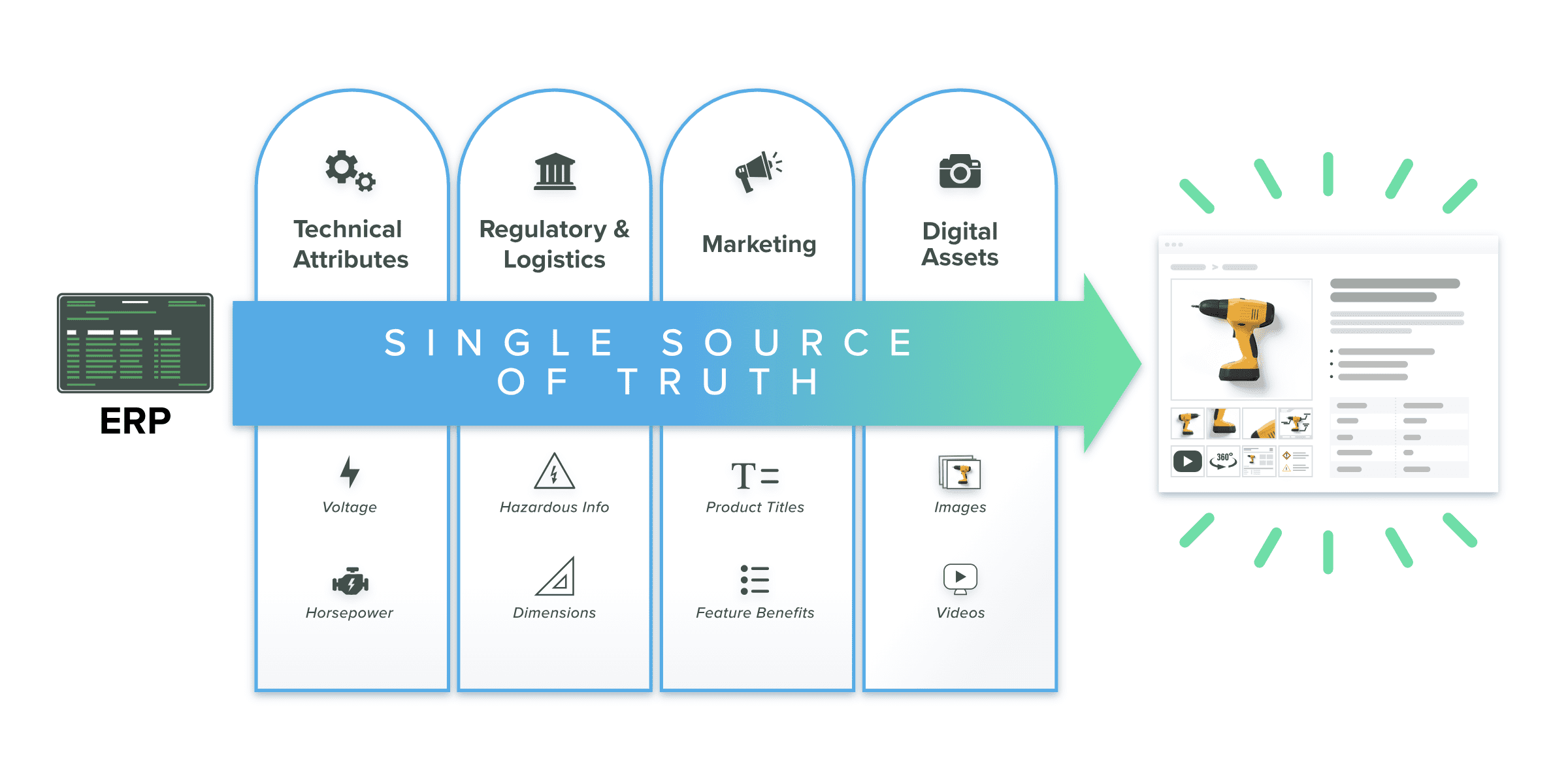
PIM gives each of your teams like marketing, e-commerce, and sales just one source of truth for product descriptions, specs, pricing, images, and videos. They will immediately see a benefit as they’ll no longer maintain separate spreadsheets for Wayfair, Shopify, eBay, Amazon, and a dozen other partners. Your PIM system holds one master record and formats it correctly for each channel. If you change a product dimension once, it’ll update everywhere! There’s no more chasing down which spreadsheet has the right number.

So what does it manage? Here’s a list:

  • Structured product data like attributes and SKUs as well as pricing

  • Product content like your descriptions

  • Digital assets, including images and video

  • Channel-specific formatting for marketplaces and e-commerce platforms

A modern PIM system can handle the manual tasks that eat your team’s time, so your crews can focus on writing better product content and launching into new sales channels.

Some PIM platforms now offer native DAM (digital asset management) alongside the ability to manage product data. Rather than wiring up separate systems for your specs and your images, a platform like Catsy can manage both – in one interface! Your teams can enrich descriptions and approve lifestyle photos within the same workflow, for instance.

Going back to the furniture example, the accent chair is ready to sell! So how does PIM vs PLM come in? Well, PIM is where the teams write descriptions, upload photos, set pricing for each channel, and format listings for Shopify, Amazon, and Wayfair. Without PIM, every channel gets updated by hand. That’s error-prone and time consuming.
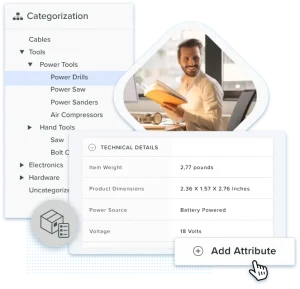
The bottom line: PIM picks up where PLM leaves off. Once your product exists, PIM makes sure it’s sellable. For teams that manage hundreds to thousands of SKUs across multiple channels, it’s how products are effectively marketed. Not by chasing spreadsheets.

PIM vs PLM: Key Differences Explained

PLM is for building products. PIM is for selling them. Here’s how they compare:

Dimension

PLM

PIM

Primary focus

Product development and engineering

Product marketing and distribution

Core users

R&D, engineering, manufacturing, compliance

Marketing, e-commerce, sales, product managers

Data types

CAD files, BOMs, technical specs, change orders

Descriptions, attributes, pricing, images, videos, SKU data

Lifecycle stage

Concept → Design → Manufacturing → Launch

Launch → Marketing → Distribution → Channel updates

Key integrations

CAD software, ERP, supply chain tools

ERP systems, DAM, e-commerce platforms, marketplaces

Business outcome

Faster development, better quality, lower production costs

Accurate content across channels, faster time to market

The table tells the story at a glance, but there are three differences that cause the most confusion and the most mistakes.

Internal vs. External Focus

First, note that PLM serves your internal teams: engineers, designers, quality assurance, and your manufacturing partners. They’re the ones building the product.

Conversely, your PIM serves your external-facing teams like your sales reps and your product managers. They’re the ones selling the products.

PLM users very rarely talk to customers, and PIM users rarely talk to the factory. They’ve got different data and different timelines – they’re different worlds! This is why one team’s must-have feature is irrelevant to the other, and why cramming both jobs into one system always disappoints someone.

Different Data, Different Lifecycle Stages

PLM handles complex product data like engineering specs, design files, and compliance docs across the product lifecycle from concept to manufacturing. PIM handles product content like descriptions, images, and pricing from launch through ongoing channel updates. The data types have almost nothing in common, which is why one system can’t do both well. An engineering change order and a lifestyle product photo serve completely different purposes.

The Handoff That Makes or Breaks Your Data

Once engineering locks specs into the PLM, that data needs to go through your ERP to PIM for enrichment and distribution. This is where most companies run into data silos. Specs get lost and formats break. Teams are duplicating efforts because nobody knows which version is current.

The right flow is PLM to ERP to PIM to sales channels – clean, automated, with no re-keying. Most companies aren’t there yet; the bigger your product catalog, the more the disorganization hurts.

❝  PLM is for building. PIM is for selling. Most data problems start where one system ends and the other begins.

When You Need PLM, PIM, or Both

Forget about the technical definitions for just a minute. Instead, think about where your team’s pain actually lives. That’ll tell you which system matters.

You Need PLM If…

  • You design or manufacture products in-house

  • You manage complex engineering data like CAD files, BOMs, or compliance docs

  • R&D and internal collaboration are bottlenecked

  • Your product development process spans multiple manufacturing teams and external partners

  • You need accurate historical data and version control across product iterations

If the problem is getting products designed and manufactured on time, PLM software fixes that.

You Need PIM If…

  • You sell across multiple sales channels: your own site, marketplaces, retail partners

  • Product content is inconsistent or wrong across channels

  • Updating product catalog listings eats your team’s week

  • You’re scaling past 500 SKUs across 5+ channels and need to get to market faster

  • You need accurate product data and digital assets managed in one place


If the problem is getting product content to channels accurately, PIM solutions fix that.

Some companies’ images matter just as much as their product data, like in the instance of a fashion brand with seasonal collections, or furniture retailers with lifestyle photos. A PIM with native DAM capabilities means you don’t need to buy (and spend time integrating) a separate asset system! Platforms like Catsy can handle both your product specs and your creative assets in one solution.

You Need Both If…

  • You manufacture and sell products direct-to-consumer or through distributors

  • Data gaps between engineering and marketing create silos and delays

  • You need traceability from design to digital shelf

  • The PLM to ERP to PIM flow is central to your product lifecycle process

Companies that build and sell their own products almost always need both PIM and PLM systems. There’s really no question as to whether the software is needed; the biggest focus should be on how well the systems are connected.

Common Mistakes

Buying PLM when you need PIM. If you resell products, you don’t need PLM software. When the challenge is getting your product content to your channels, PIM is the solution.

Assuming ERP covers PIM. Enterprise resource planning (ERP) handles operations: orders, inventory, and finance. It’s not built for rich product content or for multichannel syndication. ERP and PIM work together, they don’t replace each other.

Ignoring the handoff. Buying both PIM and PLM systems without planning the data flow between them leaves you with the same data silos you started with.


A Worked Example

A home goods company designs a table lamp. PLM tracks the engineering specs, like the BOM (bill of materials), wiring compliance certifications, and supplier tooling drawings. Once the design is approved, data can move to the ERP for costing and for inventory planning.

Then, PIM takes over. Marketing teams write descriptions and uploads lifestyle photos of this lamp in three different room settings. They add SEO titles and format listings for Shopify and Wayfair. Amazon wants bullet points and specific image dimensions. Wayfair needs a different category taxonomy.

PIM handles this – all from just one record.
❝  Getting content to channels? You need PIM. Getting products designed and built? You need PLM.

Where DAM Fits in the PIM vs PLM Picture

After the question of PIM vs PLM clicks, the next question always follows: who manages the product images, lifestyle photography, and marketing videos? PLM handles your engineering files and PIM’s got your product data – but the visual assets need a home, too! For many brands, those visuals are the front-line salespeople.

Digital asset management (DAM) stores and organizes images, videos, documents, and brand materials before distributing it to channels.

Three Ways Companies Handle Digital Assets

1. Separate DAM.

This is a standalone system that’s connected to your PIM via an API. You’ll get best-of-breed flexibility, but you’re also going to get integration overhead, duplicate metadata… and a second vendor. Each time a product image is updated, you’ll need to ensure that both systems are in sync. This makes sense for larger organization with complex rights management needs, but not so much for smaller groups.

2. PIM with basic media storage.

Some PIM platforms accept image uploads but they lack advanced search, rights management, and approval workflows. This works for very small operations at a small scale; your marketing teams will outgrow this system fast.

3. Natively integrated PIM+DAM.

Natively integrated PIM + DAM means one platform, shared workflows, and no need to sync later. You’ll also enjoy working with just one vendor – this means licensing cost savings and faster setup. Unified governance over your product content and images means better consistency across your catalogs.

For visual-first brands like fashion and beauty, images drive conversions just as much as data drives accuracy. An integrated option makes the most sense.

Rather than running separate PIM and DAM systems with different logins, approval workflows, and licensing costs, platforms like Catsy put PIM and DAM together in one interface. Product specs and approved images sit side by side. Publishing pulls from one source of truth. For mid-market teams who are managing 500 to 5,000 SKUs with heavy visual content, the integrated approach typically means faster implementation (10–14 weeks vs. months for separate systems), lower total cost, and one approval workflow covering both data and imagery.

Separate DAM

PIM with Basic Media

Integrated PIM+DAM

Best-of-breed flexibility

Simple setup

Single platform

Integration overhead

Limited depth

Shared workflows

Dual licensing costs

Teams outgrow it fast

Unified governance

Second vendor to manage

No advanced search or rights mgmt

One approval workflow

For more on how these compare: PIM vs DAM: What’s the Difference?

Key Takeaways

  • PLM manages how your products get built, while PIM manages how they get sold.

  • Different teams use different data during different lifecycle stages. PLM vs PLM handle these differences in unique ways.

  • Usually, the PLM to ERP to PIM handoff is where data problems begin

  • Companies that manufacture and sell usually need both a PIM and a PLM system to be connected through ERP

  • Visual-first brands can save time and money when they choose a PIM with built-in DAM

Frequently Asked Questions

What is the main difference between PIM and PLM?

PLM covers product development activities like engineering, design, and manufacturing. PIM covers the commercialization, like marketing and distribution. Remember: different teams, different data, different lifecycle stages.

Can PIM replace PLM?

Nope it can’t – they do two very different jobs. PIM handles how your products get marketed and sold across each of the channels you utilize. PLM handles how those products were engineered and built. A retailer who resells brands might just need PIM while a manufacturing company more likely needs PLM for development and PIM for customer-facing activities.

Do I need PIM if I already have an ERP?

Probably. ERP manages the things that have to do with your operations, like your orders and inventory. PIM manages your product content for your sales channels, like your images and your channel-specific formatting. They do quite different things. ERP tracks how much stock you’ve got and what it costs. PIM makes sure that that stock is described accurately to your customers.

Does SAP have a PIM?

SAP has product data management features, but it’s not a dedicated PIM that’s built for multichannel distribution. Most SAP users add specialized PIM software for content enrichment and channel syndication.

What industries need PLM the most?

Manufacturing, automotive, aerospace, fashion (design side), and consumer electronics rank among the top.

Basically, any industry with complex development processes and strict requirements for compliance. Long design cycles where version control is non-negotiable, too. If your product goes through multiple rounds of testing and approval before you shop, PLM is how you keep that process from tanking. 

What industries need PIM the most?

Retail, e-commerce, consumer goods, home goods, and beauty. PIM is especially useful for industries that sell across multiple channels with rich product content. It’s also great for global expansion since it handles localized data across regions and languages.

How does product data flow from PLM to PIM?

PLM finalizes your engineering specs. ERP picks up cost, inventory, and supplier data. PIM adds marketing content, images, and channel formatting, then distributes to every sales channel. That covers the product’s entire lifecycle from concept to digital shelf.

What is the difference between PIM and DAM?

PIM manages your structured product data like your descriptions, attributes, pricing, and SKUs. DAM manages your media files like your images and videos. They’re different systems but with a blurred line… many PIM platforms now include DAM so that teams can handle everything in one place.

Platforms like Catsy combine PIM and DAM natively. One system for product data and creative assets.

For more detail: PIM vs DAM: What’s the Difference?

The Bottom Line

PLM builds the product, while PIM brings it to market. Each serves a distinct role at a different stage of the product’s lifecycle.

If you sell across multiple channels, you’ll find that PIM quickly becomes essential. It’ll ensure that your product data is consistent everywhere your customers find your items, and that will naturally impact performance. Accurate listings reduce returns, and when your images and descriptions match, your customers trust you.

Whether you also need PLM will depend on how your unique products come to life. If you’re in manufacturing, PLM keeps your development organized and controlled from concept to delivery. If not, it’s likely no necessary at all.

Are you a visual-first brand? Choosing a PIM with built-in DAM simplifies everything. It removes the need for separate systems and keeps product data and creative assets aligned in a single workflow.

Ultimately, the right choice comes down to where your process breaks down: during development, at the handoff, or in distribution. Identify that point, and the right system becomes clear.

Related: What is PIM?  |  PIM vs DAM  |  PIM vs ERP  |  Best PIM Software