
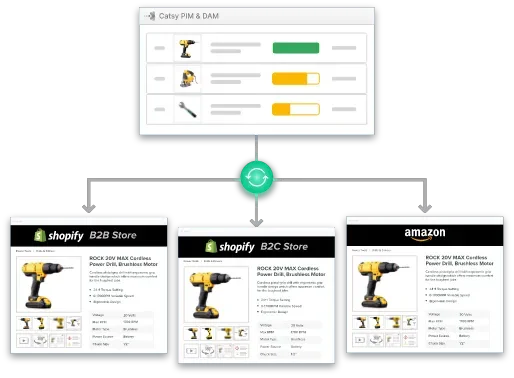
Shopify · PIM

Shopify PIM: Import Template for Products

Essential Shopify PIM Import Template for Products: A Practical Guide

By Ceejay S Teku  ·  March 31, 2026
PIM DAM Shopify multiple store sync
What You'll Learn
How the Shopify PIM import template for products works and which column headers are essential for successful CSV import
Why manual data entry becomes problematic as your product catalog grows and requires consistent product data across multiple sales channels
How a PIM system automates and optimizes the entire import process with bulk editing tools and inventory management
Step-by-step implementation strategies for connecting business systems with your Shopify store
Best practices for data accuracy that reduce errors and maintain consistent product data across your entire catalog

Managing product imports on your Shopify store shouldn’t feel like navigating a minefield of data errors and formatting inconsistencies. Yet for many e-commerce merchants, the Shopify CSV import process becomes increasingly complex as their product catalog expands beyond a few hundred items.

Understanding how to leverage the Shopify PIM import template for products — and more importantly, when to upgrade to a PIM solution — can transform your product data management workflow from frustrating to seamless.

1. Understanding Shopify Product Import Templates

The bottom line: The Shopify product CSV file is your gateway to bulk imports, but it comes with strict formatting requirements that can make or break your import file.

What Is a Shopify Import Template?

Shopify provides a standardized comma separated values template that merchants can download from the Shopify admin. This CSV file includes predefined column headers for product details like product title, product descriptions, variant price, and product images.

The two non-negotiable fields you must include are Handle and Title. The product CSV file must use UTF-8 encoding and match Shopify’s expected format to prevent the import process from failing.

Key Template Components

Your Shopify PIM import template for products includes dozens of potential CSV columns:

·Product identifiers (Handle, product title, variant SKU, variant barcode)
·Descriptions and content (Body with basic HTML tags, SEO Title, SEO Description)
·Pricing information (variant price, variant compare at price, cost per item)
·Inventory data (inventory quantity, variant inventory tracker)
·Product organization (Vendor, Type, Tags, Collections)
·Variant specifications (Option1 Name, Option1 Value, variant weight unit)
·Image management (image src column, image URL, image position, variant image)

The CSV import method requires that all column headers match exactly — they’re case-sensitive.

Understanding Product Variants

The CSV format handles product variants through multiple rows. For a product with variants, the first row contains all main product details, while subsequent rows represent variants with the same handle but different specifications.

2. The CSV Template Challenge: Why Manual Imports Fall Short

The bottom line: What starts as a convenient bulk imports solution quickly becomes a time-consuming bottleneck riddled with data errors as your business scales.

Companies implementing a PIM system save up to 50% of time previously spent on manual data entry.

Data integrity issues plague every manual upload. Common problems include illegal quoting issues when commas aren’t properly encoded, column header mismatches, and unexpected characters in product descriptions.

Scalability limitations become apparent quickly. While managing 50 products feels manageable, scaling to 500 or 5,000 products transforms CSV import operations into nightmares. Shopify’s 15 MB file size limit means large imports must be split into multiple files.

Version control chaos emerges when multiple team members work with product data. Which CSV file is the master copy? Who made the last update?
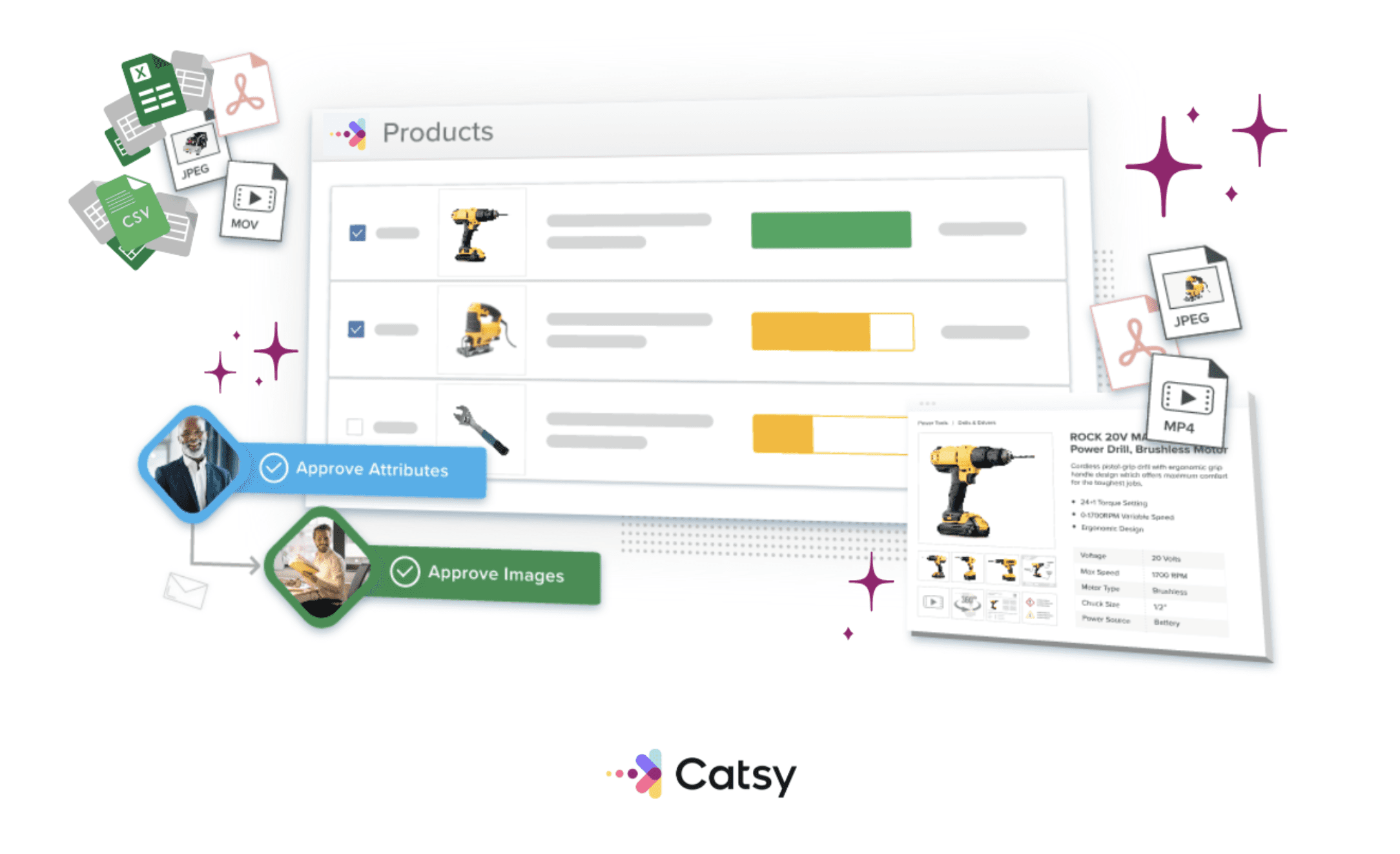
PIM DAM product information data management

3. How PIM Software Transforms Product Import Management

The bottom line: A PIM system eliminates manual CSV struggles by centralizing product data and automating distribution to your Shopify store and other sales channels.

Single source of truth: A PIM eliminates isolated pockets of product information by creating one central place where all product data lives.

Automated validation and enrichment: Built-in capabilities automatically detect data errors, catch missing product details, and identify incomplete specifications before they reach customers.

Multi-channel syndication: Your PIM doesn’t just feed data to one Shopify store — it distributes enriched product catalog information to multiple Shopify stores, Amazon, eBay, and social commerce platforms simultaneously.

4. Setting Up Your Shopify PIM Import Template Workflow

The bottom line: Integrating a PIM system with your Shopify store requires strategic planning, but the implementation process is straightforward.

Look for solutions with:

·Pre-built Shopify connectors providing native integration without custom development
·Bi-directional data flow pushing enriched product data to your store while pulling back sales data
·Flexible attribute mapping aligning your internal structure with Shopify’s field structure
·Multi-store management capabilities to maintain consistent data across multiple Shopify stores

Step 1: Audit your current product data. Step 2: Configure your PIM system and define custom attributes. Step 3: Connect to Shopify admin via API credentials and configure sync frequency. Step 4: Test with a pilot product set of 10–20 representative products. Step 5: Monitor and optimize — track key metrics including data sync success rate and error rates.

5. Best Practices for Maintaining Product Data Accuracy

The bottom line: Sustainable success depends on governance structures that maintain consistent product data and reduce errors over time.

Create clear ownership. Assign specific team members responsibility for different aspects of your product catalog.

Implement approval workflows. Built-in workflow automation ensures teams can update product details without introducing data errors.

Set validation rules. Your PIM should enforce business rules automatically rather than relying on manual review.

Schedule quarterly reviews assessing product details completeness, image quality, and inventory management alignment. Track how well your product data performs compared to the old CSV method.

Book a demo with Catsy

Key Takeaways

The Shopify PIM import template provides bulk imports capability but becomes unmanageable as your product catalog scales beyond 100–200 products.
Manual CSV method introduces significant risks including data errors, version control problems, and time-consuming troubleshooting.
A PIM system eliminates CSV import headaches by centralizing product data, automating validation, and syncing accurate data across multiple sales channels.
Successful PIM implementation requires strategic planning including catalog auditing, proper field mapping, pilot testing, and ongoing monitoring.
Data governance and continuous optimization are essential for long-term success.

Frequently Asked Questions

Can I import products to Shopify without using the CSV import method?

Yes. Alternatives include manual data entry through the Shopify admin interface, API-based integrations for automated imports, and third-party apps. For bulk imports and managing multiple products, a PIM system provides the most efficiency by automating the entire import process.

What's the maximum number of products I can include in a single Shopify CSV import?

The product CSV file is limited to 15 MB. A PIM system bypasses this limitation entirely by using API-based connections that can handle unlimited products through automated batch processing.

How do I handle product variants correctly in the Shopify product CSV file?

The first row for each product contains all main product details. Subsequent rows represent variants with the same handle but different variant-specific details. A PIM automates this complex structure by managing parent-child product relationships automatically, eliminating manual data entry errors.

Can a PIM system update existing product entries in my Shopify store or only create new products?

Modern PIM systems offer full CRUD capabilities. By matching products through unique identifiers like variant SKU or handle, the PIM can update any product details without re-uploading CSV files.

What happens if my product data in the PIM system doesn't match Shopify's expected format?

Quality PIM systems include intelligent field mapping that translates your internal product catalog structure into the correct Shopify format automatically. Encoding and validation are handled automatically to prevent import file failures.

How long does it take to implement a PIM system for managing products to Shopify?

Simple integrations with clean product data can be operational within two to four weeks. Complex deployments may take two to three months. Most businesses see ROI within 6 months through time savings from eliminating manual data entry.

Do I need technical expertise to use a PIM system instead of the CSV method?

Modern PIM systems are designed for business users. Daily operations of updating product descriptions, adjusting pricing, managing images, and monitoring inventory typically require no coding knowledge.

Where to Next?

AI is no longer a future consideration for product information management. It is already reshaping how manufacturers and distributors enrich content, govern data quality, and scale across channels without adding headcount. Catsy’s connected PIM and DAM platform handles the complexity of large, multi-channel catalogs. When you are ready to go deeper, our guides below walk through the decisions that matter most before you commit to a platform.

Replace Your Shopify Import Spreadsheet With a Governed PIM

Catsy’s Shopify PIM handles bulk imports, attribute mapping, and channel-specific formatting automatically — so product data goes into your store clean, complete, and compliant from day one.

Book a Demo