The Ultimate Beginner Guide to Google Manufacturer Center (GMC)

- The big picture: Google Manufacturer Center is a free platform that helps brand manufacturers provide authoritative product information directly to shoppers across Google's ecosystem.
- Why it matters: By optimizing product titles and descriptions with relevant keywords, manufacturers and brand owners can increase visibility, drive more traffic, and improve customer experience on the world's largest e-commerce network.
In this Article
According to Statista, Google is the king of search engines, with an 84.69% share of the search engine market as of February 2023. While this specific aspect of Google is not awe-inspiring (because the world has gotten used to this status quo), it has enabled the search engine to become the largest e-commerce network in the world. For context, millions of people rely on the search engine for product/service recommendations daily.
But as Google has grown and indexed more e-commerce services and products, it has become challenging for users to find helpful ads after several queries. As such, brands have also lost out on sales, and their reach has deteriorated. To remedy this problem, Alphabet, Inc., the Google parent company, introduced Google Manufacturer Center. But what is it? How does it help manufacturers, vendors, and other e-commerce businesses drive sales and expand their brands’ reach? This article guides you through Google Manufacturer Center. It shares granular details about how the platform works and answers key questions that you may have. So, read on!
| In this article you'll learn: | |||
|---|---|---|---|
What is the Google Manufacturer Center?
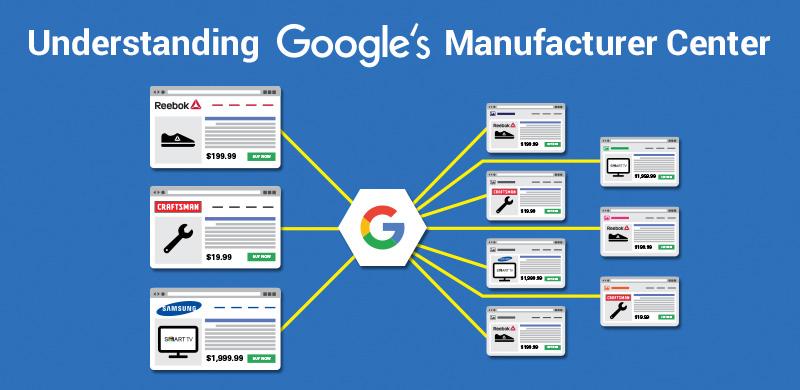
Google Manufacturer Center (GMC) gives brand manufacturers a direct channel to share rich product information with potential customers searching and shopping on Google.com and related services.
The platform enables you to:
Upload detailed product data including images, titles, and descriptions
Manage YouTube video content showcasing your products
Create a single source of truth for your brand’s product catalog

GMC vs. Google Merchant Center: Key Differences
Many brands get confused about these two platforms. Here’s the distinction:
Manufacturer Center targets brand manufacturers who produce products, letting them provide detailed specifications and authoritative product data.
Merchant Center serves retailers selling products, focusing on transactional details like pricing, availability, and shipping.
Key contrasts:
Purpose: GMC optimizes product discovery through rich product information; Merchant Center manages product feeds for direct selling
Data depth: GMC allows extensive technical specifications; Merchant Center requires basic selling information
Automation: Merchant Center integrates with e-commerce platforms like Shopify and WooCommerce; GMC requires manual data management
Getting Started: 5 Essential Steps
Step 1: Verify eligibility
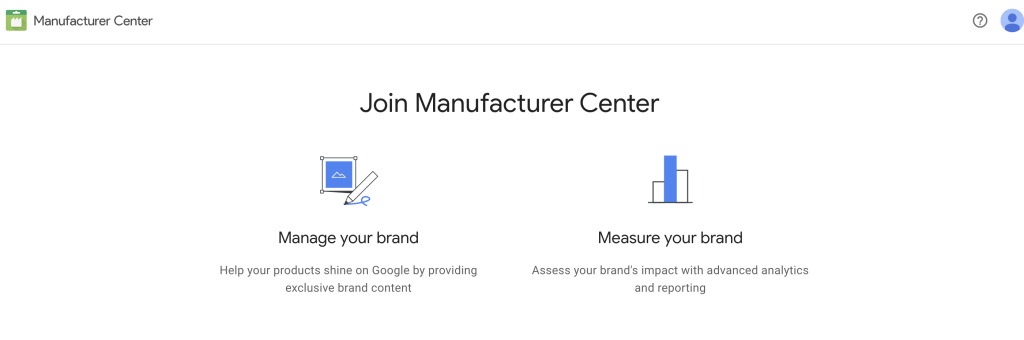
Visit the Google Manufacturer Centre website and click “Get Started.” If you sell products with GTINs, UPCs, or ISBNs in supported countries, you’re likely eligible.
Step 2: Create your account
Sign up using your Gmail account or create one if needed. You’ll need to specify whether you’re a brand owner or brand licensor—the service isn’t available to standard resellers.
Step 3: Complete verification
Google confirms you have authority to manage your brand. This review typically takes several hours to one day, so patience is essential.
Step 4: Configure settings
Follow Google’s setup guide to structure your account properly. This process usually takes a few hours.
Step 5: Upload product data
Provide detailed information across six required data fields: brand name, product ID, title, description, image link, and GTIN.

Understanding Data Field Categories
GMC organizes product attributes into three tiers:
Required fields (5 total):
Product ID
Brand name
Title
Product description
GTIN
Image link
Recommended fields include product category, feature descriptions, highlights, page URLs, and localized content variations.
Optional fields cover multipacks, variant details, attributes, subtitles, and video links.
The bottom line: While only five fields are mandatory, providing complete information dramatically improves customer experience and conversion rates.
Analytics and Performance Tracking
GMC’s analytics feature delivers critical insights into how customers interact with your products:
Click-through rates (CTRs) and impression counts
Category benchmarks comparing your products against competitors
Customer engagement patterns across Google properties
Use these metrics to refine your product data strategy and identify areas for improvement.
Why Manufacturers Love GMC
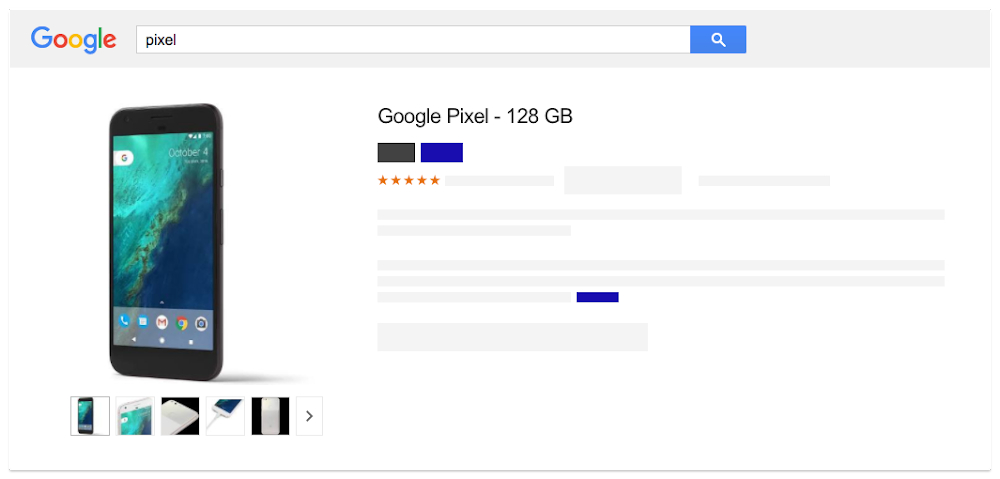
Visibility: Products appear across Google Shopping, Search, and Images—generating more traffic to your brand.
Accuracy: Customers access authoritative information directly from the source, reducing confusion and building trust.
Brand awareness: Consistent, detailed product data strengthens your market presence.
SEO optimization: Rich product information improves search rankings organically.
Better engagement: Accurate data helps customers make confident purchasing decisions.
Cost-effective: The free platform delivers enterprise-level distribution without subscription fees

GMC Meets PIM: The Catsy Connection
Here’s what brand manufacturers need to understand: GMC organizes and distributes product data, but it doesn’t replace Product Information Management (PIM) software.
The limitation: GMC lacks data cleansing, standardization, and governance capabilities that manufacturers need before uploading product information.
The solution: Catsy PIM cleanses and manages product data, creating a single source of truth. GMC then distributes that perfected data to retailers and vendors.
The bonus: Catsy combines PIM with Digital Asset Management (DAM), letting you manage product specifications alongside images, videos, and marketing content—all the rich product information GMC needs to showcase your products effectively.
This combination streamlines operations: Catsy handles data quality and asset management, while GMC handles distribution and discoverability.
Optimization Strategies That Work
Provide complete data: Don’t limit yourself to required fields. Comprehensive product information dramatically improves customer experience and conversion rates.
Use high-quality visuals: Research shows eye-catching images and colors capture consumer attention and increase product visibility more effectively than text alone.
Optimize for search: Incorporate relevant keywords throughout titles and descriptions. Avoid generic language that fails to differentiate your products.
Implement accurate identifiers: Use valid GTINs, MPNs, and other codes to help search engines match queries with your products.
Monitor performance: Track clicks, impressions, and conversions through GMC analytics. Course-correct based on data, not assumptions.
Leverage enhanced content: Upload YouTube videos, high-resolution zoomable images, and detailed descriptions to showcase product features comprehensively.
Keep data current: Regular updates ensure customers always see accurate availability, specifications, and pricing.
Use custom labels: Group products by category, seasonality, or promotional status to create targeted campaigns and improve advertising efficiency.
Localize content: If you serve multiple regions, provide market-specific titles, descriptions, and attributes relevant to each customer base.
Follow Google’s rules: Familiarize yourself with GMC policies to avoid penalties or account suspension.
Best Practices for Long-Term Success
Complete all fields: Every data field exists for a reason. Comprehensive information increases accuracy and improves the customer experience.
Prioritize SEO: Products optimized for search appear in relevant results more consistently, driving sustained traffic growth.
Use monitoring tools: GMC’s built-in analytics help you spot issues early, before they impact sales or brand reputation.
Follow specifications: Adhering to Google’s product data requirements prevents quality issues that hurt visibility.
Link with partners: Connect your GMC account with retailers and data partners to streamline information sharing.
Check Help Center regularly: Stay updated on policy changes, new features, and troubleshooting guidance to avoid violations.
Google Manufacturer Center is designed to help manufacturers, vendors, and e-commerce businesses improve their product listings on Google. By providing accurate and consistent product information, businesses can increase their visibility on the largest e-commerce network in the world.
Google Manufacturer Center works by allowing businesses to upload their product data to a single point of truth. This data is then used to optimize product listings across the Google ecosystem, including Google Shopping, Google Search, and Google Images.
The benefits of using Google Manufacturer Center include increased product visibility, access to accurate product information for potential customers, enhanced brand awareness, and improved search engine optimization (SEO).
To get started with Google Manufacturer Center, you will need to create an account and upload your product data. You can then use the platform’s tools and features to optimize your listings and track your performance.
No, there is no cost associated with using Google Manufacturer Center. It is a free tool provided by Alphabet Inc., the parent company of Google.