
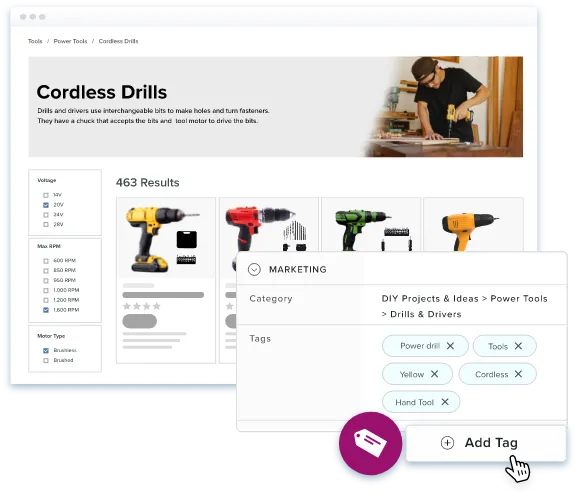
The European Accessibility Act compliance deadline is now behind us and ADA requirements remain in place. Your business is facing mounting pressure to make visual content accessible to each of your users. The challenge? Manually writing image descriptions for thousands of product images. It’s time consuming and inconsistent, and it’s just about impossible to scale.
That’s where a free automated alt text tag generator becomes essential. These AI-powered tools can create alt text in just a few clicks, eliminating manual effort and ensuring accuracy.
1. Why Alt Text Matters More Than Ever in 2025
The Web Content Accessibility Guidelines set clear expectations for website accessibility, including the need for descriptive alt text on all meaningful images. Under WCAG 2.1 Level AA standards, businesses must include image alt text so screen readers can clearly describe image content to visually impaired users.
European accessibility rules went into effect in June 2025, and in the United States, ADA requirements remain in place. When websites have missing alt text, businesses face legal risk and risk to their reputation. Research shows that over 20 percent of searches are now based on images, so your product images must have accurate alt text.
2. The Dual Power of Accessibility and SEO
When users with visual impairments visit your website with a screen reader, your alt text gives them the context they need to understand your visual content. Google’s Image Publishing Guidelines also emphasize that descriptive alt attributes can help search engines understand and properly index your images for better SEO performance.
As a part of their ranking calculations, search algorithms evaluate your image alt text. When you generate text that includes relevant keywords naturally, you signal to search engines both what your images are and how they relate to the surrounding content. A 2024 study found that images with descriptive alt have higher visibility in image search results, which translates directly to product discoverability, more organic traffic, and potential sales.
Alt text should be concise (usually under 125 characters) and descriptive, and naturally incorporate SEO keywords without stuffing. For instance, rather than “product image,” a clearer description would be “stainless steel water bottle with insulated double-wall construction.”
3. How AI-Powered Alt Text Generation Works
Modern AI-powered alt text tools analyze images and automatically generate alt text that’s both useful and accurate. The best free tools use computer vision and advanced language models to understand what’s in each of your images. They can identify objects, colors, and even context — all with a level of detail that once required quite a bit of manual effort.
An image alt text generator looks at key visual elements such as product categories and types, colors, materials, and textures, spatial relationships and positioning, text that appears inside images, and overall style and visual characteristics. Once these details are identified, the system converts them into clear alt text that’s human-readable and follows accessibility guidelines.
Replace with the Catsy free tool Elementor widget.
Tool URL: https://catsy.com/free-pim-dam-ai-tools/alt-text-generator
Accuracy and Human Review
AI generated alt text has improved significantly, but it’s not flawless. More complex images or specialized products will usually benefit from a quick human review. The most effective workflows incorporate AI with human oversight to ensure an accurate, brand-relevant description is displayed to your customers.
Bulk Processing at Scale
If your teams are managing large media libraries, automation is a game changer. These tools can process thousands of images in just minutes, not weeks of manual work. This makes updating your entire library a reality and keeps your new uploads consistent.
4. PIM Software: Your Complete Alt Text Solution
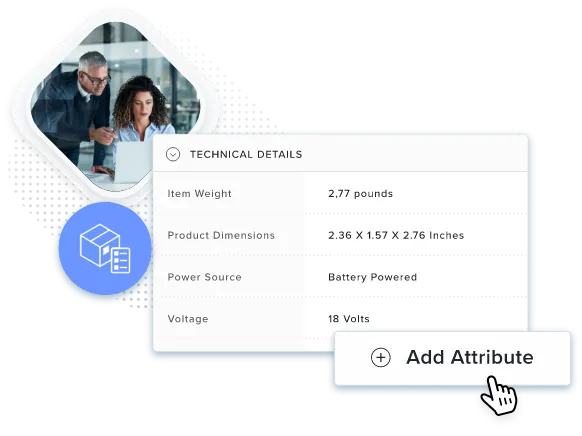
A standalone alt text generator can help with your individual images, while a PIM provides the infrastructure to manage your alt text at scale. PIM systems with integrated Digital Asset Management (DAM) functionality store product images right alongside their metadata — including image alt text, detailed descriptions, and even your tech specs. When you create alt text in your PIM, those changes automatically propagate to each channel where that image appears.
A modern PIM incorporates AI alt text generation directly into image upload workflows. As soon as you input a new product photo, the generator analyzes it and suggests the text to you. Your product managers can review and edit these suggestions before they’re published to ensure relevancy and consistency to your brand.
PIM systems can flag images with missing alt text, track website accessibility compliance across your entire catalog, and generate reports showing which products need attention. This visibility prevents compliance gaps that could expose you to legal risk while ensuring every image has high quality alt text that boosts your SEO.
5. Best Practices for Implementing Automated Tagging
