
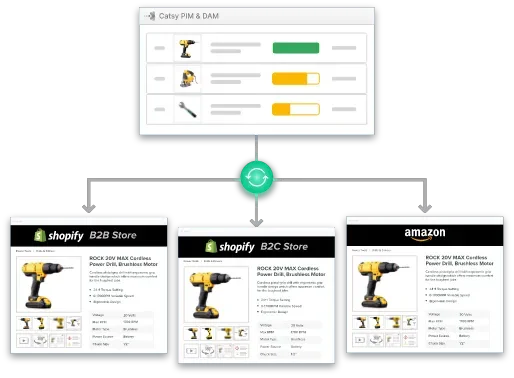
Running a multi-country Shopify operation? You’ve likely hit the wall with Shopify’s native product limitations. When you’re managing advanced product options across multiple storefronts — each with different languages, currencies, and systems of measurement — those constraints become more than frustrating. They become revenue blockers.
With 30% of online store visitors coming from international markets, getting advanced product options right across your Shopify stores has never mattered more. Here’s how to break through these barriers and build a solution that scales.
1. Understanding Shopify’s Product Limitations
The Multi-Market Multiplication Problem
A t-shirt in one market might combine 5 colors, 6 sizes, and 2 styles for 60 variants — fine. Now add international complexity. The same product needs:
You’re suddenly at 180+ variant options for a single product across three markets — 80 percent over Shopify’s native limit. And that’s before accounting for color localization, regional compliance labeling, or currency-specific pricing tiers.
Why Basic App Workarounds Fail Globally
Many Shopify apps that claim to bypass the 100-variant limit create new problems for international businesses:
Advanced product options apps can create an unlimited number of custom options — useful for a single market. But for multi-market operations, you need more than unlimited customization. You need a unified architecture that prevents an unmanageable product catalog across separate stores.
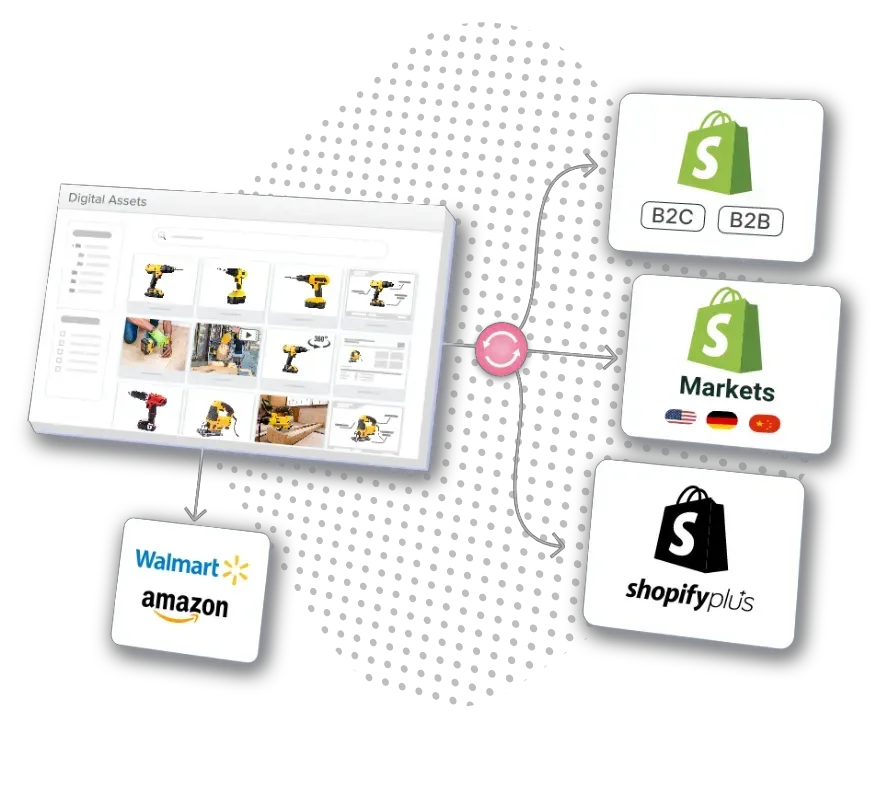
2. Why Multi-Store Merchants Need Advanced Options
The Full Complexity Picture
Key Option Types That Matter Globally
The Coordination Challenge
Without proper systems, managing custom options across markets becomes a full-time job. Your team manually maintains 47 product variants for your US store, 52 slightly different variants for EU compliance, and 38 variants for APAC with different sizing — each requiring separate translations, pricing adjustments, and regulatory checks. One pricing error multiplied across 15 markets can cost thousands in lost revenue or compliance penalties.
Impact on Customer Experience
3. PIM Software: The Complete Solution
Why PIM Solves What Apps Can’t
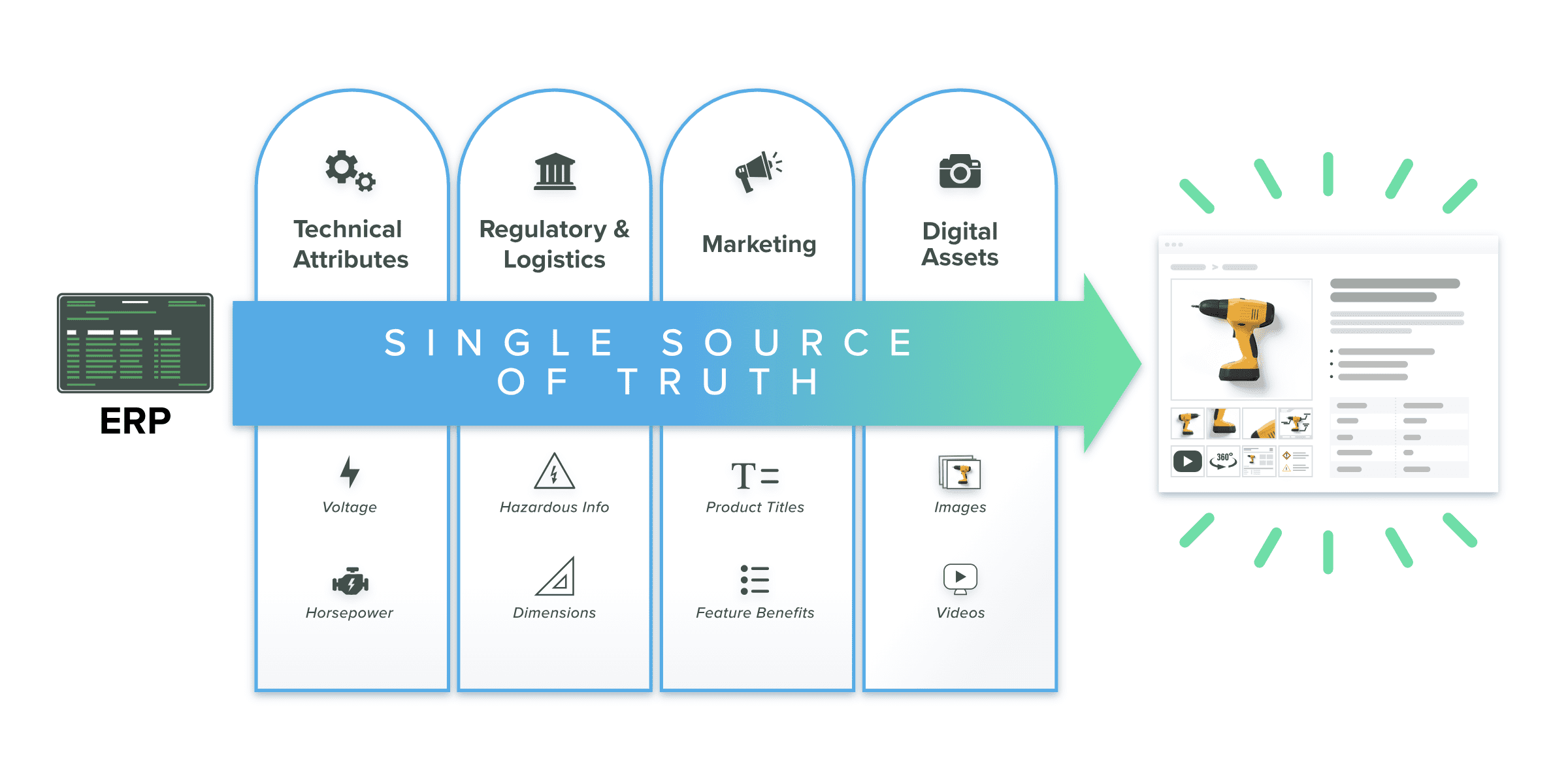
The best PIM for Shopify handles the full complexity chain:
Unlike an advanced product options app that only addresses the variant limit, a PIM system handles the entire product template from creation to distribution across your Shopify stores. The strategy of grouping multiple product options through centralized templates prevents cluttered or confusing product pages — critical when managing options across multiple languages.
Technical Architecture Advantages
PIM systems manage multi-language, multi-currency, and region-specific data while pushing clean, market-appropriate product information to each of your stores. You maintain one master product catalog, and the PIM handles distribution and localization:
Real Operational Impact
Merchants using PIM for advanced product options consistently report:
4. Implementation Strategies for Global Merchants
Phase 1: Audit and Architecture Planning
Start by mapping your current advanced product structure:
Phase 2: PIM Deployment for Multi-Store Operations
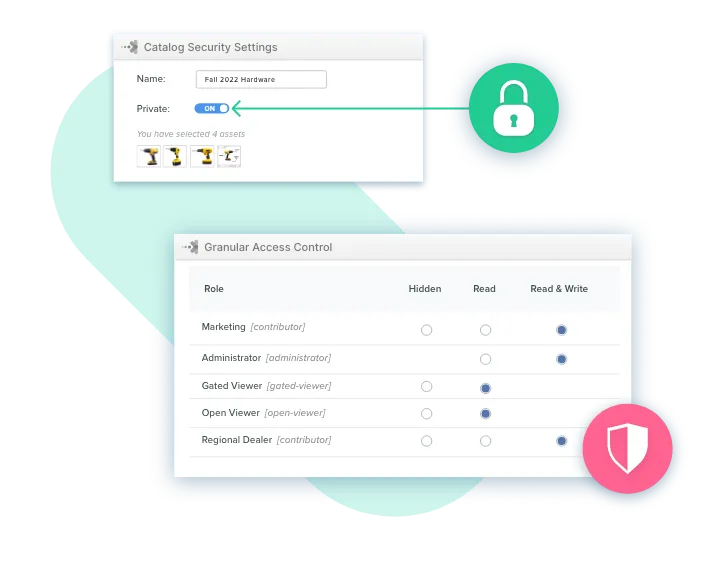
Set up market hierarchies: Create parent-child relationships between your global catalog and regional storefronts. Master products flow down to each market with appropriate localization, ensuring consistency while enabling regional customization.
Configure currency rules: Establish base prices in your primary currency, then set markup and markdown rules per market to account for shipping, taxes, and competitive positioning. Dynamic pricing provides real-time price updates as customers make selections, building trust and reducing cart abandonment.
Build translation workflows: Integrate translation services directly into your PIM to automatically localize product option names and descriptions. This localization happens before content reaches customers, not reactively.
Create reusable templates: Build templates for common option combinations — size, color, material — that can be applied to multiple products. This dramatically reduces time to create new listings while maintaining consistency across your catalog.
Phase 3: Shopify Integration with Data Quality Controls
Phase 4: Advanced Option Optimization
Recent PIM Innovations Worth Noting

Key Takeaways

Frequently Asked Questions
Shopify has a hard limit of 100 variants per product that can’t be increased through native features on any plan. Shopify has announced a higher 2,048 variant limit via the GraphQL API, but that applies only to development stores and isn’t available in the admin panel for live stores. Apps can work around this by creating unlimited custom options, which helps in simpler cases. For international businesses managing multiple currencies, languages, and regional product rules, a PIM system is the more scalable approach — keeping product data centralized without creating an unmanageable catalog.
You set base prices in one main currency, and the PIM handles market-specific adjustments automatically — applying real-time exchange rates, local tax rules, and regional pricing strategies. As customers make selections, prices update instantly in their local currency. This builds trust, reduces cart abandonment, and eliminates the manual pricing errors that multiply across markets when managed store-by-store.
Your existing products stay in your Shopify store. PIM doesn’t replace them — it acts as a control center that manages product information before it reaches Shopify. You import your current product data into the PIM, add international versions and localization rules, then deploy when ready. Most merchants run Shopify and PIM in parallel during the transition, migrating products gradually starting with the most complex or customizable ones to minimize disruption.
Yes — this is a core capability. Once you define conversion rules, the system handles unit conversions automatically. US customers see inches and pounds, European buyers see centimeters and kilograms, and Asian markets see region-appropriate sizing — all from one master product record. This applies to dimensions, weights, specifications, clothing sizes, and any other measurement-based product attributes.
For most multi-market Shopify setups, a realistic timeline is 6 to 12 weeks: 2 to 3 weeks for discovery and planning, 3 to 4 weeks for PIM configuration and Shopify store connections, then 2 to 4 weeks for testing, team training, and phased rollout. The upfront investment pays off quickly through faster product launches and significantly reduced ongoing manual work. A 14-day trial period is rarely sufficient to evaluate a PIM properly in a real-world multi-store setup — an extended proof of concept is worth requesting.
Both approaches work, and PIM enables either through reusable option sets. A clothing brand might use separate products for different product lines but unlimited variants within each for size and color combinations. PIM’s conditional logic lets you show relevant options based on customer location — European shoppers see metric sizes, Americans see imperial — without requiring separate product records per market.
Not if implemented correctly through PIM with proper optimization. PIM-based solutions push properly structured product data to Shopify’s native infrastructure rather than adding JavaScript-heavy app layers. The key is ensuring data is optimized before publishing: compressed images, clean attribute structures, and compliance with Shopify’s display limits. Note that Shopify limits Liquid to display only the first 250 variants on product pages to maintain performance — a PIM architecture works within this constraint rather than fighting it.
Where to Next?
Advanced product options are where the complexity of international commerce really shows itself. Every market wants something slightly different — different sizes, different units, different pricing signals. The merchants who navigate this well aren’t configuring it store-by-store. They’re setting it once, governing it centrally, and letting a well-built data infrastructure carry the load across every market they serve.
Unlock Advanced Product Options Across Every Shopify Store
Catsy’s PIM manages unlimited product variants, conditional logic, regional pricing, and localization rules in one governed record — then syndicates cleanly to every connected Shopify store. No variant limits. No manual store-by-store updates. Just accurate options in every market.
Book a Demo