
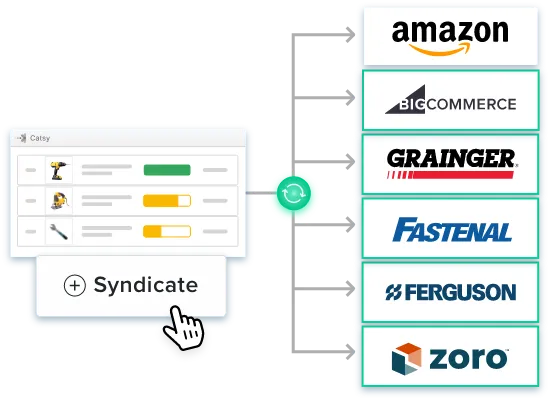
Channel Syndication

Product Content Syndication: How to Syndicate Product Data Across Every Channel

From product feed files to GDSN to marketplace-specific requirements — a practical guide for manufacturers and distributors who need their product data accurate everywhere it appears.

By Ceejay S Teku  ·  June 2026  ·  12-min read
Product content syndication across every channel — Catsy PIM
What You'll Learn
What product content syndication is — and how product feed files and feed URLs actually work
Why the digital shelf is won or lost at the data layer, backed by current market data
What each major channel actually requires: Amazon, Walmart, Home Depot, Grainger, Google Shopping, and Shopify
What GDSN is, who uses it, and where it fits in a complete syndication strategy
8 questions to ask before choosing a syndication platform — and what strong answers look like
A 5-step implementation process that builds sustainable syndication, not a fragile launch

Think of product content syndication as the plumbing behind your digital shelf presence. It’s the automated process of pushing product data — titles, images, specs, pricing, availability — from one central source out to every sales channel simultaneously, with no manual uploads and no channel-by-channel re-entry.

This has nothing to do with blog posts, social media, or editorial content. Product content syndication is specifically about product data feeds and the systems that move them accurately to channels at scale. The digital shelf is where purchase decisions happen. A title that’s too long, a missing GTIN, or an image with a colored background instead of white can pull a product from results entirely. A data error that removes a product from search results isn’t recoverable until the next feed validation cycle.

What Is Product Content Syndication?

Product content syndication is the automated distribution of product data from a single governed source to multiple sales channels simultaneously. The mechanics come down to two formats: product feed files and product feed URLs.

A product feed file is a structured data export — typically XML, CSV, or JSON — containing all the attributes a specific channel requires. A product feed URL is a hosted endpoint the channel pulls from on a schedule, so data updates automatically without anyone uploading a file manually. Both move product data from your product information management system to the channel that needs it.

Different channels use different delivery methods. Amazon vendors typically submit via flat files through Vendor Central; third-party sellers can connect via the Selling Partner API. Google Shopping pulls from a feed URL through Merchant Center. GDSN retailers require certified data pool submissions. A solid product content syndication strategy covers all three, built on product data management practices that keep the source of record clean.

The digital shelf is the collective presence your products have across every channel where buyers can find and evaluate them. Product content syndication is the operational system that keeps that presence accurate, complete, and channel-compliant at scale.
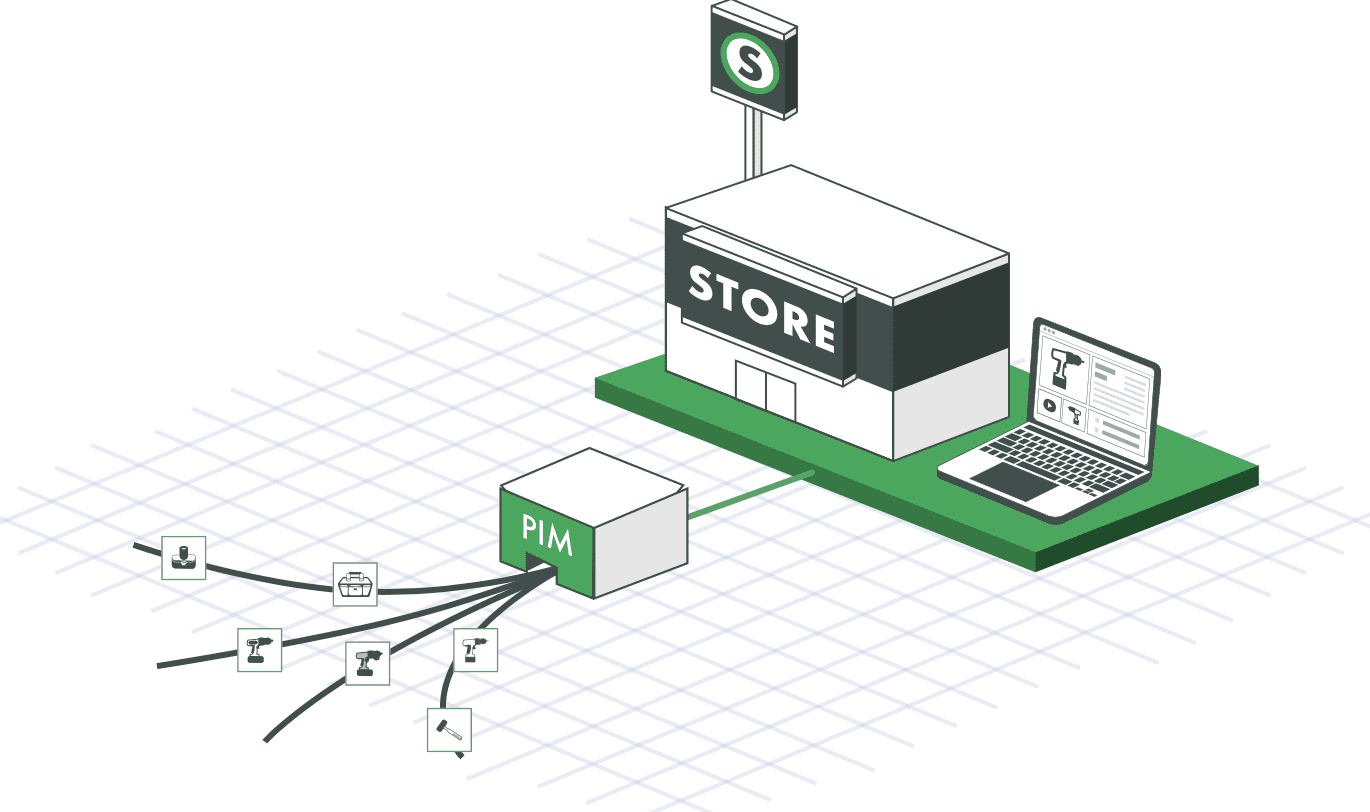
Catsy is your Single Source of Truth for all your Product Information and Digital Asset Management (PIM & DAM)

Why Product Content Syndication Matters

$3.8T
GMV across the top 100 online marketplaces in 2024
Digital Commerce 360
60%
of Amazon units sold by third-party sellers (Q1 2026)
Marketplace Pulse
98%
of manufacturers face data issues that stifle innovation and time to market
Hexagon / Forrester, March 2024

The $3.8 trillion figure is the competitive arena your product data enters. The 60% Amazon figure shows its density: millions of third-party sellers competing for the same search placements, the same Buy Box positions, the same product detail page real estate. In that field, what separates a listing that surfaces from one that doesn’t is whether the product data meets each channel’s specifications precisely enough to avoid suppression and remain eligible for placement.

The 98% failure rate is where the opportunity sits — and where the risk is concrete. Poor data quality produces four specific, measurable outcomes in a product content syndication context:

·Listing suppression — channels remove products that fail content quality thresholds
·Buy Box ineligibility — stale pricing or inventory data disqualifies sellers automatically
·Feed rejection — malformed or incomplete feeds get rejected in bulk, not just the problem SKUs
·Content score penalties — Walmart’s Content Quality Score, Amazon’s listing quality metrics, and Google’s feed health scores all flag incomplete data and suppress organic placement

Channel-by-Channel Requirements for Product Content Syndication

Every channel maintains its own specification sheet — compliance is not negotiable. Here’s what each of the major channels actually requires.

ChannelKey RequirementsWithout Them
AmazonTitles 80–200 chars · 5 bullet points · GTIN required · Pure white background images (RGB 255,255,255, min 1,000px) · A+ Content for brand-registered sellersWrong browse node = wrong attribute template = listing suppression. Missing GTIN = listing ineligible.
WalmartWalmart taxonomy codes (Amazon browse nodes don’t transfer) · Content Quality Score governs ranking and Buy Box · Titles 50–75 chars · 360-degree imagery for qualifying categoriesLow Content Quality Score suppresses listings regardless of price. Mismatched taxonomy causes feed rejection.
Home DepotStructured spec sheets · Installation guides · 360-degree imagery · Compliance certification docs (UL, ETL)Missing certification docs block listing approval in regulated product categories.
GraingerIndustrial specs in standardized attribute format · CAD files for engineered products · SDS compliance docs · Cross-reference numbers · UNSPSC codesProducts without valid UNSPSC codes or cross-reference numbers are rejected from data intake.
Google ShoppingGTIN required · Google Product Taxonomy code · Price & availability updates daily minimum · Schema markup on product landing pagesStale data drops feed health scores and wastes paid search spend. Missing GTIN limits Shopping ad eligibility.
ShopifyMetafields for extended attributes · Collections structure aligned to navigation · Storefront API for headless implementations · 3D model support for qualifying productsAttributes beyond standard fields get dropped without metafields. Headless implementations break without Storefront API.

Image and asset specs are as varied as data specs. Keeping digital asset management connected to your product data — rather than running it in a separate system — is the only practical way to get the right asset version to each channel automatically.

What Is GDSN and When Do You Need It?

GDSN (the Global Data Synchronization Network) gets left out of most product content syndication guides. The omission matters most for manufacturers selling through grocery and large retail trading partners.

What GDSN Is

A worldwide network of interoperable data pools built on GS1 standards. Rather than exchanging spreadsheets or one-off data files with each retailer, suppliers and retailers both connect to certified data pools that synchronize product data automatically using a shared GS1 attribute structure.

Who Uses It

Grocery, CPG, and large retail chains. Walmart, Target, Kroger, and Costco require GDSN-compliant data exchange from most of their suppliers. If you’re selling to any of them, GDSN is the default prerequisite for getting your data into their systems — exceptions exist by category, but they’re the exception, not the rule.

How It Works

A supplier publishes product data to a GS1-certified data pool. The retailer subscribes and receives synchronized data automatically. GTINs are the mandatory linking key. The shared GS1 attribute structure means no custom mapping is needed for each individual retailer relationship.

Where It Fits

GDSN covers the B2B layer: direct retailer-to-supplier data exchange. It’s not a substitute for marketplace feed syndication — it’s a parallel track. Manufacturers selling through both retail trading partners and digital marketplaces need both running simultaneously.
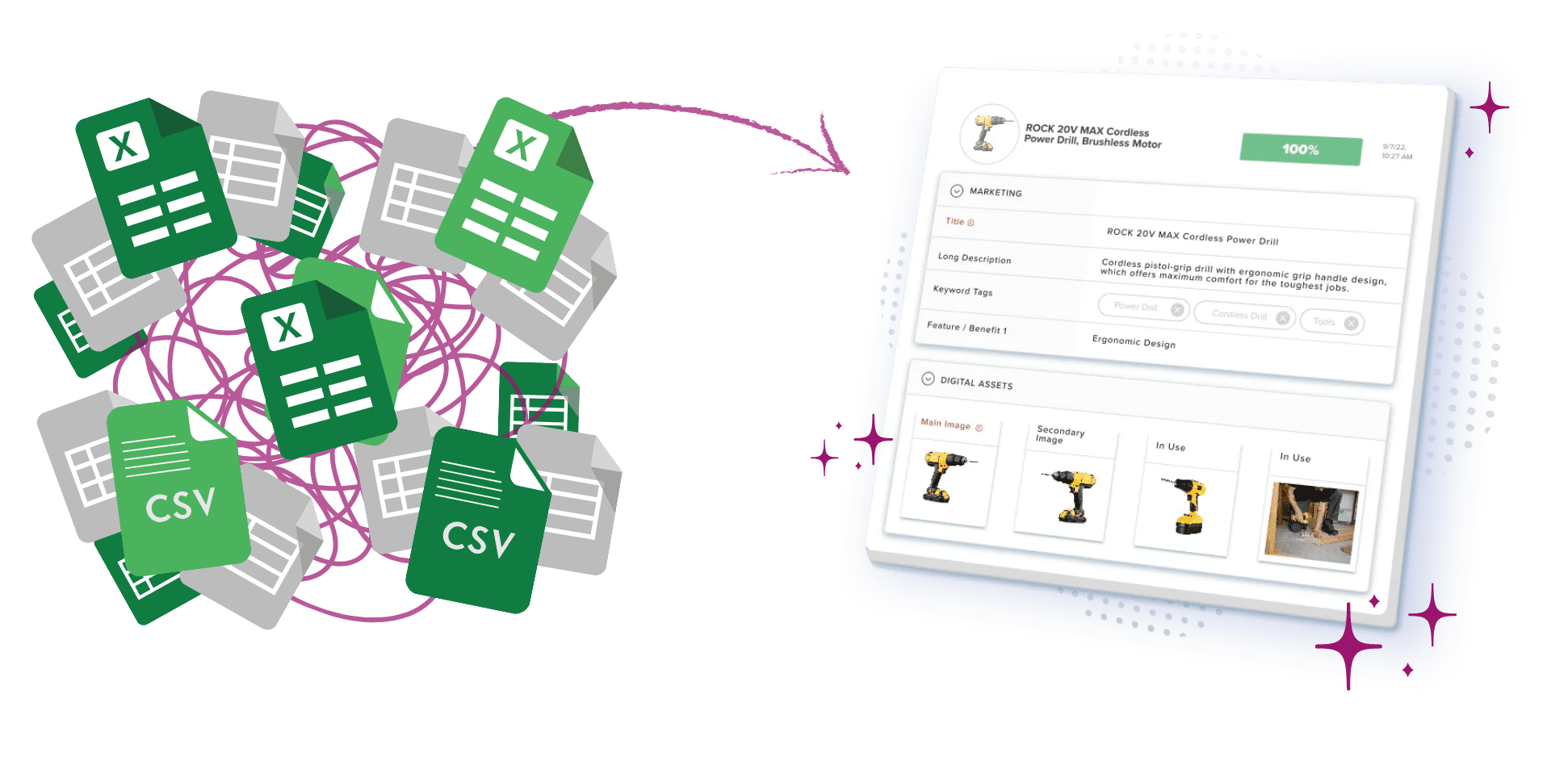
Product specification management guide — streamlining product development with PIM

8 Questions to Ask Before Choosing Syndication Software

The right evaluation moves past feature lists to operational questions — how a platform performs when specs change, feeds break, or a channel flags errors. These eight questions reveal that.

1
What channels does it support natively?

Certified connections are vendor-maintained API integrations — when Amazon updates its feed specification, the vendor pushes the update. Template-based connections give you a file format to work from, but when specs change, your team manages the updates. If you can’t dedicate resources to monitoring channel spec changes constantly, certified connections are worth prioritizing.

2
What feed formats does it generate?

Look for native XML, CSV, and JSON output, plus GDSN-compatible exports for retail trading partners. If a platform only generates one format, every channel that needs something different becomes a custom integration project — adding cost and maintenance burden every time channel specs change.

3
How does it handle automation and workflow?

Three things matter: feed scheduling (how frequently updates go out), trigger-based publishing (does a price change in PIM automatically push to all channels, or does someone have to initiate it?), and approval workflows for high-stakes categories. Anywhere manual publishing is required, you’ve created a chokepoint that undercuts the whole point of product content syndication.

4
How does it validate content before syndication?

Pre-flight validation catches missing GTINs, title length violations, image spec failures, and missing required attributes before the feed leaves your system. Ask vendors to walk through their validation rule set per channel specifically. “We validate content” is a marketing statement, not a specification.

5
How close to real-time is price and inventory sync?

Stale pricing on marketplace channels causes Buy Box loss and order cancellations. Google Shopping needs daily updates at minimum. Anything less and feed health scores start to slide. Get the actual sync cadence in writing for your priority channels — not just a reassurance that it’s “real-time.”

6
Does it include Digital Asset Management (DAM)?

Syndication isn’t just structured data. It’s images, videos, PDFs, CAD files, and everything else channels require alongside product specs. A platform with integrated digital asset management means the right asset version (white background for Amazon, 360-degree for Walmart, CAD for Grainger) is automatically paired with the right product record. Without that integration, asset versioning becomes a separate, manual, error-prone process running in parallel.

7
Is it certified with priority channels?

Amazon, Walmart, and Google run certification programs for syndication partners. Certified vendors get earlier notice of spec changes, have dedicated escalation paths when feeds break, and appear in channel partner directories. Ask which specific channels the vendor is certified with — not just whether certifications exist generally.

8
What reporting and feedback does it provide?

The real test is what happens after the feed goes out. Does it surface channel feedback — rejections, content score drops, suppressed listings, image compliance warnings — back into your workflow? Without that feedback loop, you find out about problems when revenue drops, not when the issue first appears. By then, the revenue impact is already measurable.

These questions apply whether you’re evaluating a standalone syndication tool or a PIM for manufacturers platform with syndication built in.

How to Choose the Right Product Content Syndication Software

The right platform depends on who you are and what channels you need to reach. Three buyer profiles, three different priority sets.

Mid-Market Manufacturers & Distributors

Prioritize PIM + DAM + Syndication in One Platform

Syndicating from a governed product information management source — not spreadsheets or ERP exports — ensures every channel feed draws from validated, complete data. Catsy combines PIM, DAM, and syndication in one platform purpose-built for mid-market manufacturers and distributors: pre-loaded channel templates, built-in validation, and automated distribution from a single source of truth to every channel simultaneously.

Enterprise CPG & Grocery Brands

Lead with GDSN Certification

Check whether the platform is itself a certified GS1 data pool or integrates directly with a GS1-certified data pool provider. There’s no workaround for selling to Walmart, Target, Kroger, or Costco. GDSN compliance is mandatory for most product categories, and a syndication platform without it isn’t a complete solution for this buyer profile.

DTC & Marketplace-First Sellers

Focus on Channel Breadth and Sync Speed

Prioritize the number and quality of direct channel connections, near-real-time price and inventory sync, and content score visibility. GDSN typically isn’t in scope here. Certified API connections to Amazon, Walmart, and Google Shopping are what drive digital shelf performance.

How to Implement Product Content Syndication in 5 Steps

Done well, product content syndication is an ongoing operation, not a launch-and-forget project. Here’s the sequence that actually holds up.

1
Audit your current product data quality. Don’t connect channels before you know what you’re working with. Pull a full catalog export and assess what’s there: which products have complete attributes, which are missing GTINs, which have images that won’t clear channel specs. Syndicating before this audit means pushing bad data at scale. The specific consequences are predictable: mass listing rejections, products suppressed from search entirely, and feed penalties that affect everything in the file — not just the problem SKUs.
2
Map attributes to each channel’s requirements. For each priority channel, document which fields are required, which are recommended, and which are channel-specific — Walmart taxonomy codes, UNSPSC codes for Grainger, browse nodes for Amazon. Use each channel’s own spec documentation as the source, not guesswork. This matrix becomes the governance document your product team works from when creating or updating records.
3
Centralize product data in a PIM system. Without a central product information management source, product content syndication breaks down fast. Edits scatter across files, versions drift apart, and channel feeds go stale between updates. Centralizing in Catsy means every channel output draws from one validated record, with role-based workflow for updates and product data management controls built into the process.
4
Connect priority channels first, validate thoroughly, then expand. Resist connecting everything at once. Start with your highest-revenue channel, run a test batch of 50 to 100 products, review channel feedback carefully, and clear every error before scaling up or adding additional channels. This validation phase — checking content scores, reviewing rejected listings, confirming image compliance — is what makes a launch stick rather than requiring cleanup after the fact.
5
Build a content governance and update workflow. Syndication needs an owner and a cadence. Define who manages each channel’s feed, how often data refreshes, how pricing and inventory changes trigger re-syndication, and how channel feedback gets routed to whoever can resolve it. Catsy handles the automation side: approval workflows, role-based access, and re-syndication triggers on price or inventory change, so the digital shelf stays accurate without manual intervention at every update cycle.
Implementation timeline with Catsy: Based on Catsy’s implementations with mid-market manufacturers, initial product content syndication setup — from audit through first validated channel output — typically completes in 30 to 60 days using Catsy’s pre-loaded channel templates and built-in validation rules.

What’s Next?

Product content syndication is no longer a nice-to-have for manufacturers and distributors. It is already reshaping how brands reach channels, govern data quality, and scale across marketplaces and distributor networks without adding headcount. But technology alone does not close the gap. The real advantage comes from pairing a capable syndication platform with a clear data strategy — knowing who owns what, which system holds the source of truth, and how validated content flows from your PIM into every downstream channel automatically.

When you scale well, you don’t just connect more channels — you syndicate from a clean, governed source. That’s what separates digital shelf management that compounds over time from syndication that requires constant firefighting. A product information management system is what makes that foundation possible.

Book a demo with Catsy

Key Takeaways

Product content syndication is the automated distribution of product data from a single governed source to every channel — not a content marketing strategy, and not optional at scale
Product feed files (XML, CSV, JSON) and feed URLs are the delivery mechanisms; the syndication system is what makes them reliable through governance, validation, and workflow
Every major channel has its own specification sheet: Amazon, Walmart, Home Depot, Grainger, Google Shopping, and Shopify each require different formats, codes, and asset types — compliance is not negotiable
GDSN is mandatory for most suppliers selling to Walmart, Target, Kroger, and Costco — it’s a parallel track to marketplace feed syndication, not a replacement
Pre-flight content validation separates a syndication platform from a pipe — ask vendors for their exact validation rule set per channel, not a general assurance that they “validate content”
Syndicating from a governed PIM source ensures data quality at every channel; syndicating from spreadsheets or raw ERP exports just distributes the data problems you already have
Catsy is your Single Source of Truth for all your Product Information and Digital Asset Management (PIM & DAM)

Frequently Asked Questions

What is product content syndication?

Product content syndication is the automated process of distributing product data — titles, images, specs, pricing, availability — from a single governed source to multiple sales channels simultaneously. It’s not content marketing. It’s the operational infrastructure that keeps product information accurate and channel-compliant wherever your products appear online.

What is the difference between product content syndication and a product feed?

A product feed — whether a feed file in XML, CSV, or JSON, or a product feed URL — is the delivery format. Product content syndication is the system around it: the governance, validation, and workflow that ensures what’s in the feed is correct before it goes out. A feed without that infrastructure is just a data export. What makes it product content syndication is the process that makes feeds reliable at scale.

Do I need GDSN for product content syndication?

It depends on where you sell. If your channels include Walmart, Target, Kroger, or Costco, GDSN is mandatory for most product categories — those retailers require GS1-certified data exchange from most suppliers. For marketplace and direct digital channels like Amazon, Google Shopping, and Shopify, you don’t need GDSN; direct API feeds handle those. Many manufacturers need both tracks running at the same time.

What is the difference between product content syndication and a PIM?

A product information management system is where product data lives, gets enriched, and gets validated. Product content syndication is how that data gets pushed out to channels. PIM is the source; syndication is the distribution layer. The quality of your syndicated data is only as good as what’s in your PIM, which is why syndicating from spreadsheets or raw ERP exports tends to produce inconsistent, error-prone feeds over time.

What happens when product content syndication fails?

The consequences are specific and measurable: listings get suppressed when products don’t meet content thresholds, sellers lose Buy Box eligibility when pricing or inventory data goes stale, entire feed files get rejected when required attributes are missing, and organic placement drops when content scores fall below channel thresholds. These are channel-reported outcomes that show up directly in revenue — not abstract risks.

How many channels should I syndicate to at launch?

Start with one or two priority channels, get clean feeds with no rejections, then expand. Going wide before validating makes problems harder to diagnose. Channel feedback from a single integration often surfaces data gaps you didn’t know existed. Fix those first, then scale. Connecting everything at once means the first month is typically spent on cleanup that a careful test batch would have caught.

Where to Next?

Product content syndication is no longer a nice-to-have for manufacturers and distributors. The real advantage comes from pairing a capable syndication platform with a clear data strategy — knowing who owns what, which system holds the source of truth, and how validated content flows from your PIM into every downstream channel automatically.

Ready to Syndicate Product Data Across Every Channel?

Catsy combines PIM, DAM, and syndication in one platform — pre-loaded channel templates, built-in validation, and automated distribution from a single source of truth. One governed record. Every channel served.

Book a Demo
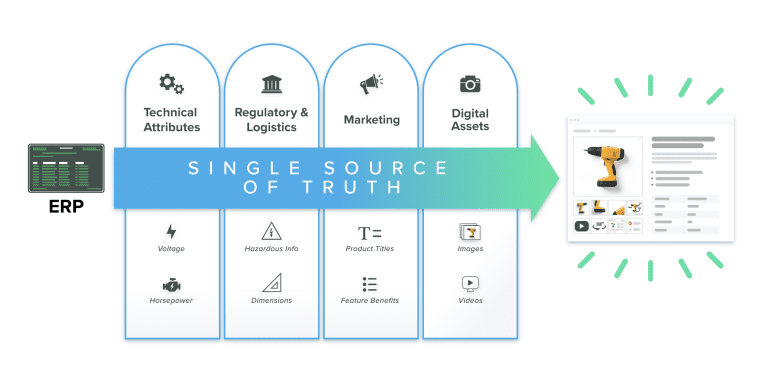
pim-single-source-of-truth-erp-to-pdp-eliminate-silos-diagram

What Is Product Content Syndication?

Product content syndication is the automated distribution of product data from a single governed source to multiple sales channels simultaneously. The mechanics come down to two formats: product feed files and product feed URLs.

A product feed file is a structured data export — typically XML, CSV, or JSON — containing all the attributes a specific channel requires. A product feed URL is a hosted endpoint the channel pulls from on a schedule, so data updates automatically without anyone uploading a file manually. Both move product data from your product information management system to the channel that needs it.

Different channels use different delivery methods. Amazon vendors typically submit via flat files through Vendor Central; third-party sellers can connect via the Selling Partner API. Google Shopping pulls from a feed URL through Merchant Center. GDSN retailers require certified data pool submissions. A solid product content syndication strategy covers all three, built on product data management practices that keep the source of record clean.

The digital shelf is the collective presence your products have across every channel where buyers can find and evaluate them. Product content syndication is the operational system that keeps that presence accurate, complete, and channel-compliant at scale.

Why Product Content Syndication Matters

Three numbers establish the stakes — and what's at risk when your product data doesn't meet channel requirements.

$3.8T
GMV across the top 100 online marketplaces in 2024
Digital Commerce 3601
60%
of Amazon units sold by third-party sellers (Q1 2026)
Marketplace Pulse2
98%
of manufacturers face data issues that stifle innovation and time to market
Hexagon / Forrester, March 20243

The $3.8 trillion figure is the competitive arena your product data enters. The 60% Amazon figure shows its density: millions of third-party sellers competing for the same search placements, the same Buy Box positions, the same product detail page real estate. In that field, what separates a listing that surfaces from one that doesn't is whether the product data meets each channel's specifications precisely enough to avoid suppression and remain eligible for placement.

The 98% failure rate is where the opportunity sits — and where the risk is concrete. In a product content syndication context, poor data quality produces four specific, measurable outcomes:

Listing suppression — channels remove products that fail content quality thresholds
Buy Box ineligibility — stale pricing or inventory data disqualifies sellers automatically
Feed rejection — malformed or incomplete feeds get rejected in bulk, not just the problem SKUs
Content score penalties — Walmart's Content Quality Score, Amazon's listing quality metrics, and Google's feed health scores all flag incomplete data and suppress organic placement

In a market this large, what determines your digital shelf visibility isn't catalog size — it's consistently accurate product content syndication.

Channel-by-Channel Requirements for Product Content Syndication

Every channel maintains its own specification sheet — compliance is not negotiable. Here's what each of the major channels actually requires.

ChannelKey RequirementsWhat Happens Without Them
AmazonTitles 80–200 chars · 5 bullet points · GTIN required · Pure white background images (RGB 255,255,255, min 1,000px) · A+ Content for brand-registered sellersWrong browse node = wrong attribute template = listing suppression. Missing GTIN = listing ineligible.
WalmartWalmart taxonomy codes (Amazon browse nodes don't transfer) · Content Quality Score governs ranking and Buy Box · Titles 50–75 chars · 360-degree imagery for qualifying categoriesLow Content Quality Score suppresses listings regardless of price. Mismatched taxonomy causes feed rejection.
Home DepotStructured spec sheets · Installation guides · 360-degree imagery · Compliance certification docs (UL, ETL)Missing certification docs block listing approval in regulated product categories.
GraingerIndustrial specs in standardized attribute format · CAD files for engineered products · SDS compliance docs · Cross-reference numbers · UNSPSC codesProducts without valid UNSPSC codes or cross-reference numbers are rejected from data intake.
Google ShoppingGTIN required · Google Product Taxonomy code · Price & availability updates daily minimum · Schema markup on product landing pagesStale data drops feed health scores and wastes paid search spend. Missing GTIN limits Shopping ad eligibility.
ShopifyMetafields for extended attributes · Collections structure aligned to navigation · Storefront API for headless implementations · 3D model support for qualifying productsAttributes beyond standard fields get dropped without metafields. Headless implementations break without Storefront API.

Image and asset specs are as varied as data specs. Keeping digital asset management connected to your product data — rather than running it in a separate system — is the only practical way to get the right asset version to each channel automatically.

8 Questions to Ask Before Choosing Syndication Software

The right evaluation moves past feature lists to operational questions — how a platform performs when specs change, feeds break, or a channel flags errors. These eight questions reveal that.

1
What channels does it support natively?Certified connections are vendor-maintained API integrations — when Amazon updates its feed specification, the vendor pushes the update. Template-based connections give you a file format to work from, but when specs change, your team manages the updates. If you can't dedicate resources to monitoring channel spec changes constantly, certified connections are worth prioritizing.
2
What feed formats does it generate?Look for native XML, CSV, and JSON output, plus GDSN-compatible exports for retail trading partners. If a platform only generates one format, every channel that needs something different becomes a custom integration project — adding cost and maintenance burden every time channel specs change.
3
How does it handle automation and workflow?Three things matter: feed scheduling (how frequently updates go out), trigger-based publishing (does a price change in PIM automatically push to all channels, or does someone have to initiate it?), and approval workflows for high-stakes categories. Anywhere manual publishing is required, you've created a chokepoint that undercuts the whole point of product content syndication.
4
How does it validate content before syndication?Pre-flight validation catches missing GTINs, title length violations, image spec failures, and missing required attributes before the feed leaves your system. Ask vendors to walk through their validation rule set per channel specifically. "We validate content" is a marketing statement, not a specification.
5
How close to real-time is price and inventory sync?Stale pricing on marketplace channels causes Buy Box loss and order cancellations from customers who were shown a price that's no longer valid. Google Shopping needs daily updates at minimum. Anything less and feed health scores start to slide. Get the actual sync cadence in writing for your priority channels — not just a reassurance that it's "real-time."
6
Does it include Digital Asset Management (DAM)?Syndication isn't just structured data. It's images, videos, PDFs, CAD files, and everything else channels require alongside product specs. A platform with integrated digital asset management means the right asset version (white background for Amazon, 360-degree for Walmart, CAD for Grainger) is automatically paired with the right product record. Without that integration, asset versioning becomes a separate, manual, error-prone process running in parallel.
7
Is it certified with priority channels?Amazon, Walmart, and Google run certification programs for syndication partners. Certified vendors get earlier notice of spec changes, have dedicated escalation paths when feeds break, and appear in channel partner directories. Ask which specific channels the vendor is certified with — not just whether certifications exist generally.
8
What reporting and feedback does it provide?The real test is what happens after the feed goes out. Does it surface channel feedback — rejections, content score drops, suppressed listings, image compliance warnings — back into your workflow? Without that feedback loop, you find out about problems when revenue drops, not when the issue first appears. By then, the revenue impact is already measurable.

These questions apply whether you're evaluating a standalone syndication tool or a PIM for manufacturers platform with syndication built in.

How to Choose the Right Product Content Syndication Software

The right platform depends on who you are and what channels you need to reach. Three buyer profiles, three different priority sets.

Mid-Market Manufacturers & Distributors
Prioritize PIM + DAM + Syndication in One Platform

Syndicating from a governed product information management source — not spreadsheets or ERP exports — ensures every channel feed draws from validated, complete data. Catsy combines PIM, DAM, and syndication in one platform purpose-built for mid-market manufacturers and distributors: pre-loaded channel templates, built-in validation, and automated distribution from a single source of truth to every channel simultaneously.

Enterprise CPG & Grocery Brands
Lead with GDSN Certification

Check whether the platform is itself a certified GS1 data pool or integrates directly with 1WorldSync or Syndigo. There's no workaround for selling to Walmart, Target, Kroger, or Costco. GDSN compliance is mandatory for most product categories, and a syndication platform without it isn't a complete solution for this buyer profile.

DTC & Marketplace-First Sellers
Focus on Channel Breadth and Sync Speed

Prioritize the number and quality of direct channel connections, near-real-time price and inventory sync, and content score visibility. GDSN typically isn't in scope here. Certified API connections to Amazon, Walmart, and Google Shopping are what drive digital shelf performance.

How to Implement Product Content Syndication in 5 Steps

Done well, product content syndication is an ongoing operation, not a launch-and-forget project. Here's the sequence that actually holds up.

1
Audit your current product data quality.Don't connect channels before you know what you're working with. Pull a full catalog export and assess what's there: which products have complete attributes, which are missing GTINs, which have images that won't clear channel specs. Syndicating before this audit means pushing bad data at scale. The specific consequences are predictable: mass listing rejections, products suppressed from search entirely, and feed penalties that affect everything in the file — not just the problem SKUs.
2
Map attributes to each channel's requirements.For each priority channel, document which fields are required, which are recommended, and which are channel-specific — Walmart taxonomy codes, UNSPSC codes for Grainger, browse nodes for Amazon. Use each channel's own spec documentation as the source, not guesswork. This matrix becomes the governance document your product team works from when creating or updating records.
3
Centralize product data in a PIM system.Without a central product information management source, product content syndication breaks down fast. Edits scatter across files, versions drift apart, and channel feeds go stale between updates. Centralizing in Catsy means every channel output draws from one validated record, with role-based workflow for updates and product data management controls built into the process. That consistency is what sustainable syndication depends on.
4
Connect priority channels first, validate thoroughly, then expand.Resist connecting everything at once. Start with your highest-revenue channel, run a test batch of 50 to 100 products, review channel feedback carefully, and clear every error before scaling up or adding additional channels. This validation phase — checking content scores, reviewing rejected listings, confirming image compliance — is what makes a launch stick rather than requiring cleanup after the fact.
5
Build a content governance and update workflow.Syndication needs an owner and a cadence. Define who manages each channel's feed, how often data refreshes, how pricing and inventory changes trigger re-syndication, and how channel feedback gets routed to whoever can resolve it. Catsy handles the automation side: approval workflows, role-based access, and re-syndication triggers on price or inventory change, so the digital shelf stays accurate without manual intervention at every update cycle.
Implementation timeline with Catsy: Based on Catsy's implementations with mid-market manufacturers, initial product content syndication setup — from audit through first validated channel output — typically completes in 30 to 60 days using Catsy's pre-loaded channel templates and built-in validation rules. The governance infrastructure stays in place permanently, so new products added after the initial project go through the same validated syndication workflow from day one.
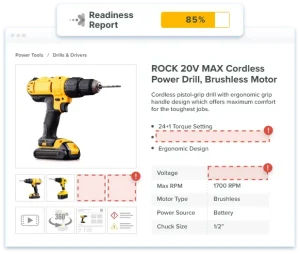
pim-dam-tools-readiness-reporting-completeness-diagnositic

Key Takeaways

ERP manages operational data: inventory, pricing, purchasing, finance, and supply chain. PIM manages commercial content: product descriptions, attributes, images, and channel-specific content. They manage different data, serve different teams, and are complementary — not competing
Gartner estimates poor data quality costs organizations $12.9M to $15M per year on average. Most of that gap lives in the commercial content layer that ERPs don't manage well
The major ERP vendors — SAP, Oracle NetSuite, Microsoft Dynamics 365, Infor, Epicor, and Sage — all integrate with PIM platforms via API, enabling automated data flow from operational records to channel-ready content
The global ERP market is projected to grow from $106B to $282B by 2034 at a 13% CAGR (Fortune Business Insights). PIM is the commercial content layer growing alongside it
ERP product masters lack three things PIM provides: content richness for buyer-facing channels, a channel syndication layer, and a governance model designed for marketing and eCommerce teams
Most manufacturers, distributors, and multi-channel brands need both systems. The question is not ERP vs PIM but how to integrate them so operational data flows into commercial content automatically

Frequently Asked Questions

What is the difference between PIM and ERP?

ERP (Enterprise Resource Planning) manages operational business data: inventory levels, pricing, purchasing, manufacturing, finance, and supply chain. PIM (Product Information Management) manages commercial product content: descriptions, technical attributes, product images, certifications, and the channel-specific content that buyers encounter on websites, marketplaces, and distributor platforms. ERP tells your operations team what you have and what it costs. PIM tells buyers what your products are and why they should purchase them. Most organizations need both systems, connected via integration, with each managing the data layer it was built for.

Is PIM part of ERP?

No. PIM is a separate system category from ERP. Some ERP vendors offer PIM-adjacent modules or have partner integrations with PIM vendors, but the two systems serve fundamentally different purposes and are built for different teams. ERP product masters store operational data for transactional processing. PIM manages rich commercial content for channel publishing. Organizations that rely solely on their ERP product master for channel content typically encounter listing suppressions on marketplaces, inconsistent product data across channels, and slow new product introduction timelines. A dedicated PIM solves problems that ERP isn't architected to address.

Can ERP replace PIM?

Not for organizations selling through multiple channels with substantial product content requirements. ERP product masters store the minimum operational data required to process transactions: SKU, cost, inventory, supplier. They're not designed to manage marketing descriptions, product imagery, channel-specific content templates, or the syndication workflows required to push formatted content to Amazon, Grainger, your website, and distributor portals simultaneously. Some ERP vendors are adding content management features, but these remain transactional systems at their core, not commercial content management platforms built for the workflow marketing and eCommerce teams actually need.

Do I need both PIM and ERP?

Most product-led companies that sell through three or more channels and manage catalogs of 500-plus SKUs need both. ERP handles operations: inventory, finance, purchasing, manufacturing. PIM handles commercial content: the descriptions, attributes, and images that buyers encounter and that channel systems require. They're complementary systems that integrate: the ERP pushes core product data to the PIM, and the PIM enriches it with commercial content and distributes it to channels. If you're currently managing product content in spreadsheets and shared drives alongside an ERP, you almost certainly need a PIM to replace that manual process.

What is the difference between PIM vs ERP vs PLM?

Three systems, three distinct layers. PLM (Product Lifecycle Management) manages the engineering and development lifecycle: design files, bills of materials, engineering change orders, and regulatory compliance data. ERP manages operational and transactional data: inventory, pricing, purchasing, finance, and supply chain. PIM manages commercial product content: descriptions, images, technical attributes, and channel-specific content that buyers encounter when deciding what to purchase. The typical data flow in a manufacturer's stack is PLM to ERP to PIM to channels. Most manufacturers with complex products and multi-channel distribution need all three.

PIM or ERP — which should you implement first?

For most businesses, ERP comes first. It manages the operational foundation the business needs to function: accounting, inventory, order management, and purchasing. PIM typically becomes urgent when you reach channel scale: when you're managing three or more sales channels, your catalog has grown past 500 SKUs, or your team is spending significant time manually reformatting product data for each channel. If you already have an ERP and are evaluating PIM, the integration between the two systems should be a top selection criterion from the start. The data flow ERP to PIM to channels is what eliminates manual re-entry and maintains accuracy across your digital shelf.

Is PIM the same as PXM?

Not exactly, but the distinction is smaller than some vendors suggest. PIM (Product Information Management) is the underlying system of record for product content. PXM (Product Experience Management) is a category label that some vendors use to describe PIM plus the channel-formatting, optimization, and analytics layers that can sit on top of it. In practice, modern PIM platforms — Catsy included — handle most of what's marketed as PXM out of the box. The category label matters less than confirming the platform can enrich product content and syndicate it to every channel your buyers use, with the governance and completeness tracking your team needs.

How does PIM fit alongside ERP and PLM?

The three systems serve three different phases of a product's life. PLM handles engineering data: the design files, bills of materials, and revision history that product engineers and compliance teams care about. ERP handles the transactional and operational side: costs, inventory levels, finance, and supply chain. PIM handles the commercial side: the descriptions, images, attributes, and channel-specific content that buyers actually see when they're deciding what to purchase. Most companies that manufacture or distribute products across multiple channels need all three. For a detailed look at how PIM and PLM divide responsibilities, read the full PIM vs PLM comparison.

1. Gartner, "How to Improve Your Data Quality," 2018 (widely cited figure). Available at gartner.com. Note: Gartner's full methodology and current estimates are available to Gartner subscribers.
2. Fortune Business Insights, Enterprise Resource Planning Market Size, Share & Industry Analysis. Available at fortunebusinessinsights.com.
3. McKinsey & Company, "The Value of Getting Personalization Right — or Wrong — Is Multiplying," November 2021. Available at mckinsey.com.

Add the PIM Layer Your ERP Can't Provide

Catsy integrates with SAP, Oracle NetSuite, Microsoft Dynamics 365, Infor, Epicor, and Sage, adding the commercial content management layer your channels require. Enrich your ERP product data, syndicate it to every channel, and keep it consistent automatically.

Book a Demo