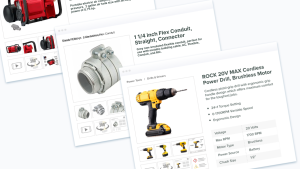
Product Information Management · Growth Guide

How Product Information Management (PIM) Benefits Growing Organizations

See how a PIM system helps growing organizations manage product content, cut manual work, and scale across merchandising, marketing, sales, and customer service.

Ceejay S Teku Updated September 2, 2026
Catsy PIM and DAM syndicating product updates across every connected sales channel

A product information management (PIM) system helps growing organizations centralize product data in one place. Spreadsheets and shared drives work for small catalogs. They break down once teams reformat the same data for multiple channels. A PIM stores structured data like pricing and SKUs. It also stores unstructured content like copy, images, and video. Marketing, sales, and customer service teams pull from the same source. This cuts manual work and reduces the content errors that lead to lost sales.

What’s the Difference Between a PIM, a DAM, and an ERP?

A Product Information Management (PIM) system manages product data and enriched content. A Digital Asset Management (DAM) system manages digital files. An ERP manages pricing, inventory, and orders. Teams often confuse the three because they work together. Knowing the difference makes it easier to pick the right tool for the job.

TermWhat It ManagesExample Data
PIM (Product Information Management)Product data and enriched contentDescriptions, specs, taxonomy, attributes
DAM (Digital Asset Management)Digital files linked to productsImages, video, PDFs, 3D renders
ERPTransactional business dataPricing, stock levels, orders
CMSWebsite contentPages, blog posts, landing pages
Diagram showing a PIM acting as the single source of truth between an ERP and downstream sales channels
A PIM sits between your ERP and your sales channels, acting as the single source of truth for product content.

How Do You Know You’ve Outgrown Spreadsheets for Product Data?

There is no single SKU count that means you need a PIM. Watch for these signs instead:

Multiple storefronts displaying the same product catalog across different sales channels
Selling the same catalog across several storefronts is one of the clearest signs a spreadsheet-based process has run out of room.
SKU and variant sprawl. Parent-child relationships across sizes, colors, and configurations get hard to track in a flat spreadsheet.
Multi-channel reformatting. The same product data gets manually reshaped for a storefront, a marketplace, and a distributor feed.
Scattered digital assets. Product images and spec sheets live across shared drives instead of a system linked to the SKUs they belong to.
Slow product launches. New items take weeks to go live because content is locked in someone’s inbox or an inaccessible ERP field.
Content-driven returns and rejections. Outdated specs or missing attributes lead to customer returns or get listings rejected by a marketplace.

What Are the Benefits of a Product Information Management System?

A PIM gives growing organizations one accurate source for product content, instead of several disconnected ones. Growing organizations often hit the same wall. Product content becomes harder to manage once the catalog crosses a certain size.

Product data comes in two forms. Structured data includes item numbers, pricing, and unit of measure. This data usually lives in an inventory or ERP system. It is enough to process orders. It falls short when you need to market a product, sell it across channels, or support a customer after the sale.

Unstructured content is different. It includes marketing copy, technical specs, images, videos, and vendor logos. A PIM platform like Catsy links this content to your structured data. That turns your product content into a strategic asset instead of a scattered pile of files.

Most teams start simple. A word document holds the copy. A folder holds the images. A spreadsheet tracks sales data. This works fine at a small scale. It breaks down as more people need the content, or as the product count grows. A PIM organizes this content into a shared system, with searchable taxonomy and one place to publish from.

Catsy PIM interface showing product content organized and categorized by taxonomy
A PIM organizes product content into a searchable, categorized structure instead of scattered folders and files.
The Cost of Getting This Wrong
Retailers expected to take back nearly $850 billion in merchandise in 2025, or 15.8 percent of annual sales, and mismatched product content is a common cause. The PIM software market itself is growing quickly. One 2025 market analysis projects continued double-digit annual growth as more mid-market companies move off spreadsheets.

How Does a PIM Help Each Team?

A PIM changes daily work for every team that touches product content, not just one department.

Catsy PIM and DAM interface showing product enrichment across product types and variants
Enriching product types and variants in one system keeps merchandising, creative, and marketing working from the same data.
TeamHow a PIM Helps
Merchandising & Product ManagementResearch and store items from vendors in one product database. Store product specs and attach vendor-provided images without hunting through email threads.
MarketingBuild catalogs and flyers from the same organized content used online. Enrich listings with product video and link that video to the right SKUs.
CreativeCopywriters and designers work from one database of products, copy, vendor logos, and specs, instead of chasing down the latest version of each file.
SalesAccess published and unpublished products in one place to build quotes or answer prospect questions on the spot.
Print & Web CatalogsPublish consistent print and web catalogs from a single product database instead of rebuilding content for each format.
Online SearchKeep on-site search sharp with complete, structured product data, since shoppers expect search to work the way Google has trained them to expect.
Customer ServiceGive support reps the same accurate, centralized product data as everyone else on the team, so they can resolve issues faster.

How Does a PIM Fit Into Your Existing Tech Stack?

A PIM does not replace your ERP, and it is not a full digital asset management system on its own, though platforms like Catsy combine PIM and DAM in one system. Each system plays a different role. The ERP owns pricing, inventory, and logistics. The PIM owns enriched content and acts as the governance layer between systems. The DAM owns the images, video, and documents linked to each SKU. Sales channels receive the finished, enriched content once it is validated.

Retailers have understood the value of connected channels for years. A Harvard Business Review study of 46,000 shoppers found that people who shopped across multiple channels spent more per visit than single-channel shoppers, and returned to shop again more often. That pattern has only grown stronger as the average retailer now sells across more channels than it did when that study published.

SystemOwnsFeeds Into
ERPPricing, inventory, logisticsPIM (raw product data)
PIMEnriched content, taxonomy, validationSales channels
DAMImages, video, documentsPIM (linked assets)
ChannelsStorefronts, marketplaces, B2B portalsThe customer

What Should You Look for When Evaluating a PIM?

A few capabilities matter more than the rest for a growing organization. A PIM will not speed up marketplace approval times on its own; that step still depends on the marketplace’s own review process. What it does control is whether your submission is complete and correctly formatted the first time.

CapabilityWhy It Matters
Built-in DAMProduct data and digital assets live in one system instead of two, so nothing goes out of sync.
Automated validation rulesCatches missing or incomplete attributes before they reach a channel, not after a rejection.
ERP connectorsEliminates duplicate data entry between systems.
Workflow and approval toolsCopywriters, catalog managers, and compliance reviewers stop emailing spreadsheets back and forth.
Multichannel syndication templatesBuilt for the marketplaces and platforms you actually sell on, not a generic export.

Key Takeaways

01. A PIM becomes valuable when catalog growth creates operational friction, not at one fixed SKU count.
02. An ERP owns pricing and inventory; a PIM owns enriched content; a DAM owns the files linked to it.
03. Mismatched product content is a documented contributor to the nearly $850 billion in annual U.S. retail returns.
04. A combined PIM and DAM removes the need to rebuild product content separately for every channel.
05. Evaluate platforms on validation rules, ERP connectors, workflow, and syndication templates, not on price alone.
Product Information Management

See Where Your Catalog Is Losing Time

Request a free demo of Catsy’s PIM solution and see how a combined PIM and DAM centralizes your product content. Or browse Catsy’s PIM for growing manufacturers.

FAQs

There’s no universal number. The signal to watch for is friction: manual reformatting for each channel, scattered assets, and slow launches, regardless of whether that happens at 300 SKUs or 30,000.

No. A PIM manages structured and unstructured product data (titles, specs, pricing, taxonomy). A DAM manages the files (images, video, documents). Many platforms, including Catsy, combine both.

Yes, most modern PIM platforms integrate with ERP systems so pricing and inventory data flow in automatically, while enriched marketing content is managed and published from the PIM.

 It varies by catalog size and integration complexity, but the goal of a well-run implementation is to get your team onboarded and publishing without a multi-quarter rollout.

Indirectly. Since incomplete or inaccurate content is a documented driver of returns industry-wide, a system that enforces complete, validated product data before it publishes can reduce the number of “not as described” returns.

SHARE